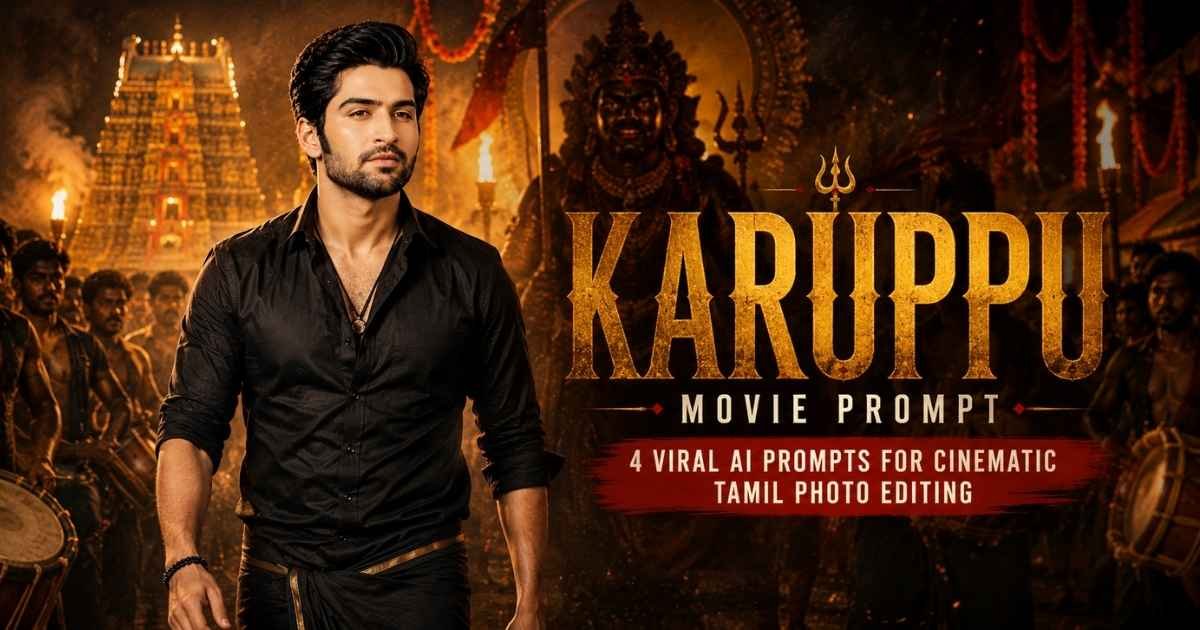
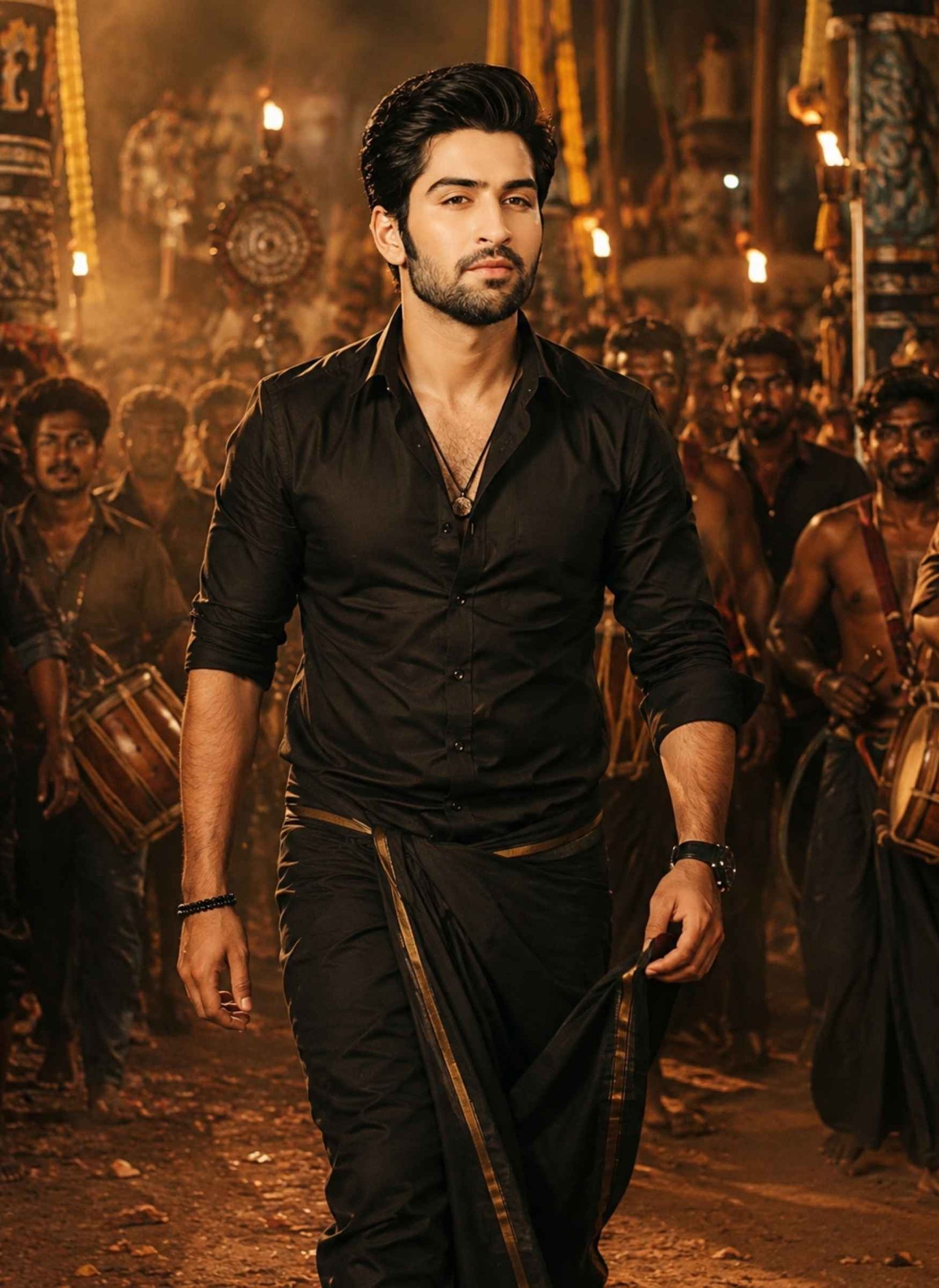
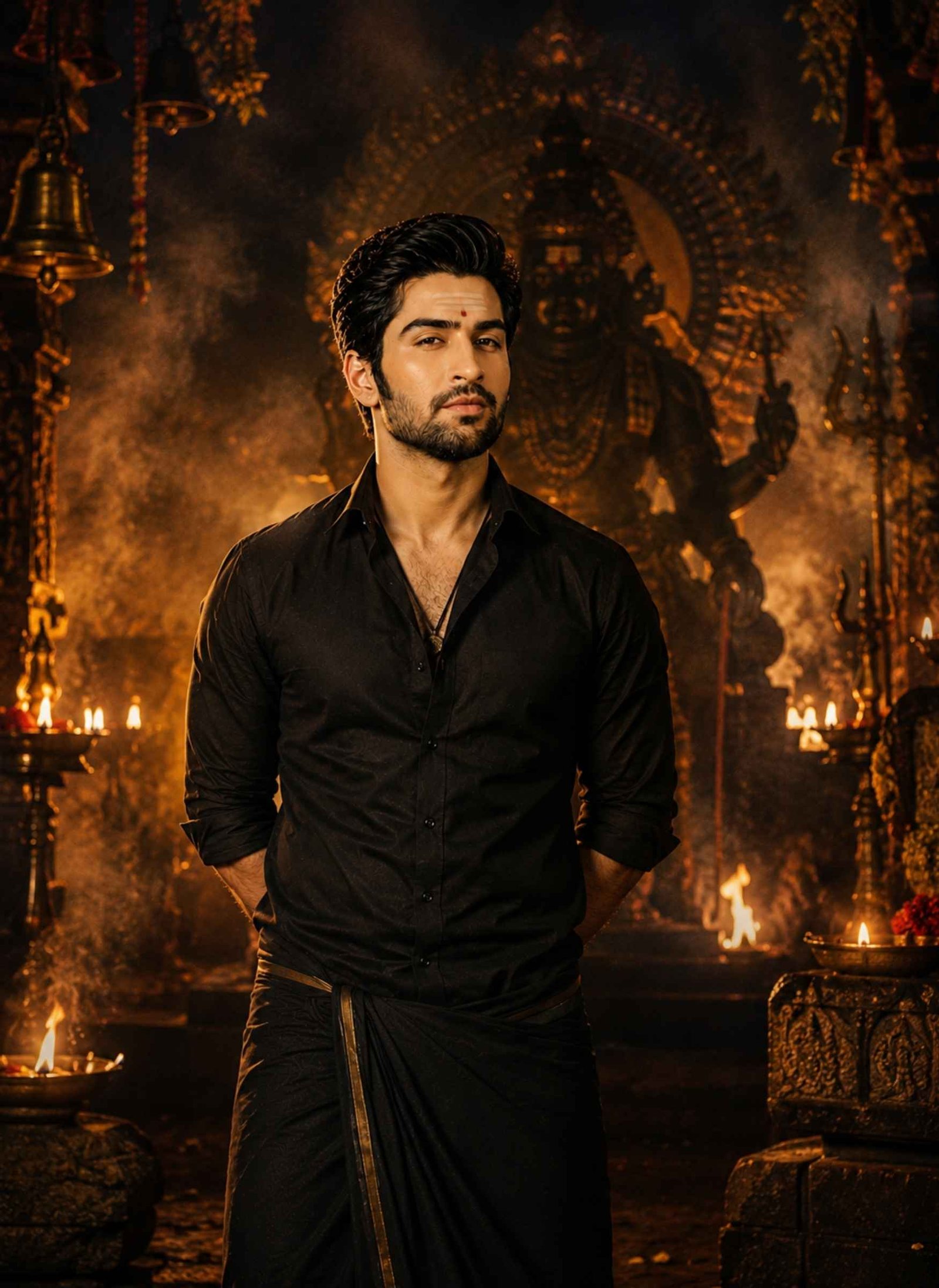
Featured image for the Karuppu Movie Prompt guide, showing a South Indian cinematic mass-hero look with a black shirt and veshti, traditional temple festival setting, warm firelight, dramatic atmosphere, and Tamil movie-poster styling.
Best Karuppu Movie Prompts for AI Photo Editing
Prompt 1
Use the uploaded photo as the main identity reference. Preserve the person’s recognizable facial features, facial structure, natural skin tone, hairstyle, facial hair if present, expression, and age appearance. Change the clothing, environment, pose, and cinematic styling without unnecessarily changing the person’s identity.
Create a powerful South Indian mass-hero entry scene during a traditional Tamil village festival. Dress the subject in a fitted black cotton shirt with naturally rolled sleeves and a traditional black veshti with a subtle border. Show the subject walking confidently toward the camera with a calm, intense expression and relaxed but commanding body language.
Build an authentic festival environment around the subject with traditional drums, flower garlands, temple lamps, a moving crowd, subtle dust in the air, and warm torchlight. Keep the background detailed but slightly out of focus so the person remains the visual center.
Use a slightly low camera angle, warm amber and orange lighting, realistic firelight reflections, natural shadows, subtle atmospheric smoke, cinematic depth of field, and controlled motion in the distant crowd. Maintain realistic skin texture, fabric folds, hands, fingers, and body proportions.
Avoid excessive flames, fantasy armor, glowing eyes, unrealistic muscles, plastic skin, extreme HDR, oversaturation, duplicated people, or unnecessary objects. The finished image should resemble a professionally photographed mass-entry scene from a contemporary Tamil action film rather than artificial AI artwork.
Prompt 2
Use the uploaded image as the primary identity reference. Preserve the person’s recognizable face, facial proportions, natural skin tone, hairstyle, beard or moustache if present, expression, and age appearance.
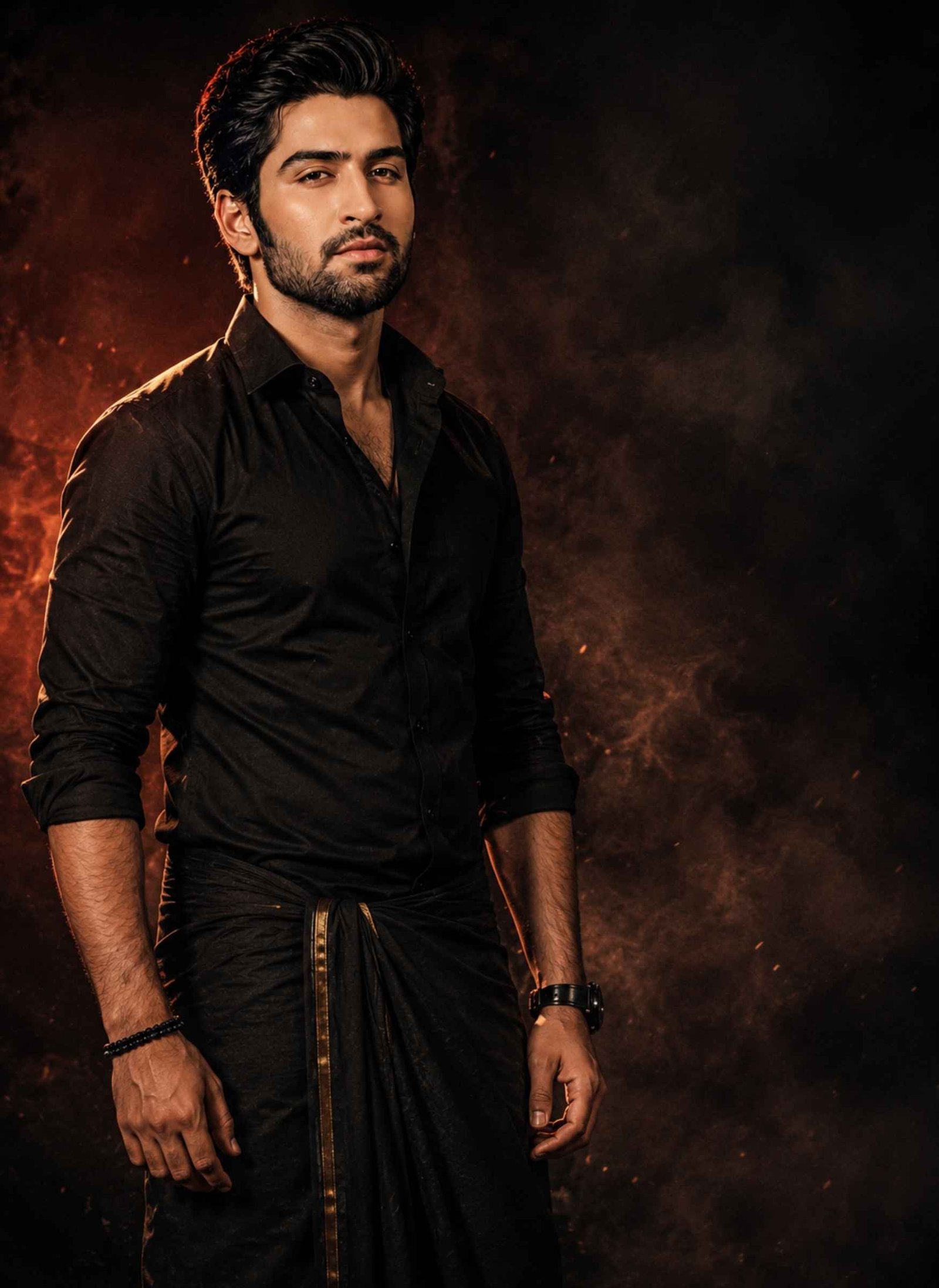
Transform the subject into the central character of a dark South Indian cinematic movie poster. Dress them in a clean black shirt and dark traditional veshti, with minimal accessories and a strong but natural appearance.
Position the subject in a confident half-body or three-quarter pose, looking slightly toward the camera with a controlled, serious expression. Use a dark charcoal and smoky background with subtle warm red and amber light appearing behind the subject.
Create strong cinematic separation using warm rim light around the shoulders and hair, soft directional light across the face, deep but detailed shadows, realistic contrast, subtle smoke, fine film grain, and natural photographic texture.
Leave some clean negative space around the upper or side portion of the composition so the image can also be used as a poster or social-media cover without making the frame crowded.
Preserve realistic eyes, pores, hair strands, fabric texture, hands, and body proportions. Avoid fake glowing eyes, excessive fire, fantasy costumes, extreme sharpening, artificial skin smoothing, random text, logos, or unnecessary background characters.
The final image should feel like a premium dark Tamil cinema character poster with restrained mass-hero energy and realistic movie photography.
Prompt 3
Use the uploaded photo as the identity reference. Preserve the person’s recognizable facial characteristics, facial structure, natural complexion, hairstyle, facial hair, expression, and age.
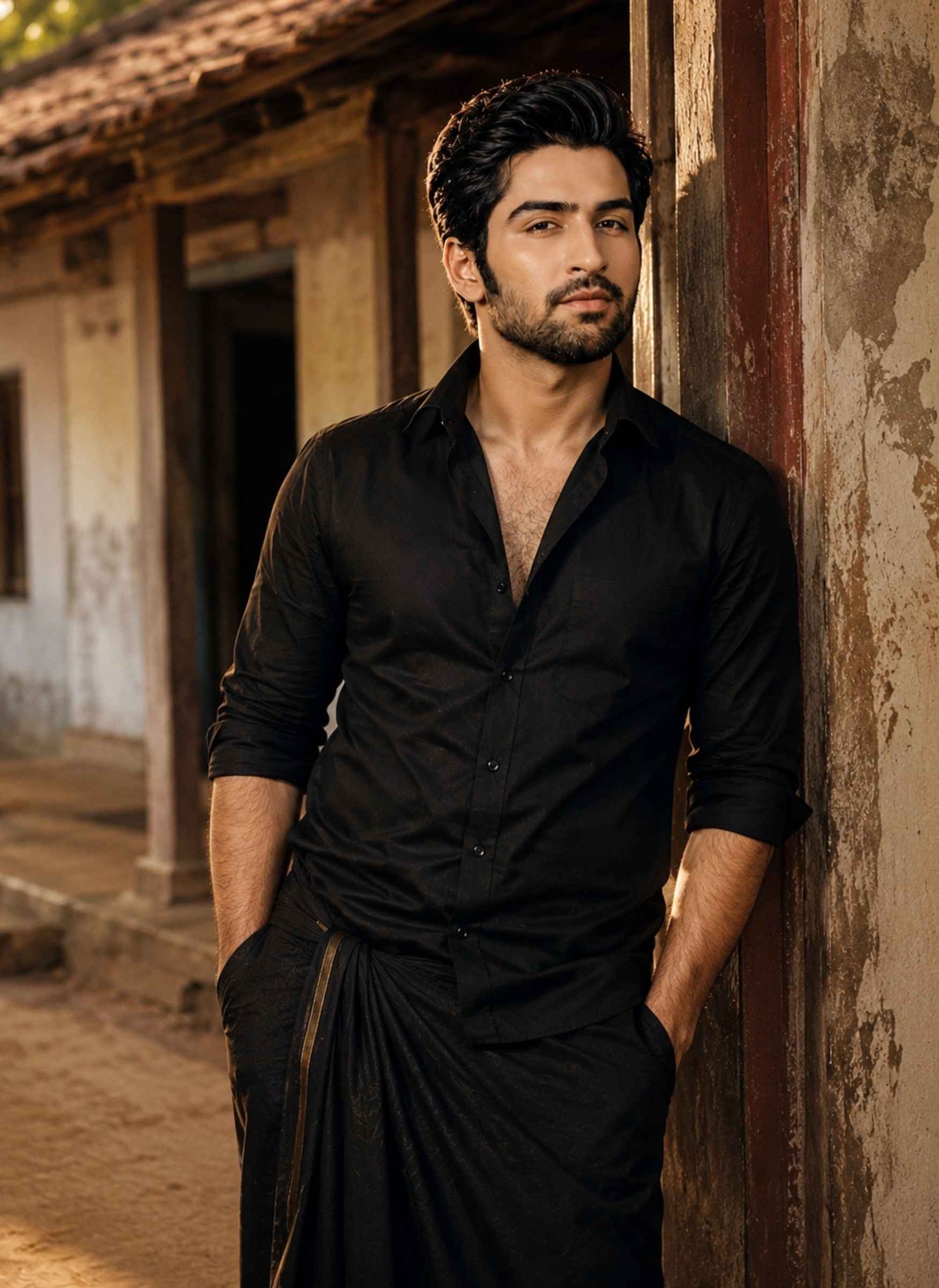
Create a grounded cinematic portrait in a traditional rural Tamil environment. Dress the subject in a simple black cotton shirt with rolled sleeves and a dark veshti, styled naturally rather than like a costume.
Place the person beside an old Tamil village house with weathered plaster walls, wooden doors, a shaded veranda, earthy pathways, and subtle natural greenery. Show the subject standing calmly near the doorway or walking slowly through the village lane with a serious but natural expression.
Use late-afternoon or early-evening directional sunlight with warm highlights, realistic shadows, an earthy brown and muted black color palette, gentle background blur, subtle atmospheric dust, and fine analog-style film grain.
Keep the environment believable and lived-in. Clothing should have realistic folds and texture, skin should retain natural detail, and hands and body proportions should remain anatomically convincing.
Do not add huge crowds, excessive fire, fantasy elements, modern city objects, artificial glow, unrealistic jewellery, oversaturated colors, or exaggerated action poses.
The final result should look like a cinematic still from a grounded rural Tamil drama with a dark, powerful visual character.
Prompt 4
Use the uploaded portrait as the main identity reference. Preserve the person’s recognizable facial features, facial structure, natural skin tone, hairstyle, facial hair if present, expression, and age appearance.
Create a dramatic South Indian devotional-action poster with the subject standing confidently in the foreground near a traditional temple or village shrine at night. Dress the subject in a black traditional shirt and dark veshti with restrained styling.
Give the person a calm, fearless expression rather than exaggerated anger. Add subtle sacred forehead markings where appropriate to the chosen devotional styling, while keeping the person’s natural facial identity clearly recognizable.
Behind the subject, create an atmospheric suggestion of a powerful guardian presence using temple architecture, large shadow forms, smoke, backlighting, and dramatic scale rather than turning the scene into an unrealistic fantasy character.
Surround the environment with traditional oil lamps, restrained flames, drifting smoke, temple textures, and deep night shadows. Use a controlled black, amber, dark red, and gold color palette with warm rim lighting around the subject.
Frame the person centrally using a cinematic poster composition with realistic perspective, detailed skin and clothing, natural shadows, atmospheric depth, and subtle film texture.
Avoid cartoon gods, excessive supernatural effects, glowing eyes, oversized weapons, random religious symbols, unrealistic fire, plastic skin, extreme HDR, or visual clutter. The final image should balance devotional atmosphere with realistic Tamil cinematic photography.
What Is a Karuppu Movie Prompt?
A Karuppu movie prompt is a detailed AI image instruction used to transform a reference photo into a cinematic visual associated with the dark, dramatic aesthetic currently appearing around Karuppu-themed AI edits.
The dominant online examples combine elements such as black shirts and veshti, Tamil festival or village environments, temple lighting, smoke, firelight, strong hero framing, and dramatic South Indian movie-poster photography. Some variations move further into devotional and guardian-inspired imagery.
The prompt matters because simply asking an AI tool to “make my photo look like Karuppu” gives the model much less control over the outfit, pose, environment, lighting, and realism.
How to Create a Karuppu Movie Style AI Photo
Start with a clear portrait where your face is visible without heavy filters, sunglasses, or strong motion blur. A front-facing or three-quarter image generally provides useful facial information for reference-based editing.
Upload the photo to an AI image generator or editor that supports reference images. Choose the Karuppu movie prompt above that matches the result you want, paste it, and generate the image.
After generation, check the face first. Then inspect the clothing, hands, veshti, lighting, background people, and body proportions. If one element is wrong, give the AI a targeted correction rather than rewriting the entire scene.
Current Karuppu prompt tools follow a similar basic workflow of uploading a portrait, applying a detailed cinematic prompt, and then customizing elements such as clothing, lighting, temple atmosphere, smoke, or poster mood.
What Makes the Karuppu AI Style Different?
The visual identity comes from the combination of several elements rather than one filter.
Clothing usually favors black traditional or semi-traditional styling, particularly a dark shirt with veshti. Locations often include Tamil villages, temple surroundings, festival streets, or dark cinematic spaces.
Lighting is equally important. Warm firelight, amber rim lighting, deep shadows, smoke, and strong subject-background separation help create the dramatic character associated with current Karuppu edits. Festival versions add crowds and movement, while poster versions simplify the scene and emphasize the hero.
The result should still look photographic. Adding more fire, smoke, HDR, glow, and “8K” terms does not automatically make an image more cinematic.
How to Keep Your Face Recognizable in Karuppu AI Photos
Do not rely only on instructions such as “keep face 100% same.” Instead, tell the model which characteristics it should preserve.
A useful identity instruction is:
Use the uploaded image as the primary identity reference. Preserve the person’s recognizable facial features, facial structure, natural skin tone, hairstyle, facial hair, expression, and age appearance. Change the clothing, environment, lighting, and cinematic styling without unnecessarily changing the person’s identity.
This gives the model a clearer separation between what should remain recognizable and what it is allowed to transform.
Avoid asking for a completely different jawline, hairstyle, skin tone, body type, age, and expression in the same generation if facial resemblance is your priority.
Best Photo to Use With a Karuppu Movie Prompt
Use a sharp image with a clearly visible face and natural lighting. A half-body or three-quarter portrait is particularly useful when the final image needs to show the shirt, veshti, pose, and hands.
Avoid very small faces, extreme side profiles, heavy beauty filters, strong colored lighting across the face, or images where hair or accessories cover important facial features.
For a full-body festival entry, choose a reference that gives the AI enough information about the person’s overall proportions. For a close-up movie poster, facial clarity matters more than having the entire body visible.
How to Customize Your Karuppu AI Prompt
You can change individual components without replacing the entire prompt.
For a more realistic look, reduce smoke, fire, crowds, and supernatural effects.
For a stronger mass-cinema look, use a low camera angle, festival procession, drums, dust, warm backlight, and controlled crowd movement.
For a darker poster, use a charcoal background, black clothing, amber rim light, deep shadows, and negative space.
For a more devotional atmosphere, use temple architecture, oil lamps, subtle smoke, sacred styling, and warm gold-red illumination. Current Karuppu prompt collections similarly vary the core aesthetic through festival, guardian, temple, dark-poster, and mass-entry treatments.
The key is to change one visual direction at a time instead of stacking every possible effect into one image.
Common Karuppu AI Photo Problems and Fixes
Problem
What to Change
Face no longer resembles the reference
Strengthen facial identity instructions and simplify the transformation
Image looks too artificial
Reduce HDR, glow, oversaturation, and excessive sharpening
Too much fire or smoke
Request restrained atmospheric effects with a clearly visible subject
Black clothes lose detail
Ask for visible fabric texture and controlled highlights
Veshti looks inaccurate
Clearly specify traditional veshti, natural folds, and realistic draping
Background becomes too crowded
Keep only essential festival or village elements
Hands or fingers look distorted
Request natural hand placement and anatomically realistic fingers
Poster looks like fantasy art
Reduce supernatural effects and emphasize realistic movie photography
Subject looks overly aggressive
Request a calm, intense, controlled expression
Face becomes overly smooth
Specify natural pores and realistic skin texture
FAQs About Karuppu Movie Prompts
What is the best Karuppu movie prompt?+
For the most recognizable mass-cinema result, start with the Karuppu Mass Hero Festival Entry prompt. It combines black traditional clothing, a Tamil festival environment, crowd movement, warm firelight, and cinematic hero framing without relying heavily on fantasy effects.
Can I use my own photo with a Karuppu movie prompt?+
Yes. A clear reference portrait can be used with an AI tool that supports image-based generation or editing. Include explicit identity-preservation instructions so the model knows which facial characteristics should remain recognizable.
What should I wear in a Karuppu AI photo?+
You do not necessarily need to wear the final outfit in the source photo. The prompt can request a black cotton shirt and traditional veshti while using your uploaded image primarily as the facial identity reference.
Can I create a Karuppu movie poster with AI?+
Yes. Use a prompt that specifies poster composition rather than only describing clothing. Background, negative space, camera framing, lighting, contrast, and subject placement all contribute to a convincing poster-style result. Current Karuppu prompt collections specifically include movie-poster, festival and divine-guardian compositions.
Which Karuppu prompt is best for Instagram?+
A festival-entry image works well when you want an energetic cinematic visual, while the dark poster prompt is better when you want a cleaner portrait or cover image. Choose the composition according to where the image will actually be used rather than adding every trending effect to one prompt.
Final Thoughts
A strong Karuppu movie prompt should define more than a black outfit. The pose, Tamil setting, lighting, camera angle, atmosphere, and identity-preservation instructions work together to create the cinematic result.
Use the festival prompt for mass-hero energy, the dark poster for a cleaner dramatic look, the village prompt for realistic Tamil cinema styling, or the divine guardian prompt when you want a stronger devotional atmosphere.
Sibling photos look best when they capture the small things that make a brother-sister relationship feel real—a familiar smile, playful teasing, helping each other, or simply spending time together. With a detailed brother and sister prompt, you can combine separate reference photos or transform an existing sibling picture into a more polished family portrait while…
Some father-daughter moments are easy to remember but difficult to capture in one perfect photograph. You may have separate photos, an old family picture, or simply want to recreate a meaningful scene that never made it to the camera. A well-written father and daughter prompt for Gemini can turn those reference photos into realistic family…
A childhood photo prompt can bring your past and present into the same frame. You can create a realistic photo of your current self meeting or hugging your younger self, recreate a nostalgic birthday moment, or even generate a childhood-style portrait when you do not have an old photo. Below are ready-to-copy prompts designed for…
Chibi-style photos are a fun way to turn an ordinary picture into something cute, playful, and made for social media. Instead of using a basic cartoon filter, you can use Chibi Cartoon Style AI Photo Editing Prompts to control how your final image looks—from tiny mini-me characters around your real photo to a complete chibi…
Want to create a beautiful Raksha Bandhan photo with your brother or sister using AI? These Raksha Bandhan AI Photo Editing Prompts help you turn your uploaded photos into realistic Rakhi celebration portraits while keeping both faces natural and recognizable. Upload clear photos of the brother and sister to Gemini, ChatGPT, or another AI image…
Getting a natural-looking couple photo from AI is not as simple as putting two people in the same frame. The faces can change, identities may get mixed, or the pose can look unnatural. A well-written couple prompt for Gemini AI helps you control these details and create a photo that feels more realistic. Below, you’ll…