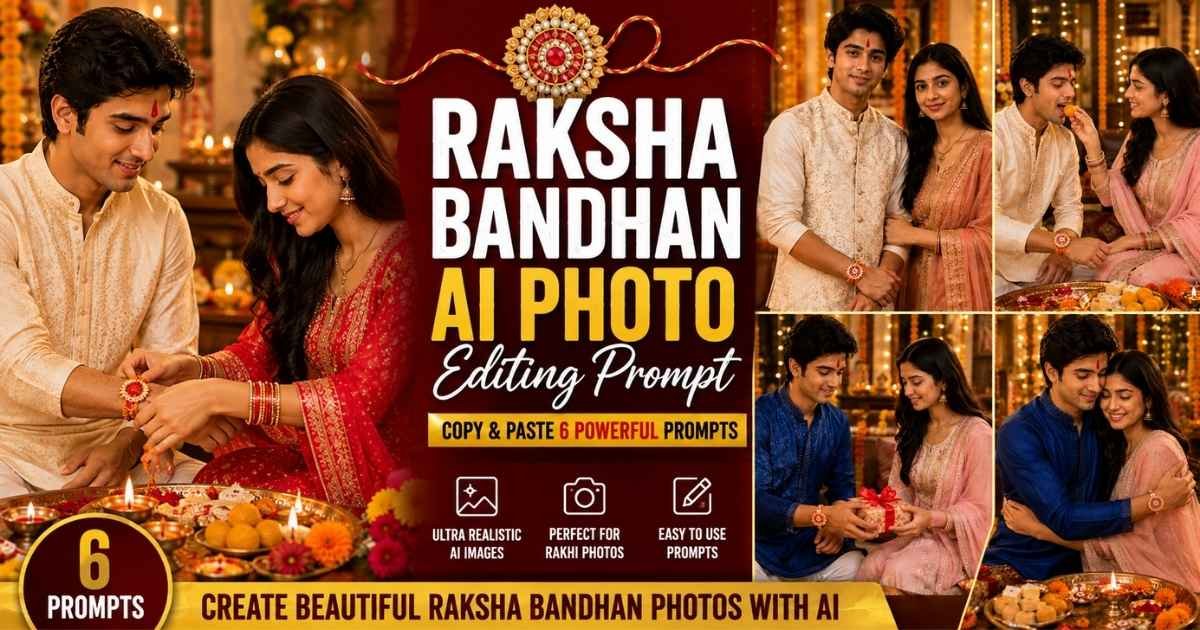
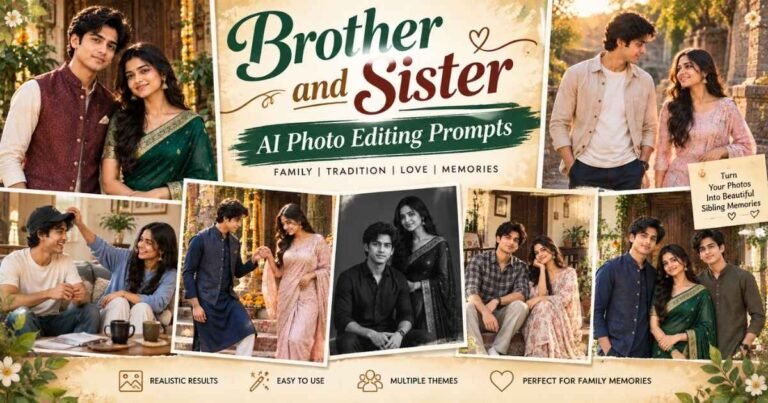
Want to create a beautiful Raksha Bandhan photo with your brother or sister using AI? These Raksha Bandhan AI Photo Editing Prompts help you turn your uploaded photos into realistic Rakhi celebration portraits while keeping both faces natural and recognizable.
Upload clear photos of the brother and sister to Gemini, ChatGPT, or another AI image generator, then copy and paste your favorite prompt below. You can create traditional Rakhi ceremony photos, sibling portraits, gift moments, and emotional brother-sister images for Instagram, WhatsApp, or festival posts.
Best Raksha Bandhan AI Photo Editing Prompts
These ready-to-use Rakhi AI photo editing prompts cover different moments of the festival, from tying Rakhi and sharing sweets to exchanging gifts and celebrating the brother-sister bond. Each prompt is designed for realistic faces, traditional Indian outfits, natural poses, and an authentic Raksha Bandhan atmosphere.
Prompt 1
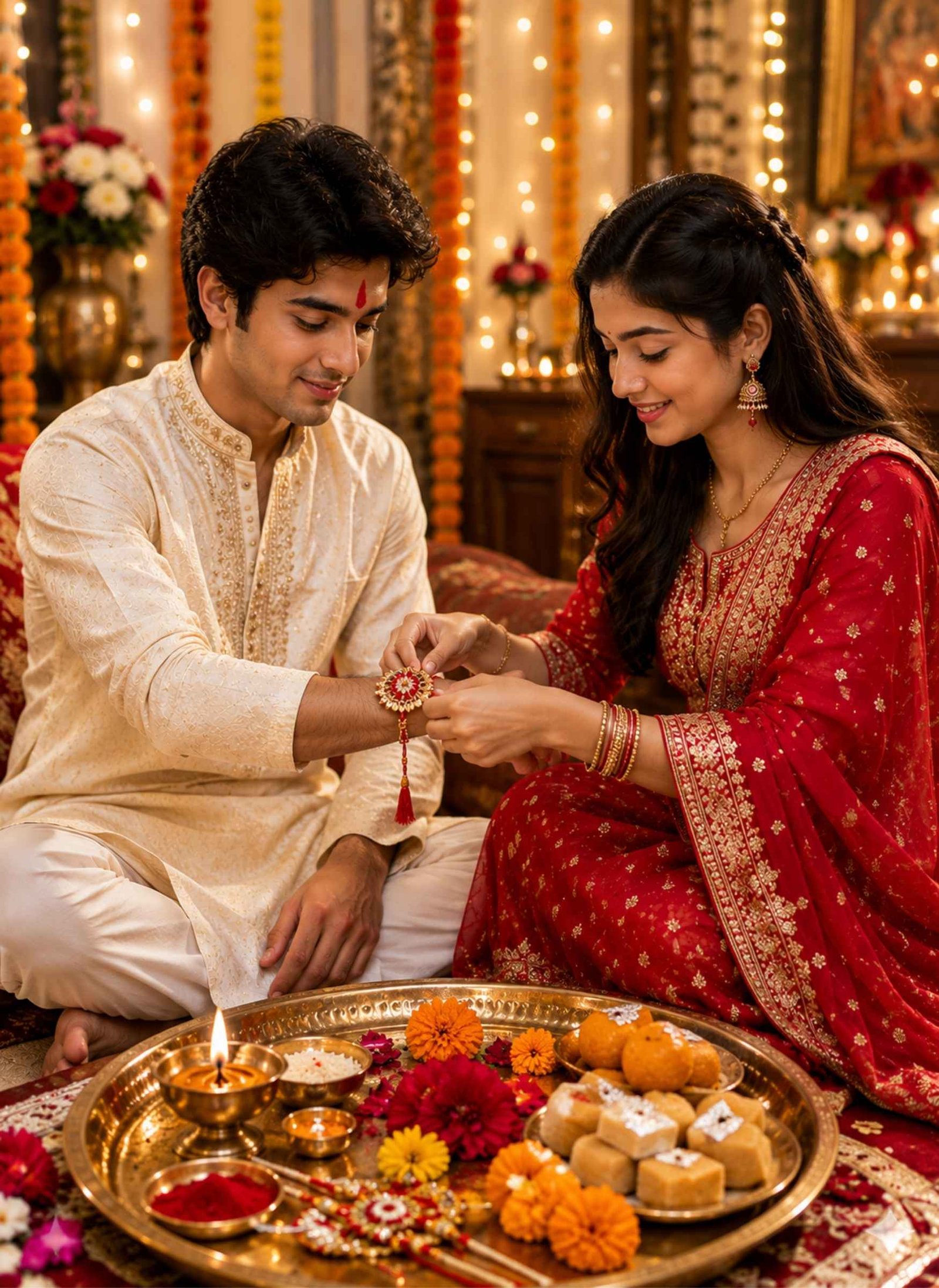
Use both uploaded photos as separate identity references for the brother and sister. Preserve each person’s recognizable facial features, hairstyle, natural skin tone, age appearance, eyes, and facial proportions. Create a highly realistic Raksha Bandhan scene where the sister is gently tying a beautiful traditional Rakhi around her brother’s wrist while both have natural, happy expressions. Dress the brother in an elegant cream kurta with subtle embroidery and the sister in a graceful red and gold traditional Indian outfit with tasteful jewellery. Place a festive puja thali nearby containing a glowing diya, roli, rice grains, Rakhi, flowers, and traditional Indian sweets. Add a fresh tilak on the brother’s forehead. Set the scene inside a beautifully decorated Indian home with marigold garlands, warm fairy lights, flowers, and soft festive decorations. Make the Rakhi and hand positions clearly visible and anatomically correct. Use realistic skin texture, accurate fingers, detailed fabrics, warm cinematic lighting, natural depth of field, and photorealistic festival photography.
Prompt 2
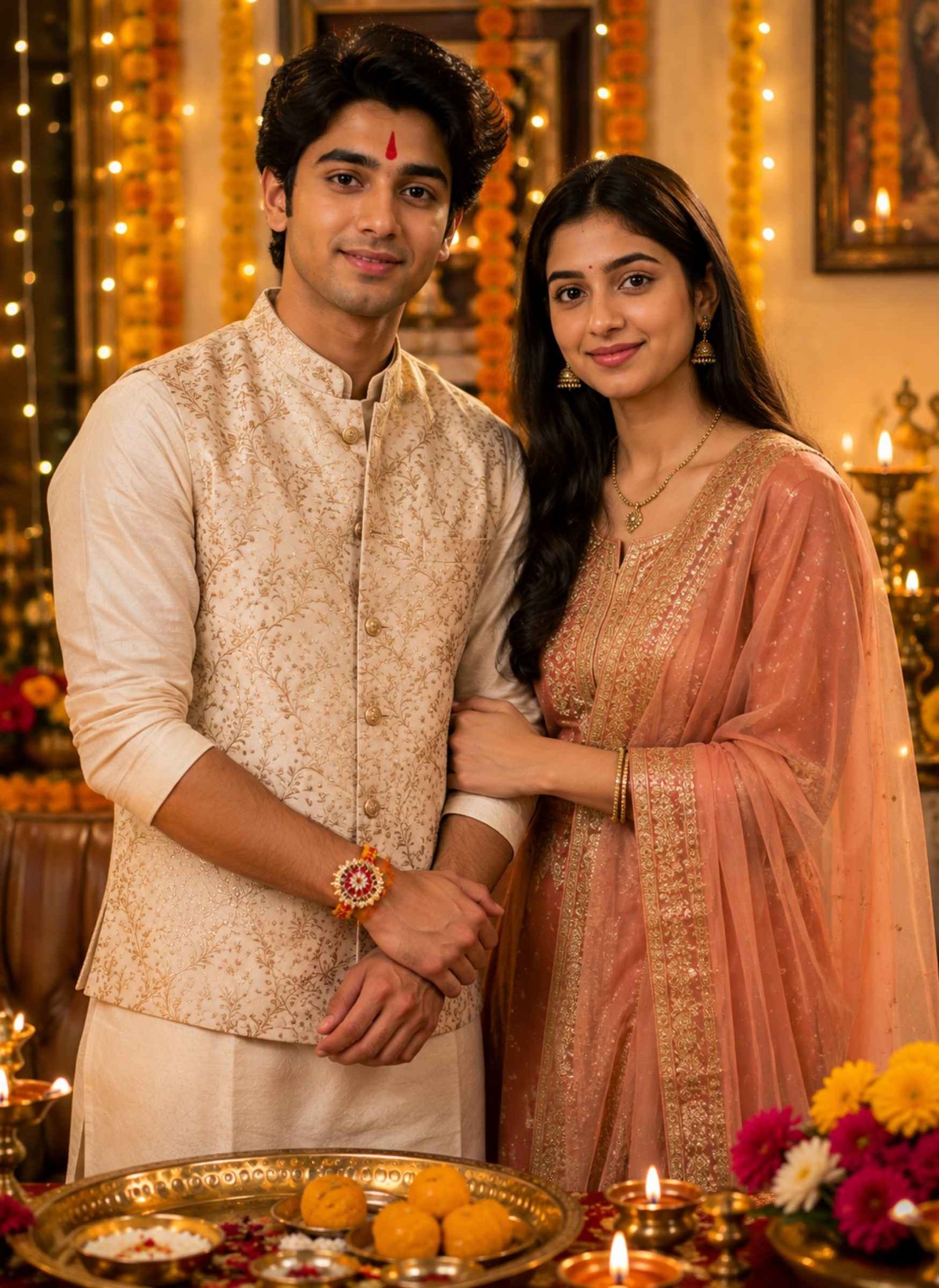
Create a photorealistic Raksha Bandhan portrait using both uploaded photos as identity references. Keep the brother’s and sister’s recognizable faces, hairstyles, complexions, eyes, and natural facial structure consistent with the reference photos. Show them standing together and looking naturally toward the camera after completing the Rakhi ceremony. Dress the brother in a stylish traditional kurta with a Nehru jacket and the sister in an elegant festive saree or salwar suit with subtle Indian jewellery. Make a colorful Rakhi clearly visible on the brother’s wrist and add a natural red tilak on his forehead. Decorate the background with marigold flowers, warm diyas, fairy lights, traditional Indian décor, and a softly blurred festive home interior. Give both siblings warm, genuine expressions without exaggerated smiles. Use realistic hands, natural body proportions, detailed clothing, authentic skin texture, soft golden lighting, cinematic depth of field, and professional Indian festival photography.
Prompt 3
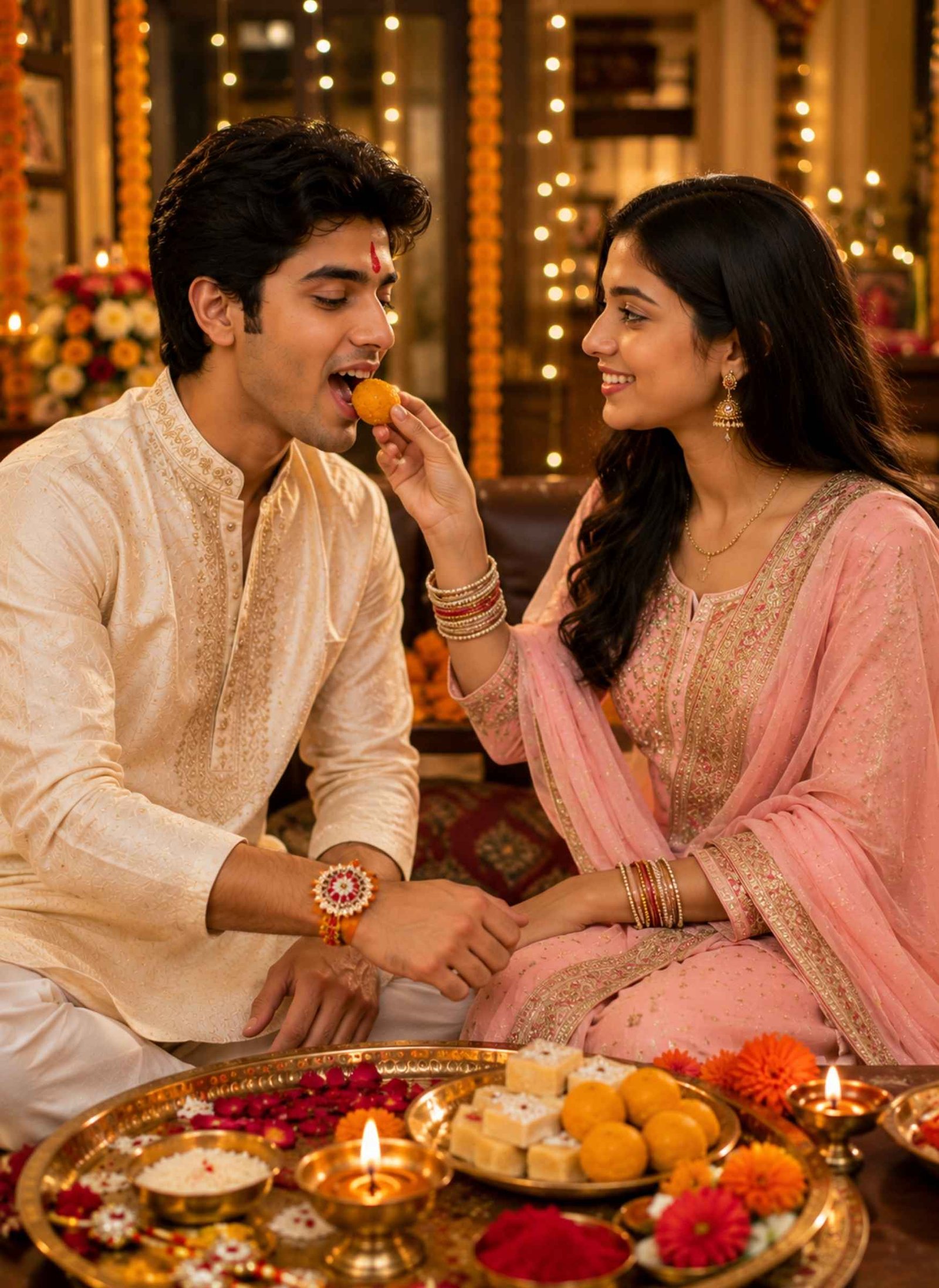
Use the uploaded brother and sister photos as separate identity references and create a realistic Raksha Bandhan celebration scene. Preserve both people’s recognizable facial features, hairstyles, skin tones, eyes, and natural appearance. Show the sister happily feeding her brother a traditional Indian laddoo after tying Rakhi on his wrist. The brother should have a visible tilak on his forehead and a natural joyful expression. Dress him in a light-colored embroidered kurta and dress the sister in a beautiful festive Indian suit with tasteful jewellery and bangles. Place a decorated Raksha Bandhan puja thali on the table with a diya, kumkum, rice, flowers, extra Rakhis, and assorted mithai. Add marigold garlands and warm decorative lights in a comfortable Indian home setting. Keep the feeding gesture natural, with accurate fingers, hands, mouth positioning, and realistic interaction between both people. Use warm festive lighting, realistic skin, detailed fabric textures, soft background blur, and photorealistic cinematic quality.
Prompt 4
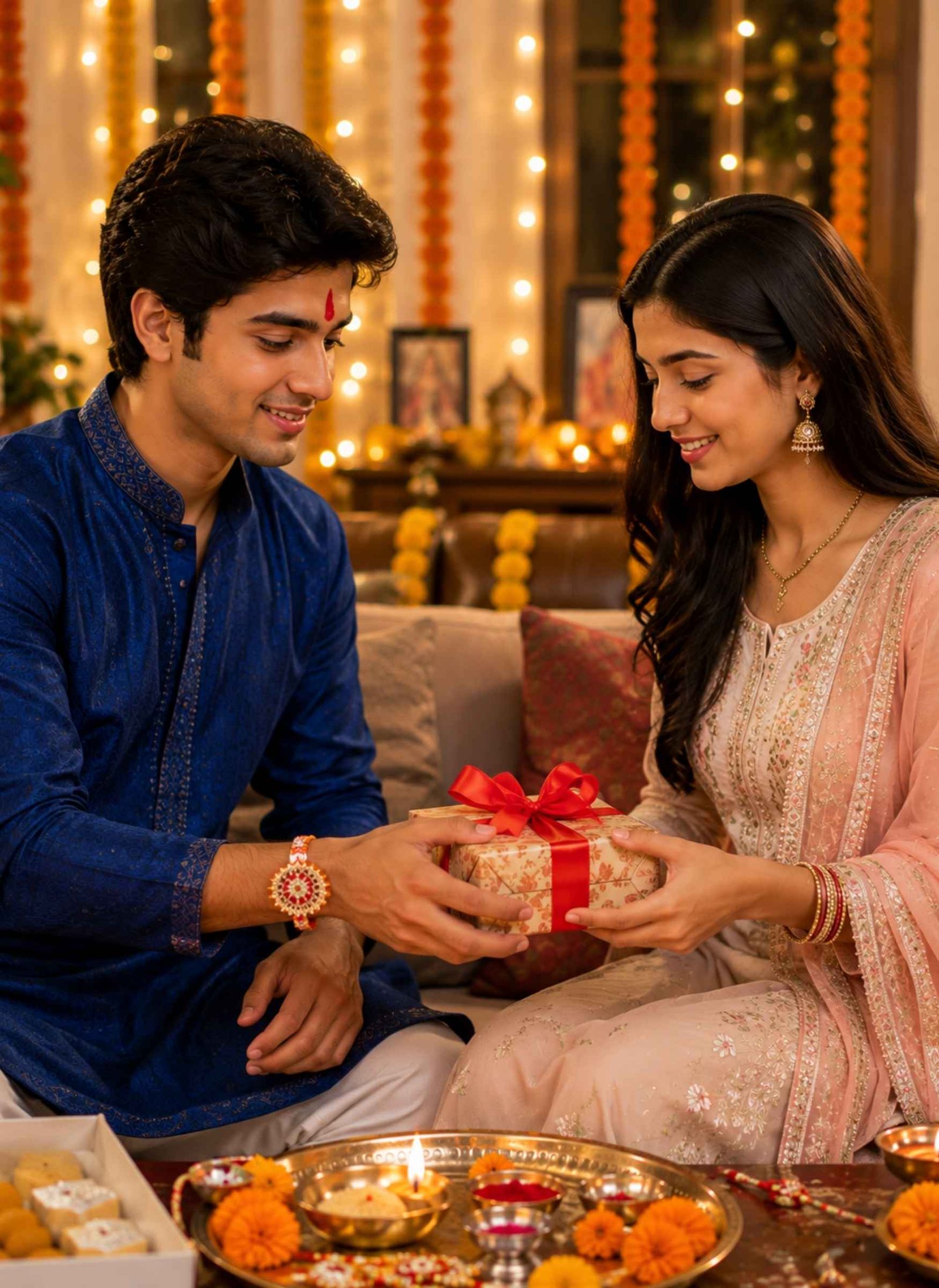
Transform both uploaded photos into an emotional and realistic Raksha Bandhan brother-sister AI photo while preserving each person’s recognizable face, hairstyle, natural complexion, and facial proportions. Show the brother warmly giving his sister a beautifully wrapped Raksha Bandhan gift after the Rakhi ceremony. The sister should receive the gift with a genuine happy expression while a colorful Rakhi remains clearly visible on the brother’s wrist and a traditional tilak appears naturally on his forehead. Dress the brother in a royal blue traditional kurta and the sister in an elegant pastel Indian outfit with subtle jewellery and bangles. Set the scene in a tastefully decorated living room with marigold garlands, diyas, flowers, fairy lights, and a small puja thali nearby. Capture the moment like a candid family photograph rather than a posed studio image. Use accurate hands, natural body language, realistic skin texture, detailed clothing, warm golden light, cinematic depth, and high-detail festival photography.
Prompt 5
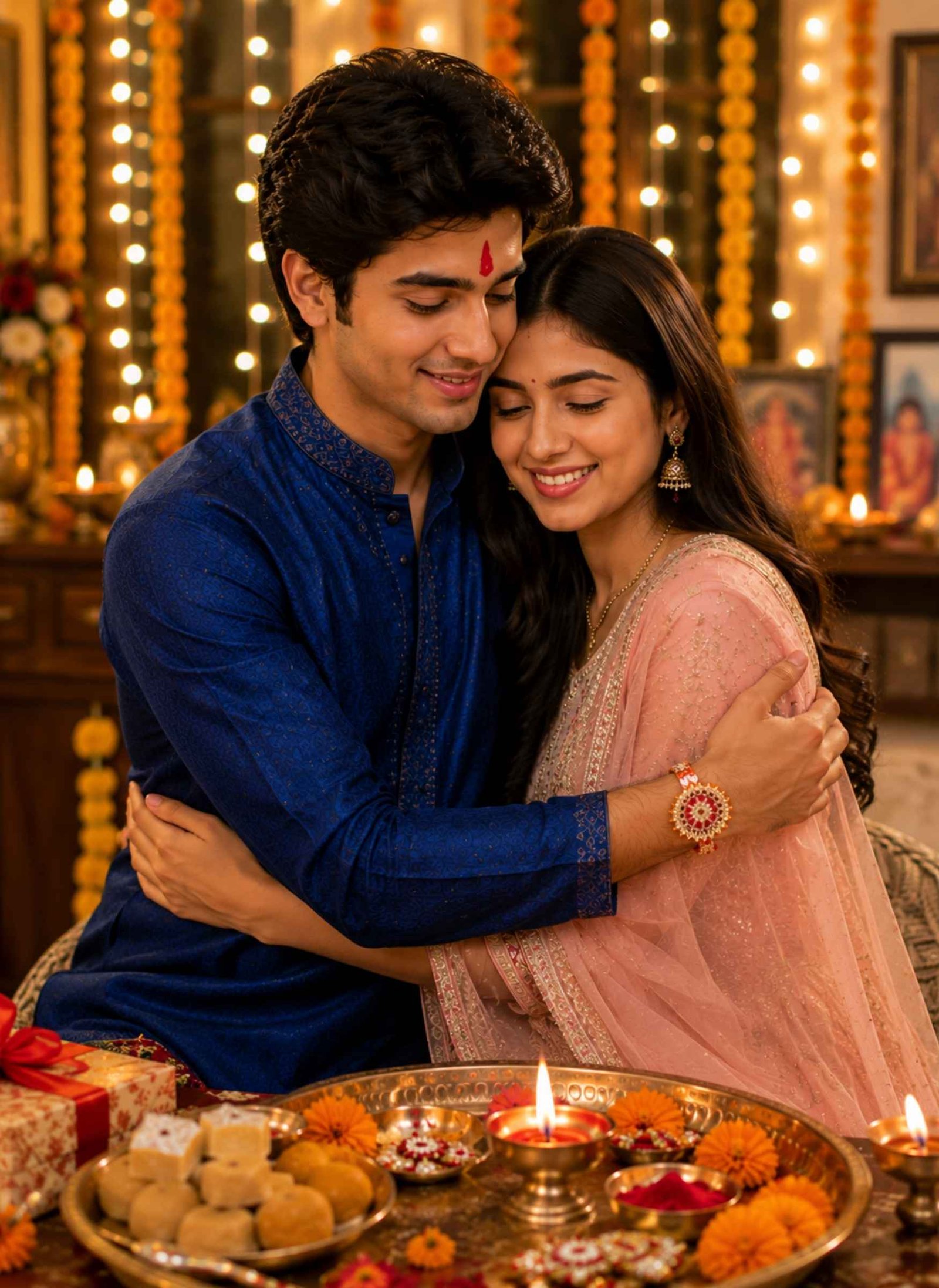
Create an emotional photorealistic Raksha Bandhan portrait using both uploaded photos as the identity references for the brother and sister. Preserve their recognizable faces, hairstyles, natural skin tones, eyes, and facial proportions. Show the siblings sharing a warm and natural side hug after celebrating Raksha Bandhan, with genuine expressions that reflect affection and a strong sibling bond. Keep the Rakhi clearly visible on the brother’s wrist and add a subtle traditional tilak on his forehead. Dress both in elegant Indian festive clothing with realistic fabric details and tasteful accessories. In the background, include a softly decorated Indian home with glowing diyas, marigold flowers, warm fairy lights, a Rakhi puja thali, and sweets placed on a table. Avoid exaggerated poses and keep the embrace comfortable and realistic. Use correct hands and fingers, natural body proportions, authentic skin texture, soft golden lighting, shallow depth of field, and cinematic family photography.
Prompt 6
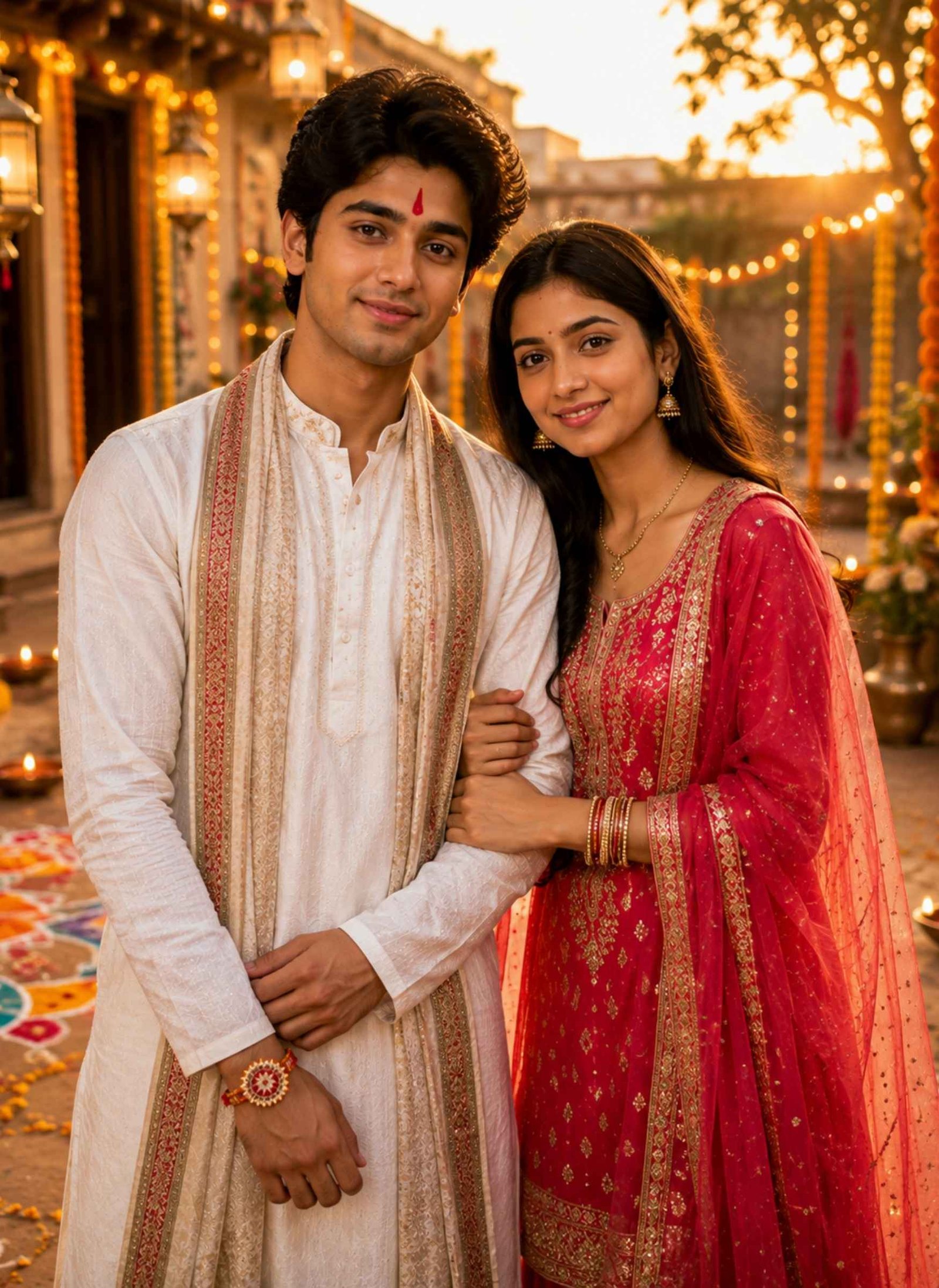
Use both uploaded photos as separate face and identity references to create a cinematic outdoor Raksha Bandhan AI photo. Preserve the recognizable facial features, hairstyles, natural skin tones, and appearance of both the brother and sister. Show them standing together in a beautifully decorated traditional Indian courtyard during golden hour. Dress the brother in a sophisticated white kurta with a festive stole and the sister in a vibrant traditional Indian outfit with elegant jewellery and bangles. Keep a colorful Rakhi clearly visible on the brother’s wrist and a natural tilak on his forehead. Decorate the courtyard with marigold garlands, flower petals, hanging lamps, diyas, traditional rangoli, and subtle festive lights. Give both siblings relaxed, genuine smiles and a natural pose that feels like a professionally captured festival photograph. Use realistic skin texture, accurate hands and anatomy, detailed traditional clothing, warm sunset light, cinematic shadows, realistic depth of field, and high-resolution photorealistic photography.
How to Create a Raksha Bandhan AI Photo
Creating your own Rakhi photo with AI is simple. Start with clear photos where the brother’s and sister’s faces are well lit and easy to recognize.
Open Gemini, ChatGPT, or another AI image generator that supports reference images.
Upload clear photos of the brother and sister. Front-facing photos with natural lighting usually give the AI a better identity reference.
Choose one of the Raksha Bandhan AI photo editing prompts above and copy it.
Paste the prompt into the AI tool and generate your image.
Check both faces, hands, fingers, Rakhi, tilak, jewellery, and other small details carefully.
If something looks unnatural, ask the AI to correct that specific detail or generate another version.
Save your favorite result and crop it according to where you want to post it, such as Instagram or WhatsApp.
Tips for Creating Realistic Raksha Bandhan AI Photos
For better results, use high-quality reference photos without sunglasses, heavy filters, or anything covering the face. If you upload separate photos of the brother and sister, clearly tell the AI which person is the brother and which is the sister.
Pay extra attention to the Rakhi ceremony itself. AI tools can sometimes struggle with fingers, wrists, threads, jewellery, or people interacting with objects. Check that the Rakhi is actually tied around the brother’s wrist and that hands look natural.
Traditional details can make the generated image feel much more authentic. Elements such as a puja thali, diya, roli or kumkum, rice, mithai, marigold flowers, tilak, Rakhi, kurta, saree, and festive Indian décor help establish a recognizable Raksha Bandhan setting.
Keep expressions natural as well. A genuine smile, candid gift exchange, or warm sibling hug usually looks more believable than an overly dramatic pose.
If you want to add names, a Raksha Bandhan quote, or “Happy Raksha Bandhan” to the final image, adding the text afterward in an image editor can give you more control over spelling and typography.
FAQs About Raksha Bandhan AI Photo Editing Prompts
What is a Raksha Bandhan AI Photo Editing Prompt?+
A Raksha Bandhan AI Photo Editing Prompt is a text instruction used with an AI image generator to create or transform photos into Rakhi-themed images. It can describe the brother and sister, Rakhi ceremony, traditional clothes, puja thali, sweets, gifts, decorations, lighting, and overall visual style.
Can I create a Raksha Bandhan AI photo with my own face?+
Yes. If your AI image generator supports reference images, you can upload photos of yourself and your sibling and ask it to use those photos as identity references. Clear, well-lit reference images generally make it easier for the model to preserve recognizable facial features.
Can I use these Raksha Bandhan prompts in Gemini?+
You can try these prompts with Gemini when using a version or feature that supports image generation and reference images. Upload the brother and sister photos first, then paste the selected Gemini Raksha Bandhan prompt and generate the image.
Can I use these prompts with ChatGPT?+
Yes, you can use the prompts with ChatGPT when image generation and uploaded-image references are available. The same prompts can also be adapted for other AI image generators that support reference photos.
How can I keep both brother and sister faces recognizable?+
Use clear reference photos and explicitly tell the AI to treat each uploaded image as a separate identity reference. Ask it to preserve recognizable facial features, hairstyle, skin tone, facial proportions, and age appearance. Results can still vary between AI models and generations.
Which Raksha Bandhan AI prompt is best for Instagram or WhatsApp?+
Traditional brother-sister portraits, Rakhi tying scenes, sibling hugs, and cinematic outdoor portraits work well for social media. You can also ask the AI for a vertical portrait for Instagram or a closer crop if you want to use the generated Raksha Bandhan photo as a WhatsApp DP.
Create Your Favorite Raksha Bandhan AI Photo
A good Raksha Bandhan AI Photo Editing Prompt can turn ordinary reference photos into memorable festival portraits while keeping the focus on the bond between brother and sister. Try different scenes above, from the traditional Rakhi ceremony and mithai moment to gift exchanges, sibling hugs, and cinematic portraits.
Choose the style you like, upload clear photos, copy the prompt, and create a Raksha Bandhan image that feels personal, festive, and meaningful.
A blurry photo does not always need complicated editing to look clear again. If your picture looks out of focus, pixelated, soft, compressed, or low quality, the right blur image to clear image prompt can help AI improve its clarity while keeping the original photo natural. Below, you’ll find one powerful copy-and-paste prompt designed to…
Getting a natural-looking couple photo from AI is not as simple as putting two people in the same frame. The faces can change, identities may get mixed, or the pose can look unnatural. A well-written couple prompt for Gemini AI helps you control these details and create a photo that feels more realistic. Below, you’ll…
Want to create a powerful Mahadev photo for Maha Shivaratri using your own face? These Mahadev Maha Shivaratri AI photo editing prompts can transform a simple photo into a realistic devotional portrait with Lord Shiva, Shivling, Trishul, Rudraksha, Kedarnath Temple, and beautiful Himalayan backgrounds. Just upload a clear photo to Gemini, ChatGPT, or your preferred…
An Anna Thangachi ai Prompts can turn an ordinary brother-sister photo into a traditional Tamil portrait, emotional village scene, cinematic frame, festival image, or nostalgic family memory. Here, “Anna” represents the elder brother and “Thangachi” the younger sister, so the pose and expressions should clearly reflect a warm, protective sibling bond. The prompts below are…
Radha Krishna and Radha Rani style AI photos have become one of the most common trends on Instagram, WhatsApp Status, and Pinterest — especially around Janmashtami and other festival seasons. The idea is simple: instead of a plain portrait, your photo (or a new AI-generated image) is styled with traditional clothing, jewelry, temple or garden…
Sibling photos look best when they capture the small things that make a brother-sister relationship feel real—a familiar smile, playful teasing, helping each other, or simply spending time together. With a detailed brother and sister prompt, you can combine separate reference photos or transform an existing sibling picture into a more polished family portrait while…