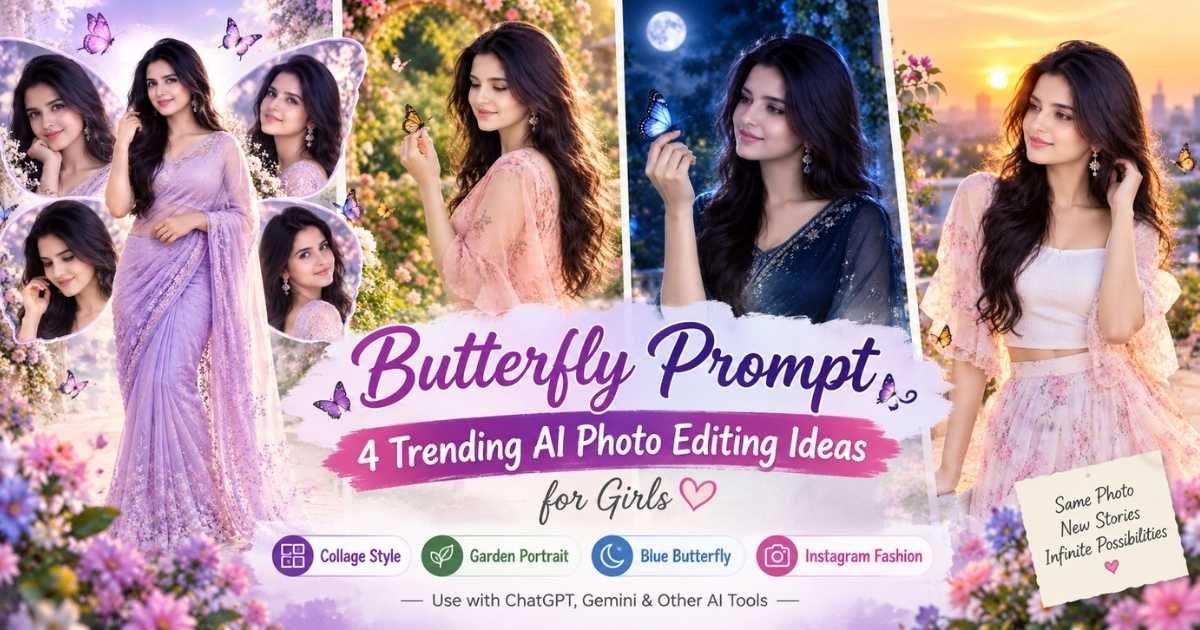
Butterfly-style photo edits are popular because they can turn a simple portrait into something softer, more creative, and visually different without making the image look overly artificial. With the right butterfly prompt, you can create everything from dreamy garden portraits to glowing blue-butterfly scenes and stylish Instagram-ready edits.
The prompts below are designed for girls and work best with a clear reference photo. Upload your image, paste the prompt into ChatGPT, and let the AI change the outfit, background, lighting, hairstyle, and overall butterfly aesthetic while keeping the face recognizable.
4 Butterfly Prompts for ChatGPT Photo Editing
These butterfly prompt ChatGPT ideas use different compositions so every result feels unique rather than looking like the same edit with a new background. You can use them for portrait photos, Instagram posts, aesthetic edits, and creative AI photo experiments.
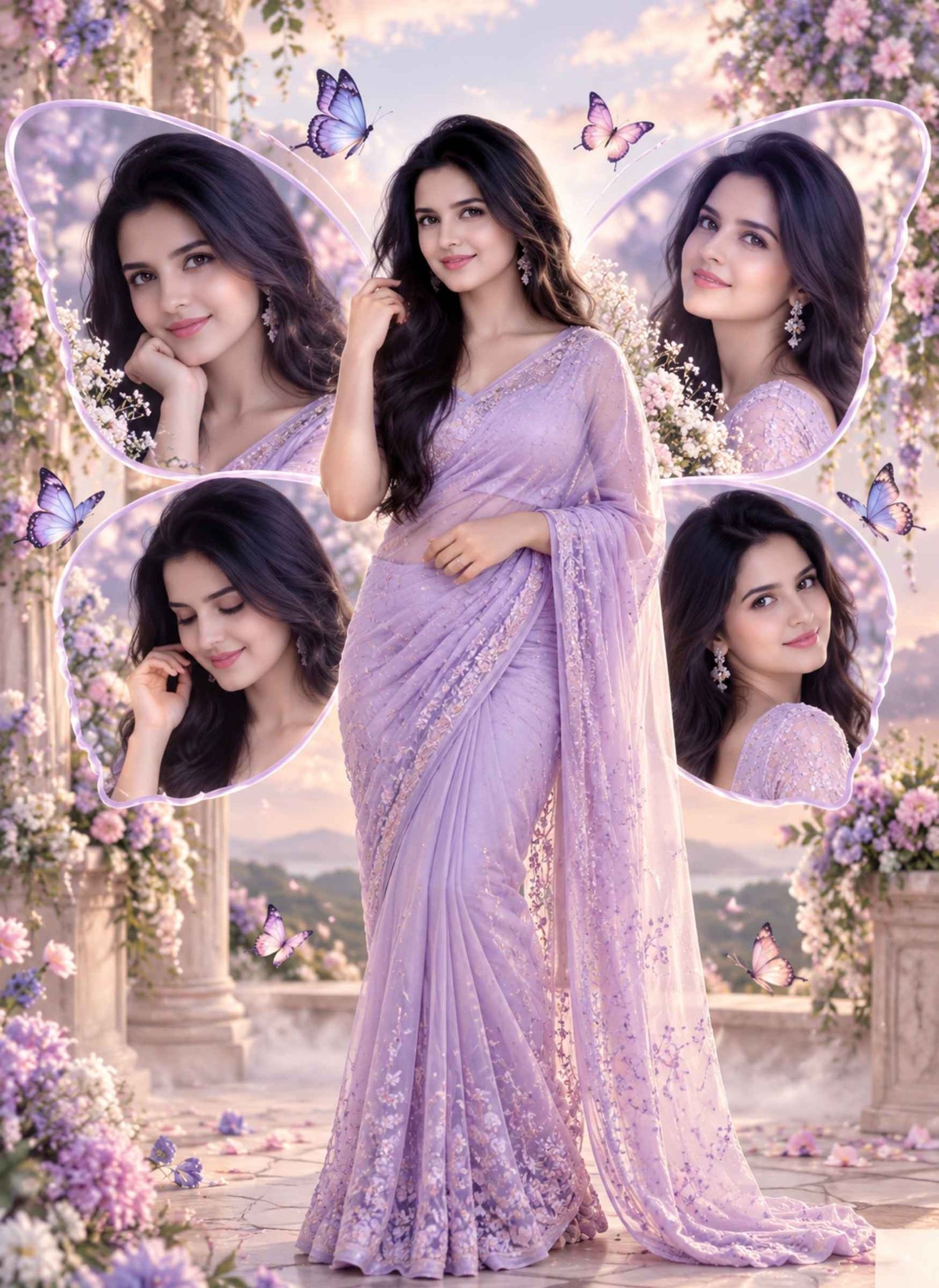
Viral Butterfly Collage Portrait
Prompt 1
Use the uploaded female photo only as a facial identity reference.
Preserve her recognizable facial features, natural skin tone, face shape, eyes, and overall identity while changing the hairstyle, clothing, pose, background, and lighting.
Create a stylish butterfly edit with one main full-body portrait of the girl placed in the center.
Dress her in an elegant pastel lavender saree with a modern drape, delicate earrings, and soft natural makeup.
Around the central portrait, place four smaller portraits of the same girl arranged in a balanced butterfly-wing-inspired composition.
Make the smaller portraits show different natural expressions and slightly different angles without changing her identity.
Use a soft pastel background with lavender, blush pink, cream, and subtle blue tones.
Add a few realistic butterflies around the composition, along with gentle glow, light mist, and soft floral details.
Keep the layout polished and symmetrical without making it look crowded.
Use realistic skin texture, accurate hands, clean facial details, natural fabric folds, and professional portrait lighting.
Do not add random text, watermark, duplicated faces, extra people, distorted fingers, or excessive fantasy effects.
The final result should look like a polished butterfly photo editing collage suitable for Instagram.
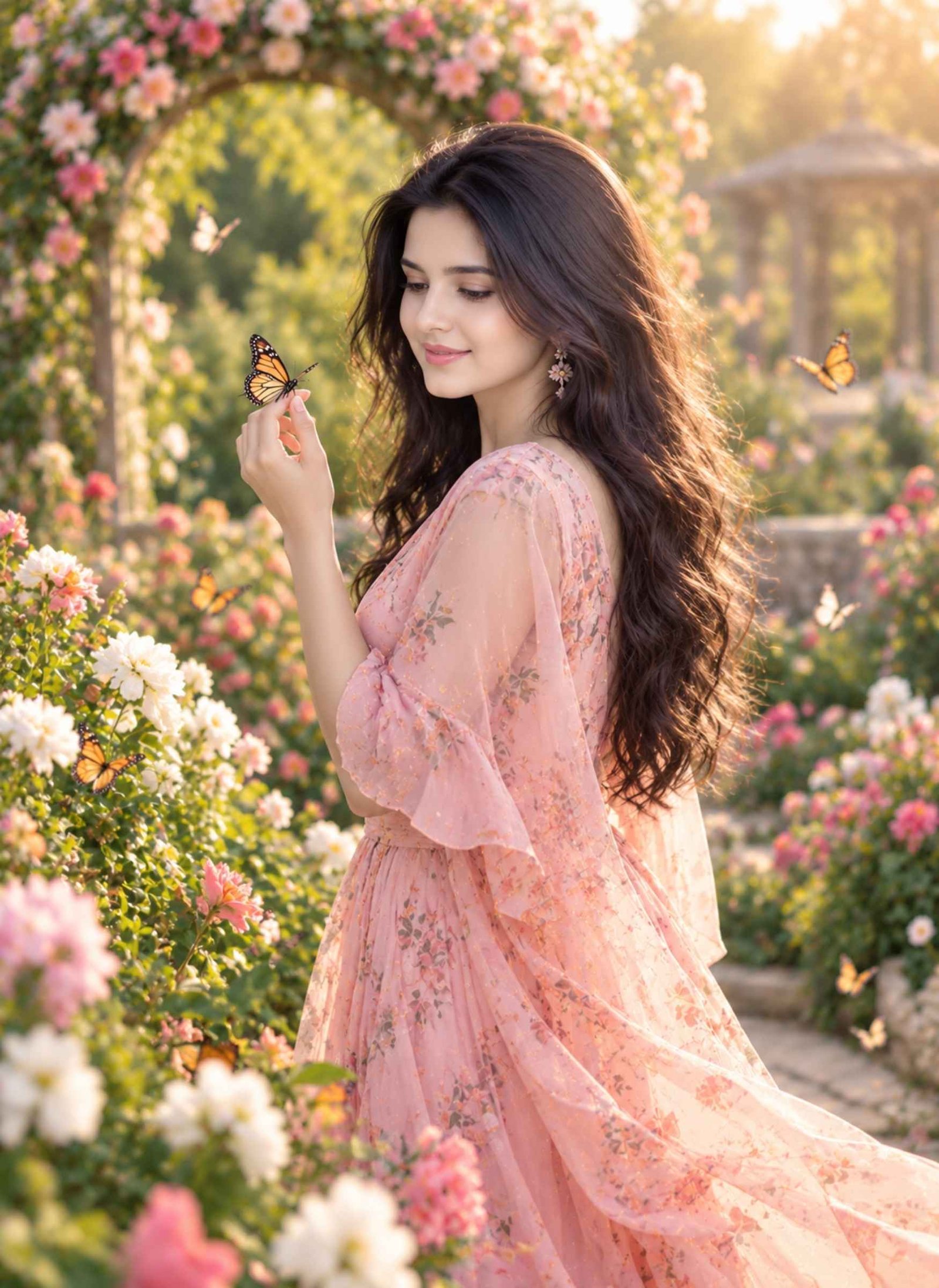
Dreamy Butterfly Garden Portrait
Prompt 2
Use the uploaded girl photo only as the facial identity reference.
Preserve her recognizable face, natural skin tone, facial proportions, and age appearance while changing her outfit, hairstyle, pose, and environment.
Create a dreamy outdoor portrait of the girl standing in a lush flower garden surrounded by real-looking butterflies.
Dress her in a soft peach or pastel pink flowing dress with delicate fabric movement and minimal jewellery.
Style her hair in loose natural waves with a few strands moving gently in the breeze.
Show her standing slightly turned away from the camera while looking toward a butterfly resting near her hand.
Add colourful flowers, soft greenery, morning sunlight, and gentle background blur.
Include several butterflies flying naturally around the flowers and near the subject without covering her face.
Use warm golden light with soft highlights around her hair and shoulders.
Keep the pose relaxed, body proportions realistic, and hands anatomically correct.
Avoid oversized butterflies, fake glowing skin, excessive blur, plastic facial texture, or unrealistic flower patterns.
The final butterfly editing photo should look like a real lifestyle portrait captured in a beautiful garden.
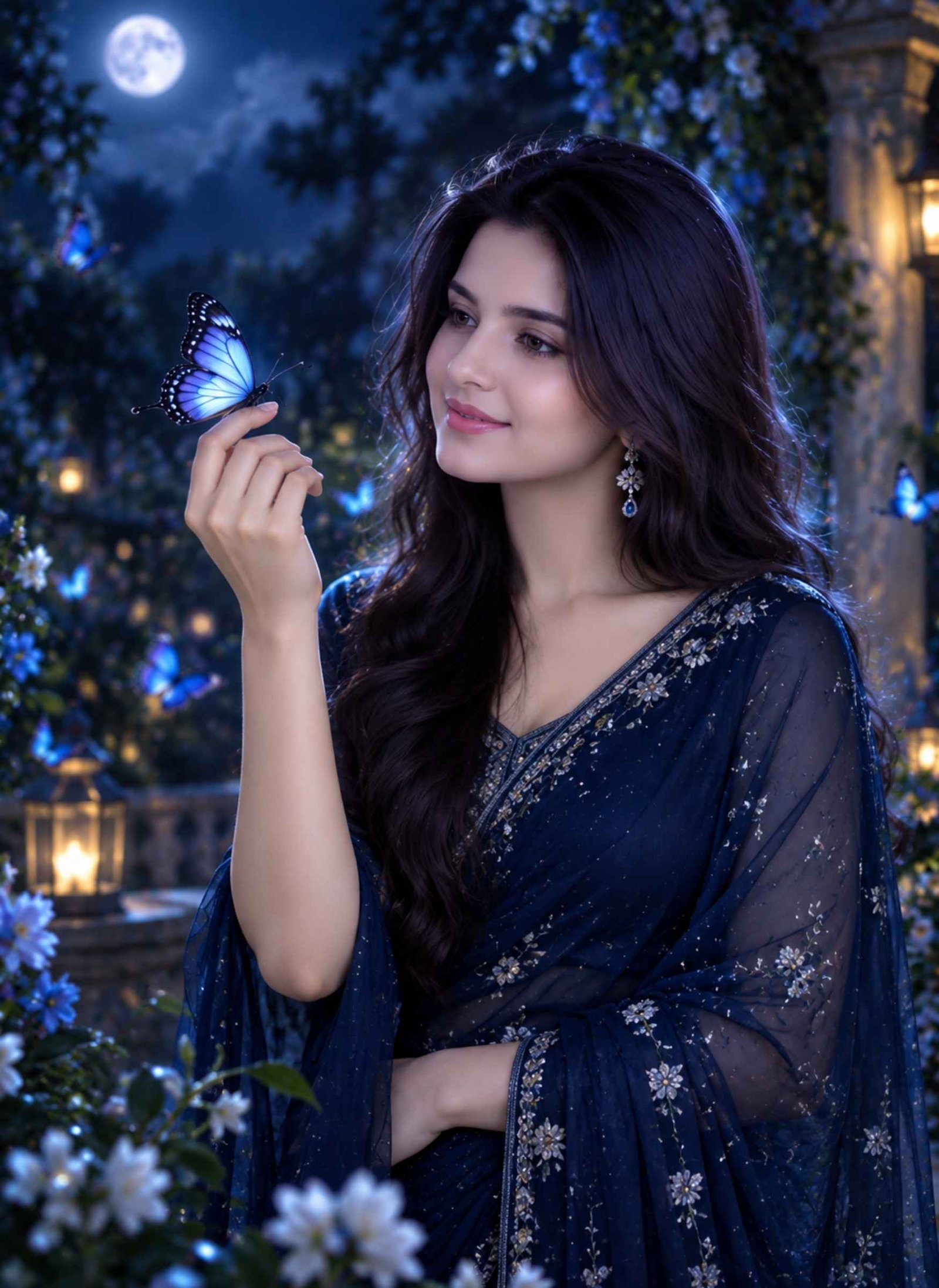
Blue Butterfly Night Portrait
Prompt 3
Use the uploaded female photo only as a facial identity reference.
Preserve her recognizable facial features, natural skin tone, eye shape, face structure, and age appearance.
Create a cinematic evening portrait featuring a deep blue butterfly aesthetic.
Dress the girl in an elegant midnight-blue outfit with subtle silver details and minimal jewellery.
Use a medium portrait composition showing her from the waist up.
Place her in a quiet garden at night with dark foliage, soft blue bokeh lights, and gentle moonlight.
Show one luminous blue butterfly resting near her raised hand while several smaller butterflies move softly through the background.
Let her look toward the butterfly with a calm, thoughtful expression instead of facing the camera directly.
Use cool blue lighting balanced with soft natural skin tones so the face still looks realistic.
Add subtle rim light around her hair and shoulders without creating an exaggerated fantasy glow.
Keep hands, eyes, facial details, butterfly wings, and clothing texture sharp and believable.
Avoid neon skin, artificial eyes, excessive sparkles, duplicate butterflies, fantasy wings attached to the subject, or dramatic sci-fi effects.
The final image should look like a realistic butterfly photo editing portrait with a soft night-time mood.
Butterfly Instagram Fashion Edit
Prompt 4
Use the uploaded girl photo only as the facial identity reference.
Preserve her recognizable face, natural complexion, facial proportions, and age appearance while changing the outfit, hairstyle, pose, background, and lighting.
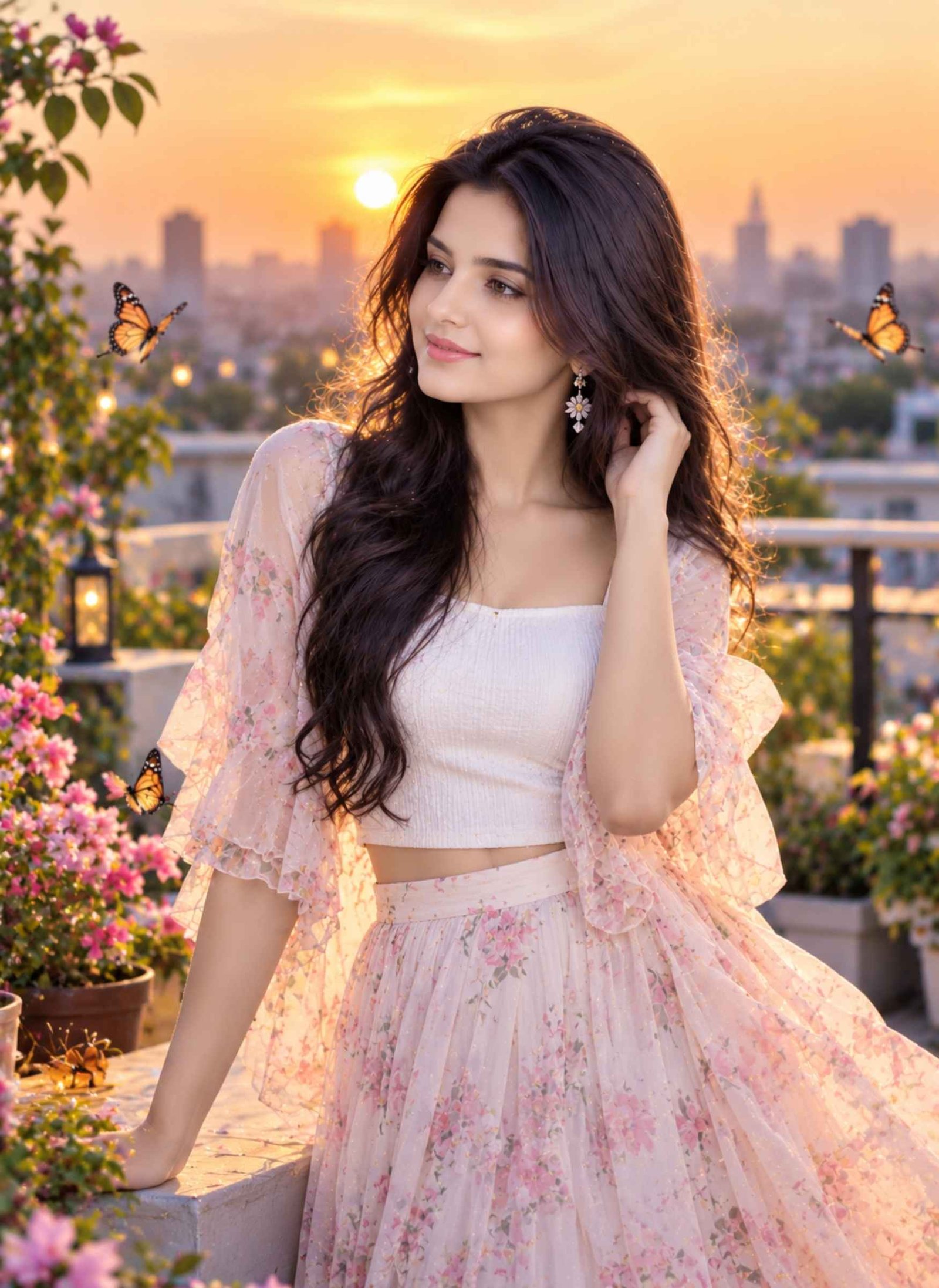
Create a modern fashion-style butterfly Instagram photo during sunset.
Dress the girl in a stylish white fitted top with a flowing pastel skirt or contemporary Indo-western outfit.
Place her on a clean rooftop or open terrace with a soft city skyline in the background.
Show her standing in a natural three-quarter pose with one hand lightly touching her hair while looking slightly away from the camera.
Add a few realistic butterflies flying around the terrace and near some potted flowers, keeping them integrated naturally into the scene.
Use warm sunset light, soft backlighting, realistic shadows, and gentle background blur.
Keep the overall styling elegant and suitable for a modern Instagram post rather than a fantasy artwork.
Use realistic skin texture, natural makeup, correct hands, believable clothing movement, and sharp facial details.
Do not add text, logos, fake social-media interface elements, duplicate people, oversized butterflies, or extreme cinematic effects.
The result should look like a polished butterfly prompt ChatGPT fashion edit created for Instagram.
How to Use a Butterfly Prompt in ChatGPT
Start with a clear photo where the face is easy to see. Upload the image and paste one of the prompts above into ChatGPT or Gemini.
If the result is close but one detail looks wrong, refine only that part. For example, ask ChatGPT to correct the hand position, reduce the number of butterflies, change the outfit colour, or make the background more natural instead of regenerating everything from the beginning.
For better face consistency, clearly state that the uploaded photo should be used only as the facial identity reference.
How to Keep Your Face Accurate in a Butterfly Edit
Face preservation becomes more reliable when the instructions are specific.
You can add this line to any butterfly prompt:
“Preserve the recognizable facial features, natural skin tone, face shape, eyes, and age appearance from the uploaded reference photo while allowing the hairstyle, outfit, pose, background, and lighting to change.”
Avoid instructions such as “make the face 100% identical,” because AI image tools can still introduce small variations. A clear reference photo and direct identity instructions usually produce better results.
Best Photo to Upload for Butterfly Photo Editing
Choose a photo with a sharp, clearly visible face and natural lighting. Avoid heavy beauty filters, sunglasses, extreme shadows, or images where the face is partly covered.
For full-body or fashion-style butterfly editing photo prompts, a wider reference image can help with body proportions. For close-up butterfly portraits, a clear head-and-shoulders photo is usually enough.
Can You Use These Butterfly Prompts in Gemini?
Yes. These prompts can also be adapted for Gemini if you prefer using it as a butterfly editor.
Upload the same reference image, paste the prompt, and keep the identity-preservation instructions unchanged. The exact composition may vary between ChatGPT and Gemini, especially for collage layouts, butterfly placement, and lighting, so you may need one or two small follow-up edits to get the result you want.
These prompts are designed to give you four clearly different butterfly styles instead of repeating the same pose and background in every image.
If your Instagram feed has suddenly turned into a political rally over the last few days, you’re not imagining it. Cockroach Janata Party (CJP) posters are everywhere right now — cinematic rally backdrops, election-style banners, and thousands of people posting themselves as the “candidate.” It’s one of those trends that looks complicated to make but…
A childhood photo prompt can bring your past and present into the same frame. You can create a realistic photo of your current self meeting or hugging your younger self, recreate a nostalgic birthday moment, or even generate a childhood-style portrait when you do not have an old photo. Below are ready-to-copy prompts designed for…
Getting a natural-looking couple photo from AI is not as simple as putting two people in the same frame. The faces can change, identities may get mixed, or the pose can look unnatural. A well-written couple prompt for Gemini AI helps you control these details and create a photo that feels more realistic. Below, you’ll…
AI photo trends are changing the way people create and share pictures on Instagram. With the right ChatGPT photo editing prompts trending Instagram, you can turn a simple reference photo into a cinematic portrait, vintage shot, luxury fashion image, street-style photo, or viral poster without manually editing every detail. Below, you’ll find ready-to-copy prompts for…
Want to create a powerful Mahadev photo for Maha Shivaratri using your own face? These Mahadev Maha Shivaratri AI photo editing prompts can transform a simple photo into a realistic devotional portrait with Lord Shiva, Shivling, Trishul, Rudraksha, Kedarnath Temple, and beautiful Himalayan backgrounds. Just upload a clear photo to Gemini, ChatGPT, or your preferred…
Chibi-style photos are a fun way to turn an ordinary picture into something cute, playful, and made for social media. Instead of using a basic cartoon filter, you can use Chibi Cartoon Style AI Photo Editing Prompts to control how your final image looks—from tiny mini-me characters around your real photo to a complete chibi…