If you’ve noticed how many stylish, cinematic-looking photos are showing up on Instagram and WhatsApp Status lately, most of them aren’t from a photographer or an expensive editing app — they’re made with a single Gemini prompt. You upload a photo, paste the right instructions, and Gemini turns it into something that looks professionally shot.
If your are searching Gemini Ai Photo Prompt Copy Paste Below you’ll find ready-to-use Gemini prompts grouped by style — trending looks for girls, trending looks for boys, photo editing and background-change prompts, and a couple of specific styles people often search for. Copy the one that matches what you want, paste it into Gemini, and upload your photo.
Trending Gemini AI Photo Prompts for Boys
Below are trending Gemini AI photo prompts for boys that you can copy and paste directly into Gemini. These prompts cover cinematic portraits, stylish outdoor photos, fantasy edits, movie-inspired looks, candid photography, and professional photo editing styles. Upload your photo, choose the style you like, and copy the full prompt to create your own version.
Prompt 1
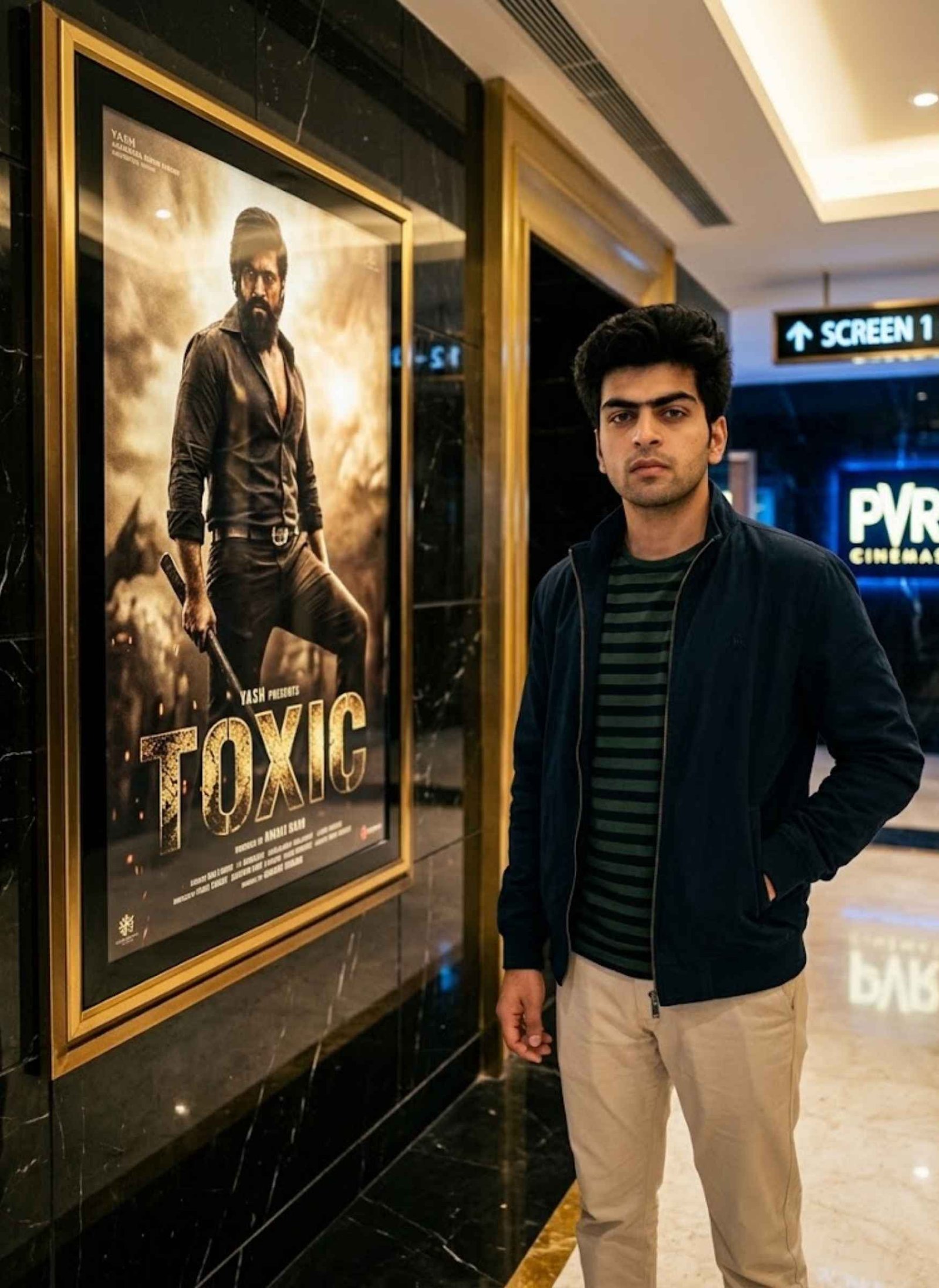
Create a highly realistic cinematic 4:5 portrait using the uploaded boy’s photograph as the primary identity reference. Keep his facial identity, hairstyle, skin tone, age appearance, body proportions, and clothing exactly consistent with the uploaded image.
Reproduce the same composition and camera perspective: position the boy confidently on the right side of the frame, with his body slightly angled toward the camera and one hand casually placed inside his pocket. On the left side, feature a large illuminated black-and-gold TOXIC movie poster showing Yash in a rugged action appearance.
Place the scene inside an upscale PVR-inspired cinema lobby with black marble walls, elegant golden detailing, and a glossy reflective floor. Add subtle blue cinema signage in the distance.
Use warm cinematic illumination, realistic reflections, shallow background blur, authentic skin texture, professional DSLR photography, premium color grading, and extremely detailed photorealistic rendering.
Important: The uploaded boy must remain the same recognizable person. Do not replace, morph, or modify his identity.
Prompt 2
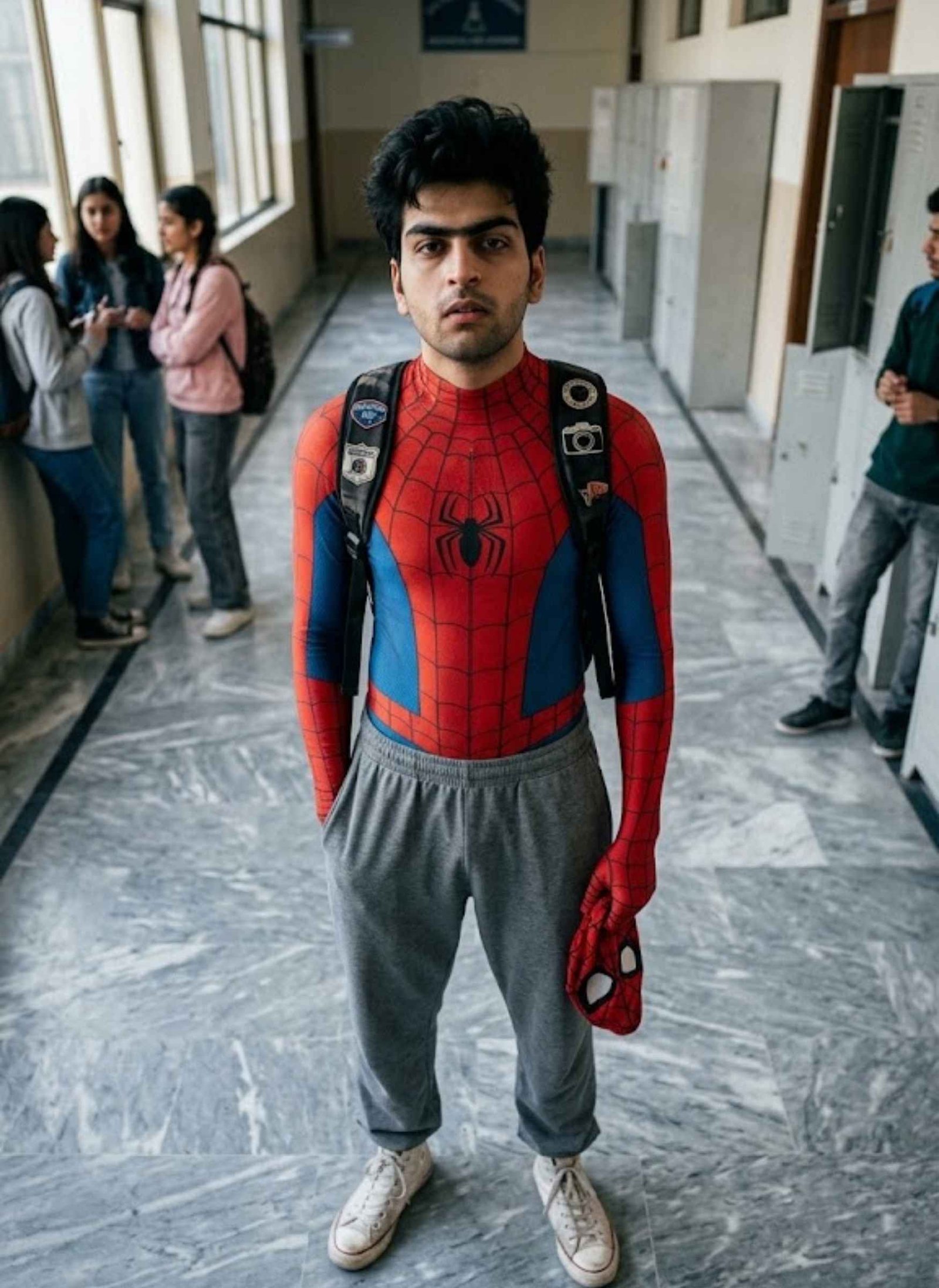
Create a photorealistic full-body image of the uploaded young man, using his photograph as the identity reference wherever applicable. Keep his recognizable facial appearance and natural proportions consistent with the reference.
Capture the subject from a high camera angle as he stands on a grey marble floor and looks upward toward the camera. His hair should remain messy and black.
Dress him in a red-and-blue Spider-Man bodysuit on the upper body, relaxed grey sweatpants, white canvas sneakers, and a black backpack. He should naturally hold a Spider-Man mask in one hand.
Use soft natural lighting and create the casual atmosphere of Peter Parker after school. Maintain realistic anatomy, natural fabric texture, believable shadows, cinematic depth, and highly detailed 8K photorealism.
Prompt 3
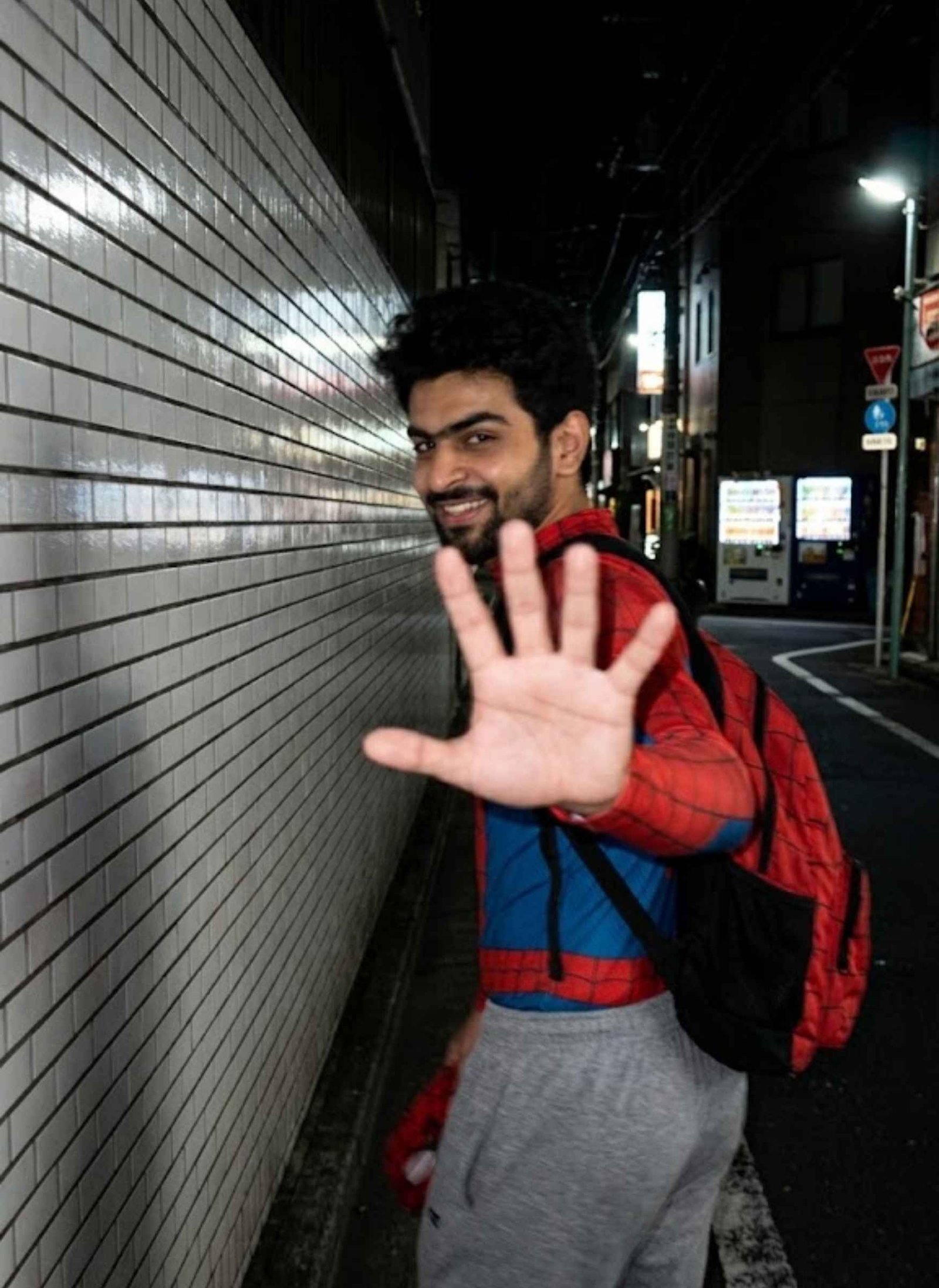
Transform the uploaded photograph into a highly realistic 9:16 vertical nighttime smartphone photograph. Use the uploaded person as the exact identity reference and preserve their face, hairstyle, body appearance, clothing, and recognizable characteristics.
Show the person walking beside white ceramic-tiled walls on a quiet Tokyo street. Capture them turning back toward the camera with a shy smile while lifting one hand in front of the lens, partially blocking the camera.
The photograph should look genuinely spontaneous and handheld rather than professionally posed. Use direct harsh smartphone flash, noticeable movement blur, slight softness across the face while keeping the person recognizable, digital noise, visible grain, imperfect framing, and deep surrounding darkness.
Maintain a raw, unpolished candid-phone aesthetic.
Negative instructions: No anime, illustration, CGI, studio lighting, beauty filter, overly sharp facial rendering, cinematic studio appearance, posed look, face replacement, identity alteration, HDR effect, plastic skin, watermark, or text.
Prompt 4
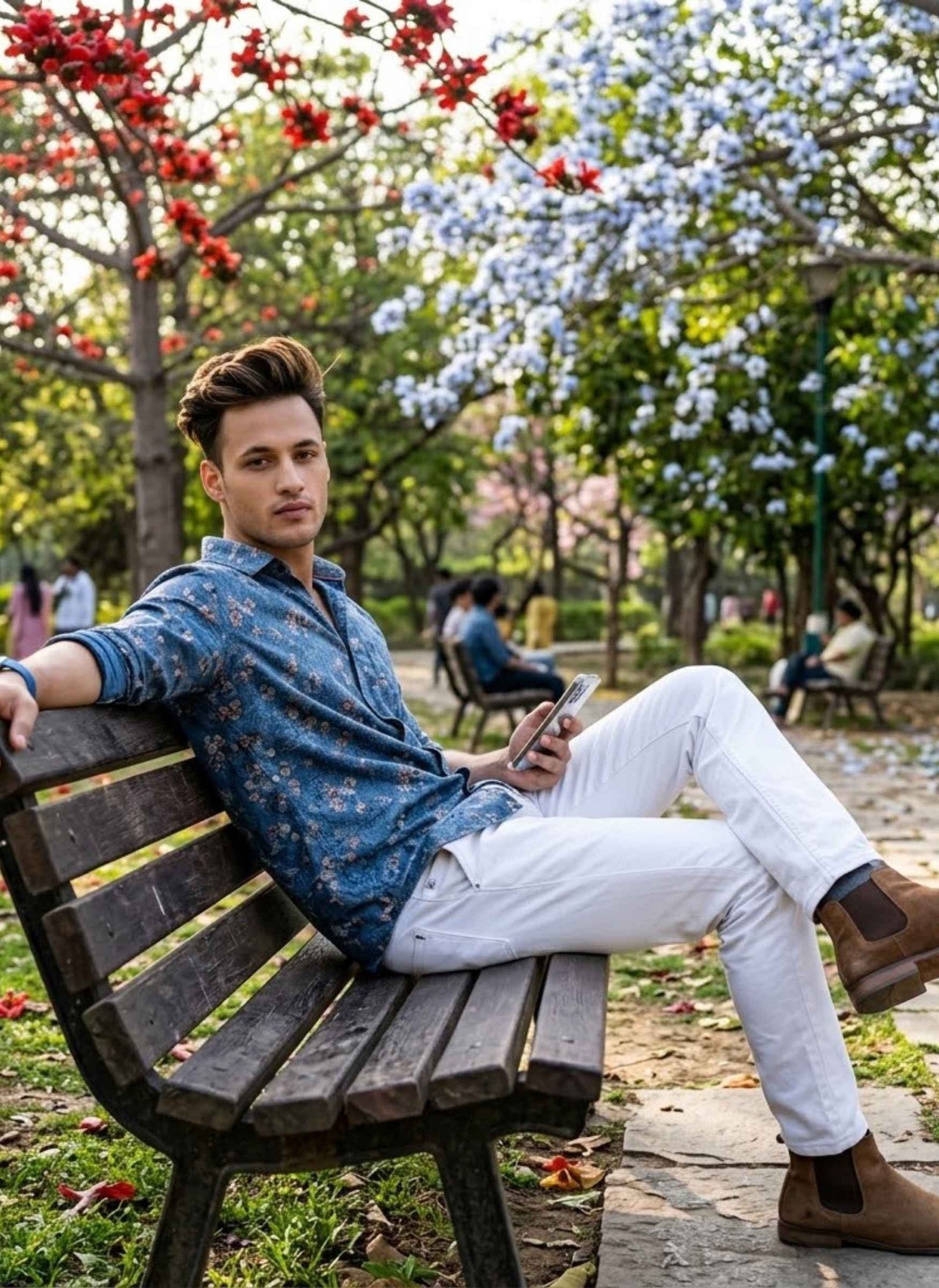
hCreate an 8K ultra-realistic outdoor portrait using the uploaded boy’s appearance as the identity reference. Preserve his recognizable face and hairstyle while keeping natural body proportions.
Place him in a park surrounded by Bombax / blue ceiba flowers. He wears a printed blue shirt, white trousers, Chelsea-style shoes, and a blue smartwatch.
Pose him facing the camera with a relaxed backward lean. One leg should extend naturally while his left arm rests on the road and his right hand holds a smartphone.
Give him a calm and confident expression. Use cinematic environmental shadows, vibrant yet realistic colors, natural outdoor illumination, detailed textures, and premium photographic realism.
Prompt 5
Transform the uploaded young man’s photograph into an ultra-realistic 16K dramatic fantasy portrait, while keeping his recognizable identity and facial characteristics consistent with the reference.
Place him standing alone on an empty beach beneath a wide open sky. Dress him in a red graphic sweatshirt, fitted black pants with zipper details, and white sneakers.
He should extend both arms outward in a peaceful pose, with a calm yet intense expression.
From his back, create enormous black angel wings formed from swirling smoke, deep shadows, and semi-transparent ethereal textures. The wings should stretch dramatically across the scene.
A bright white glowing halo should float above his head. Add birds crossing the distant sky to create additional movement and depth.
Maintain realistic atmospheric lighting, detailed clothing and skin textures, dramatic fantasy depth, and a premium hyper-realistic photographic finish.
Prompt 6
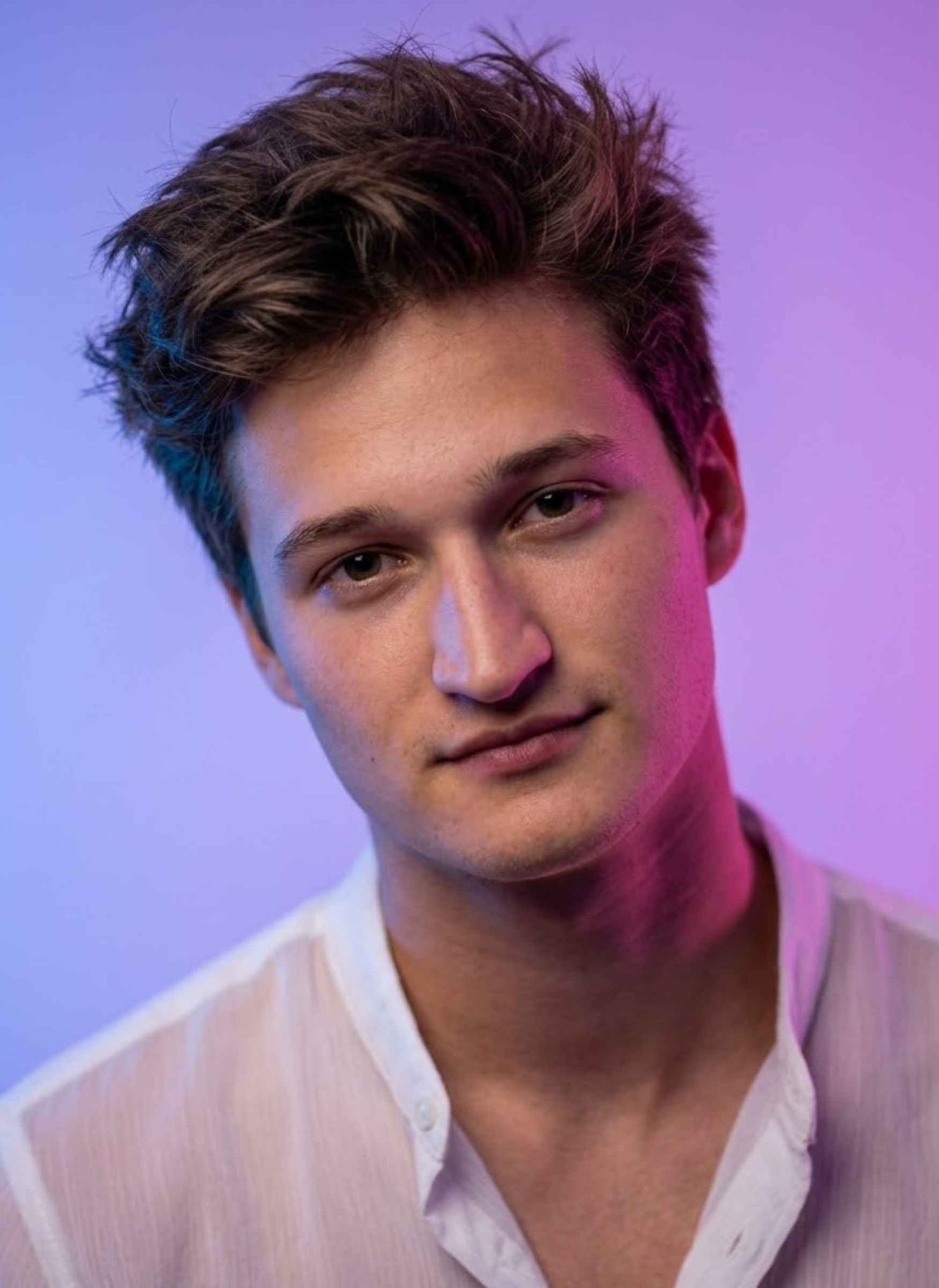
Create an 8K hyper-realistic cinematic studio portrait of the uploaded young man, using his photograph as the identity reference. If the reference indicates a 19-year-old appearance, preserve that age appearance and recognizable facial characteristics.
Give him messy, textured hair and dress him in a sheer white buttonless shirt.
Frame the image as a close-up portrait with a slight head tilt. His expression should be soft and cute while he looks directly into the camera.
Illuminate the studio with neon blue and pink lights that blend together into a purple atmospheric glow. Use a dreamy editorial photography aesthetic with shallow depth of field.
Simulate a Canon EOS R5, 85mm f/1.8, ISO 400, 1/160s setup and maintain realistic skin texture, professional lighting, and highly detailed photographic rendering.
Prompt 7
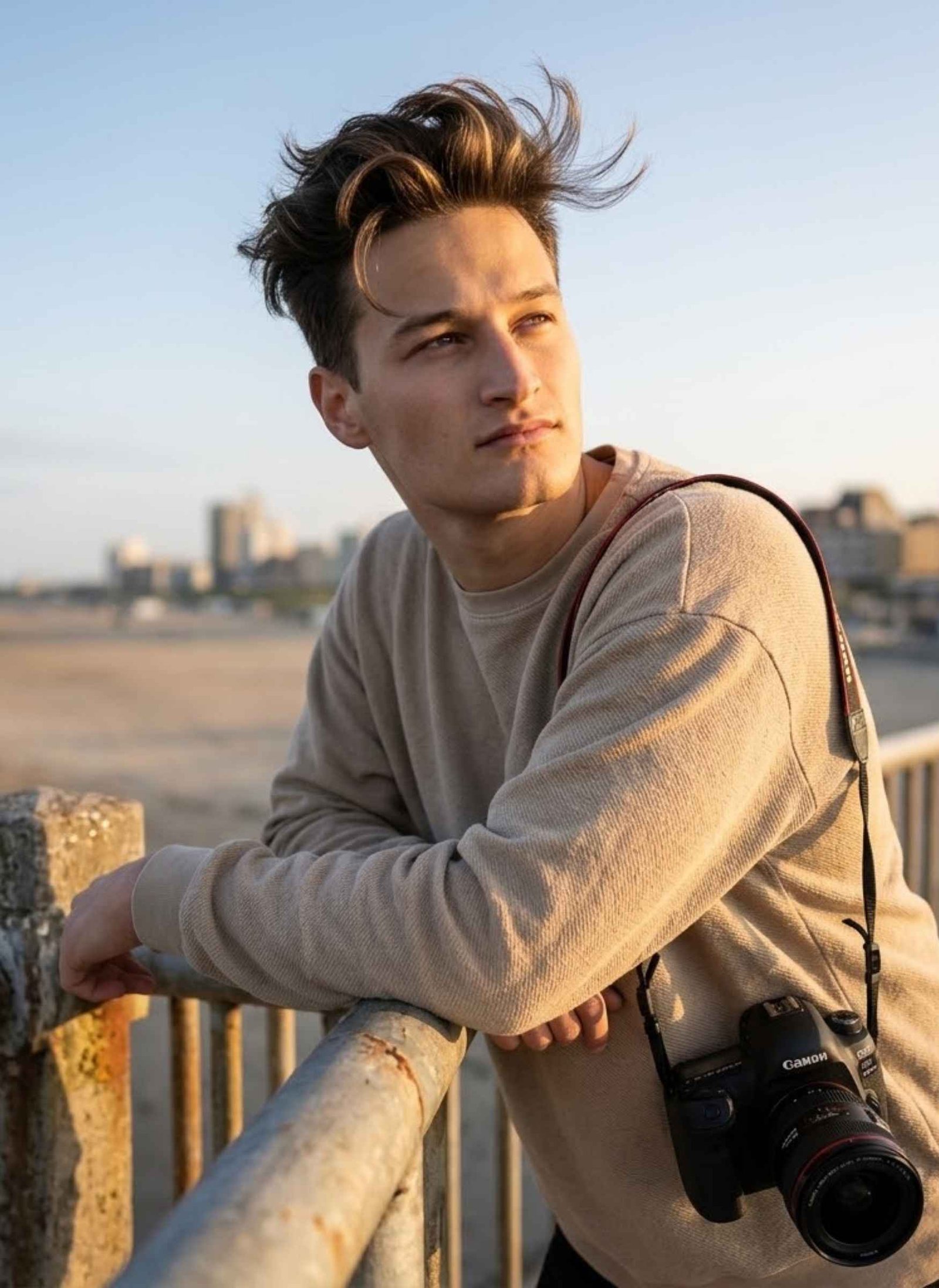
Create a cinematic low-angle portrait using the uploaded man’s photograph as the exact identity reference. His face must remain recognizable and unchanged.
Show him casually leaning against an aged concrete-and-metal railing, with both elbows naturally resting on it.
Keep his dark hair thick and voluminous with a wind-swept appearance and subtle sun-kissed highlights. Dress him in an oversized textured beige sweatshirt and include a DSLR camera as part of the scene.
His eyes should look upward toward the right side of the frame while maintaining a calm, thoughtful expression.
Use warm natural sunlight that creates soft shadows along the jawline and realistic depth across the skin.
Important: Do not change or replace the uploaded face.
Prompt 8
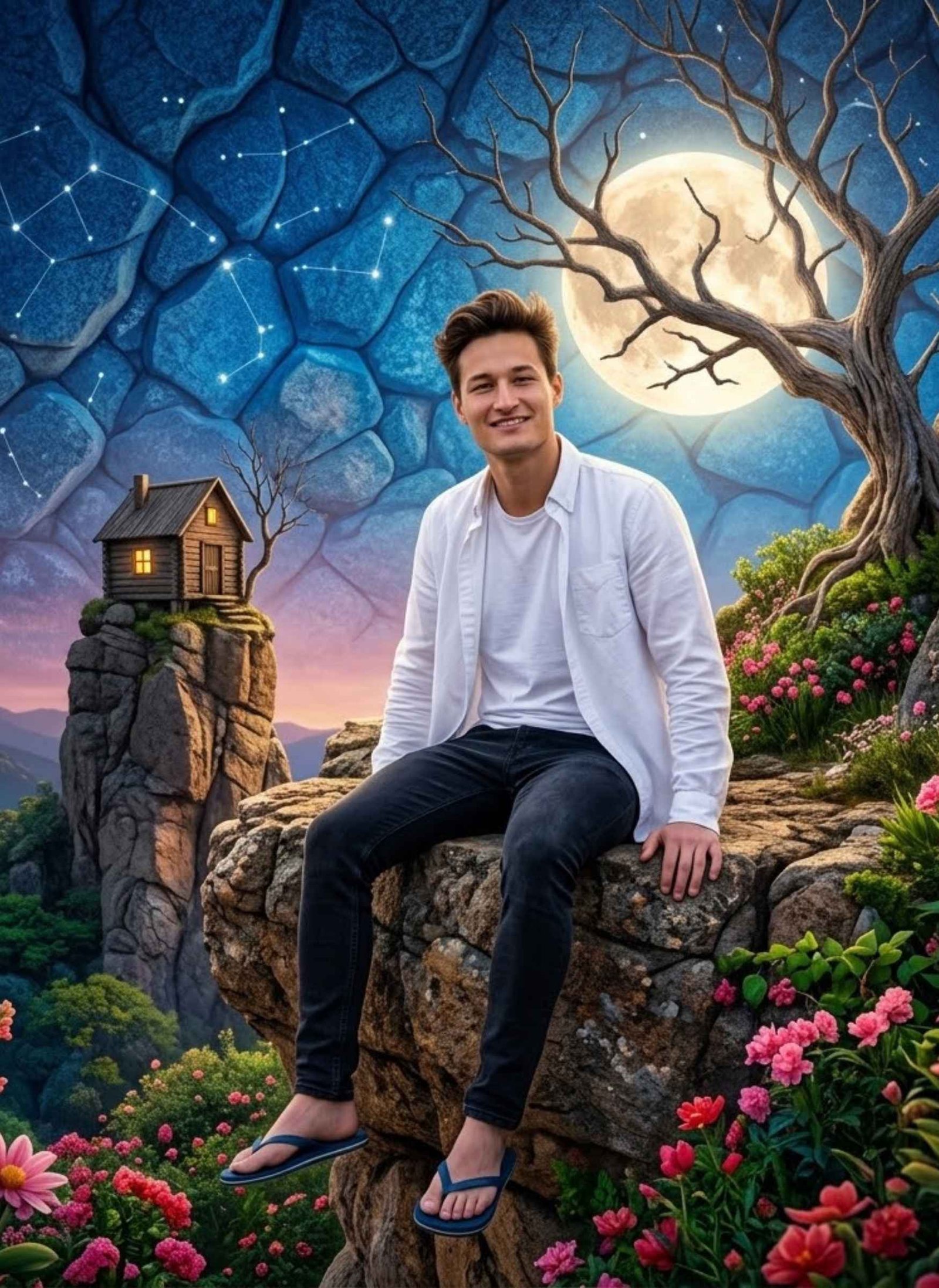
Create a high-quality hyper-realistic digital photo manipulation using the uploaded person as the primary identity reference. Preserve the person’s recognizable facial identity while placing them comfortably on a rocky cliff.
The subject should be seated casually with a natural smile. Dress him in an open white button-down shirt, dark slim-fit jeans, and blue flip-flops.
Surround him with a surreal and colorful fantasy environment. Create a textured blue stone-patterned sky, with a luminous full moon positioned behind bare tree branches. Add a tiny rustic wooden cabin sitting on a nearby rock.
Fill the surrounding landscape with lush green vegetation and vivid pink and red flowers.
The final image should combine vibrant fantasy scenery with realistic photographic detail, high contrast, crisp textures, and a polished hyper-realistic photo-editing appearance.
Identity instruction: Keep the uploaded person’s face recognizable and do not substitute a random person.
Prompt 9
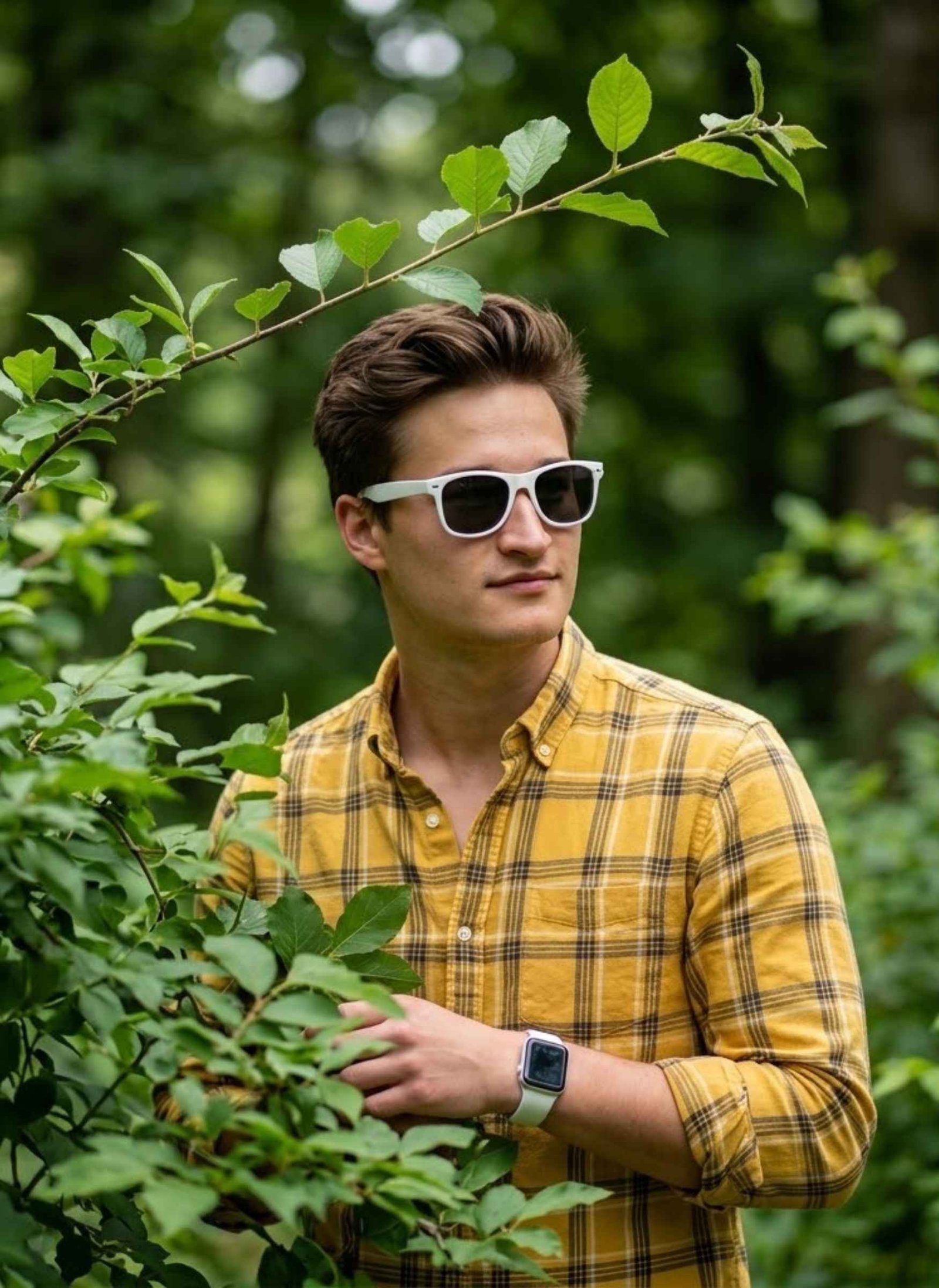
Create an ultra-realistic DSLR outdoor portrait using the uploaded boy as the primary reference. Preserve his recognizable facial appearance and natural identity.
Place him in a lush green environment where fresh leaves naturally frame parts of his body and face. He should appear partially concealed behind the foliage while his face remains clearly visible through the leaves.
Give him a calm, smart, relaxed appearance with a soft and approachable expression.
Frame the image as an eye-level mid-shot from head to waist.
Dress him in a yellow plaid shirt and add a white Apple Watch. Place white sunglasses over his eyes.
Include a thin leafy branch above him and have the subject looking slightly away from the camera.
Use realistic outdoor light, natural greenery, authentic shadows, detailed skin and fabric textures, and premium DSLR-style photorealism.
Trending Gemini AI Photo Prompts for Girls
Here are ready-to-copy Gemini AI photo prompts for girls, including stylish saree looks, cinematic close-ups, flower-field portraits, traditional outfits, aesthetic selfies, and trending fantasy photo styles. Choose any prompt below, upload your photo to Gemini, and paste the prompt to create a similar look while keeping your own appearance as the reference.
Prompt 1
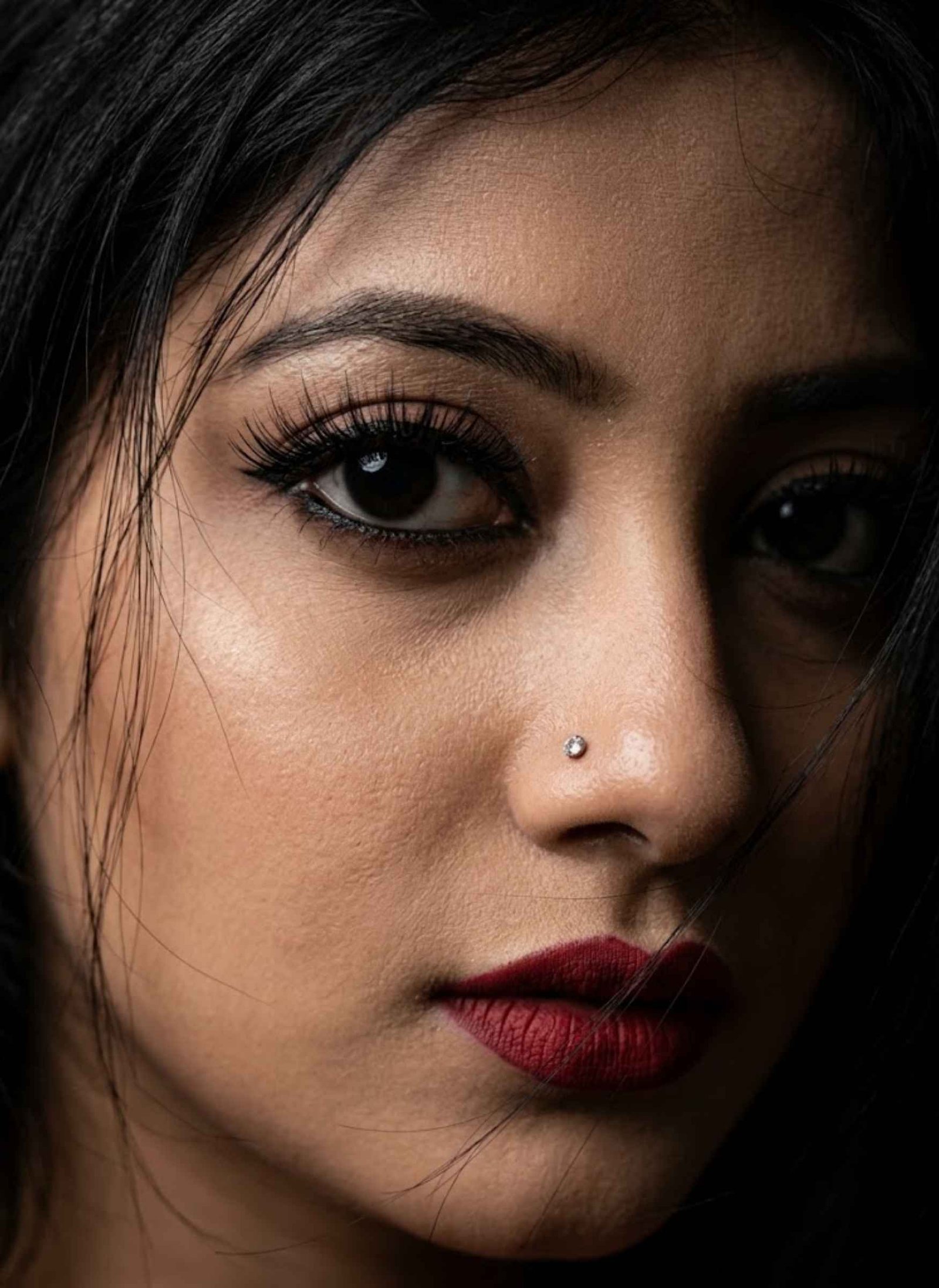
Create an extreme close-up portrait using the uploaded woman’s photograph as the exact identity reference. Preserve her distinctive facial features, eye shape, skin tone, and recognizable identity.
Her black hair should appear naturally disheveled, with loose strands falling partially across her face and eyes.
Place strong visual emphasis on one eye. Give the eye deep black eyeliner and long, clearly defined eyelashes.
Add a small diamond nose pin and dark red matte lipstick.
Create a mysterious and intense mood using high-contrast lighting combined with soft, realistic skin texture.
The final image should resemble professional cinematic photography with hyper-realistic detail.
Do not replace, reshape, or alter the woman’s identity.
Prompt 2
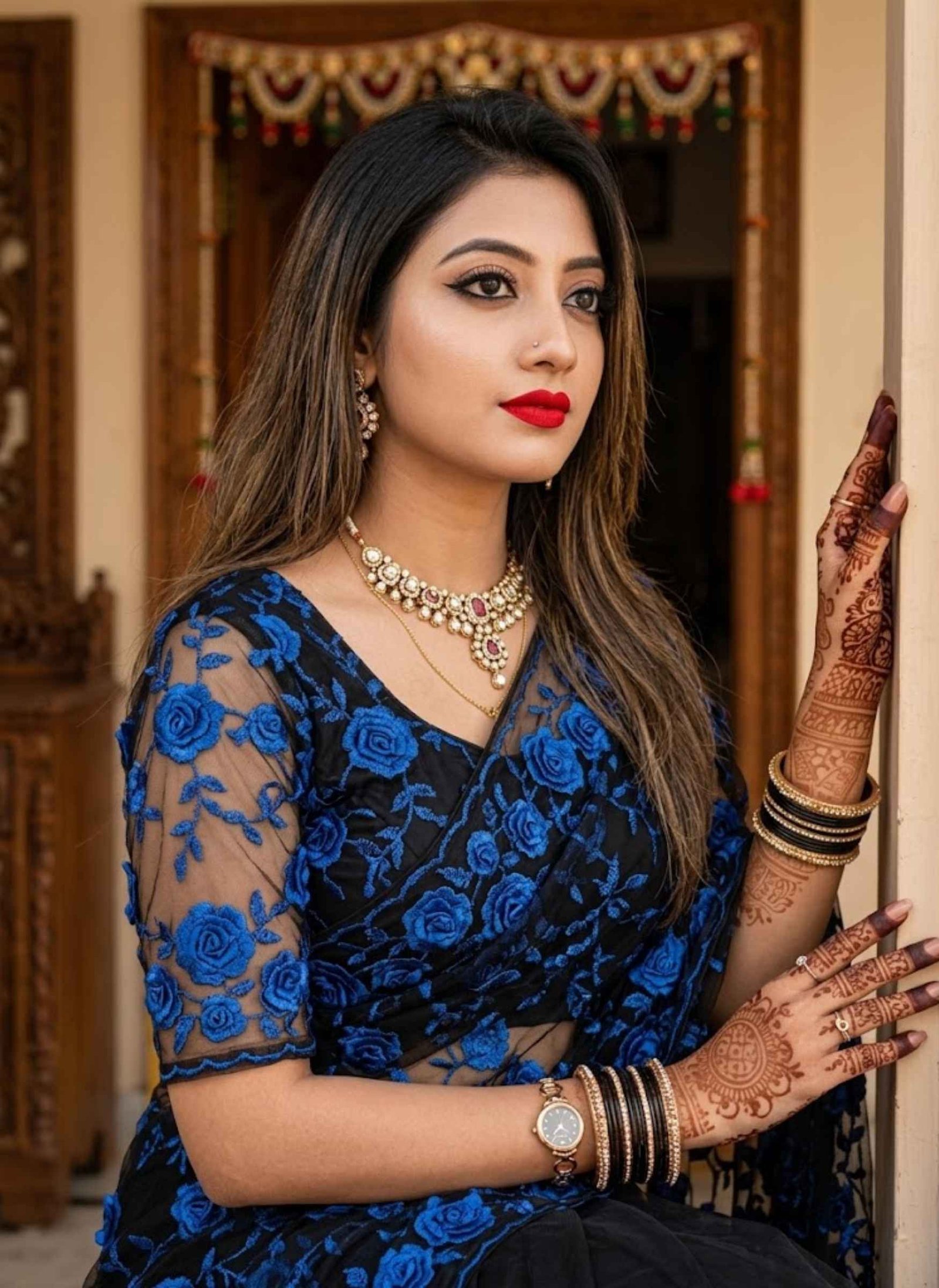
Create an ultra-realistic Full HD high-quality portrait using the uploaded woman’s photograph as the primary identity reference. Preserve her facial identity, proportions, skin tone, and recognizable appearance.
Dress her in an elegant black designer saree featuring 3D blue rose embroidery on net fabric, paired with a matching black designer blouse with the same dimensional floral detailing.
Give her long, layered, weathered-style hair and style it naturally. Add bright red lips, traditional bangles, mehndi, and detailed HD eye makeup with winged eyeliner.
Accessorize her with an ornate traditional necklace and matching earrings.
Recreate the pose and overall positioning from the reference image. Her face should remain a close match to the uploaded photograph.
Position one hand with the fingers open near a doorway, maintaining the same intended gesture.
Use realistic skin texture, detailed embroidery, natural facial proportions, and premium photorealistic quality.
Prompt 3
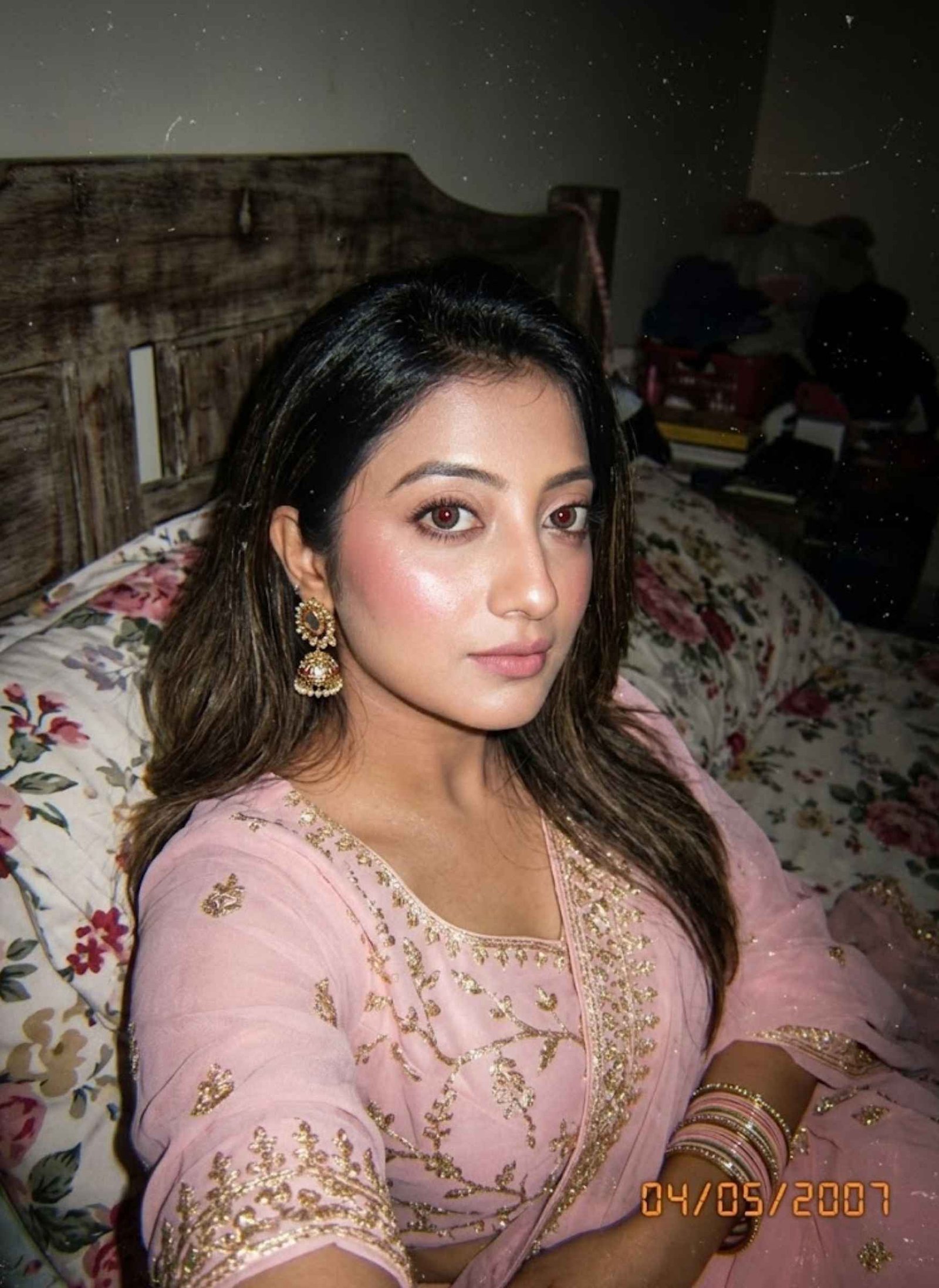
Transform the uploaded woman’s photograph into a nostalgic high-angle POV medium-close-up portrait, keeping her recognizable identity and facial characteristics consistent with the reference.
Show her reclining comfortably on floral bedding with a calm, intimate gaze toward the camera.
Give her dewy makeup with soft pink blush and subtle highlighter. Dress her in pastel-pink chiffon ethnic clothing featuring shimmering gold zari detailing. Add traditional jhumkas and bangles.
Use direct on-camera flash as the main illumination. Create a deep vignette around the image and keep a dark bedroom environment with a visible wooden headboard.
Apply a lo-fi, grainy CCD-camera texture with a nostalgic visual mood and an orange digital date stamp positioned in the corner.
Maintain realistic skin texture and an authentic early-digital-camera appearance rather than a polished studio finish.
Prompt 4
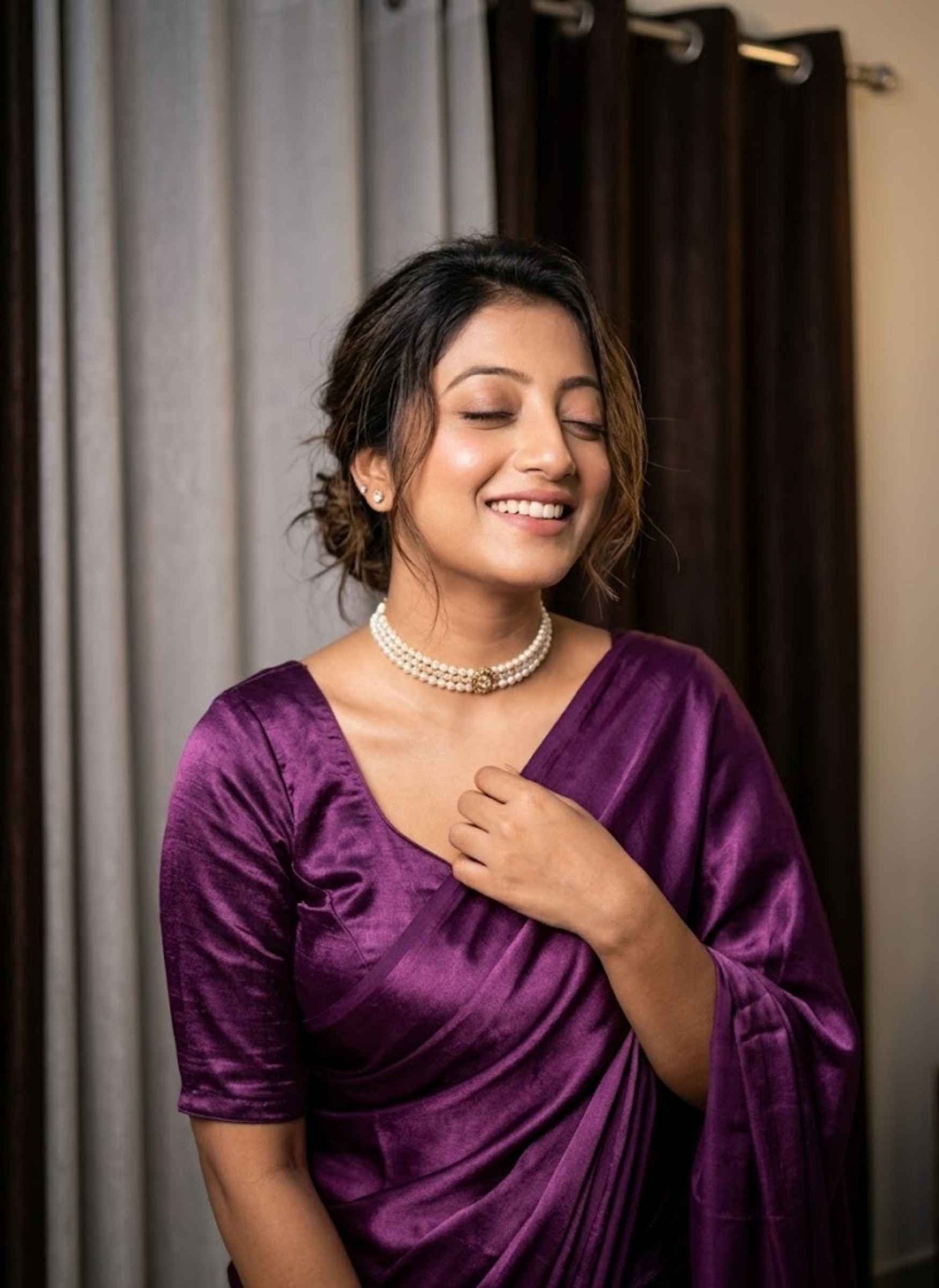
Use the uploaded woman’s photograph as the exact identity reference and preserve the same facial features, proportions, skin tone, hairstyle characteristics, and recognizable appearance.
Maintain her joyful expression with eyes gently closed and a naturally wide smile. Keep her hairstyle as a soft messy updo with loose strands framing the face.
Dress her in the same rich purple satin saree with matching blouse, preserving its glossy sheen, fabric texture, natural flow, and draping style.
Add the same pearl choker necklace and small stud earrings.
Recreate the relaxed pose: her upper body slightly tilted, one hand gently holding the saree pallu, shoulders relaxed, and head slightly tilted backward while smiling.
Keep the indoor background with dual-tone curtains, light grey on one side and dark brown on the other.
Use soft indoor illumination with gentle highlights across the face and satin fabric, accompanied by realistic shadows.
Create a professional DSLR waist-up portrait with shallow depth of field, highly realistic skin, detailed textile texture, cinematic realism, and 8K photorealistic quality.
Do not change her face or identity.
Prompt 5
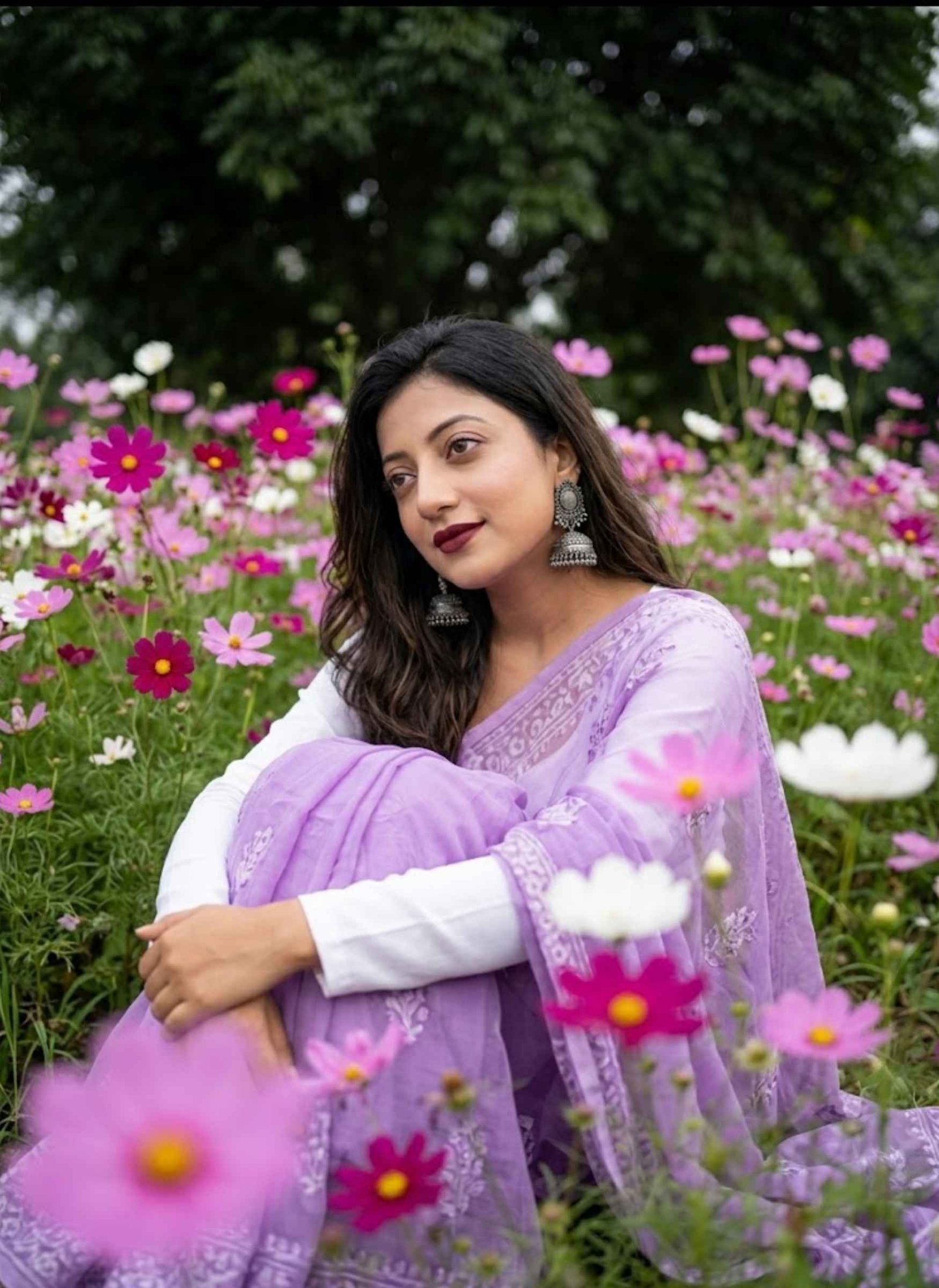
Use the uploaded woman’s photograph as the identity reference and keep her facial identity unchanged.
Place her seated in a field filled with pink, magenta, and white Cosmos flowers.
Dress her in a lilac sheer saree layered over a crisp white full-sleeve blouse. Add large oxidized silver jhumka earrings.
Her styling should include deep maroon lipstick, softly defined eyes, and a naturally fair complexion. Keep her long dark hair slightly wavy.
She should sit curled up while gently embracing her knees, looking away from the camera with a peaceful, dreamy expression.
Use soft natural daylight, blurred flowers in the foreground, and a dark green tree canopy softly out of focus behind her.
Maintain realistic skin, fabric, hair, and floral textures.
Important: Do not change the uploaded woman’s face.
Prompt 6
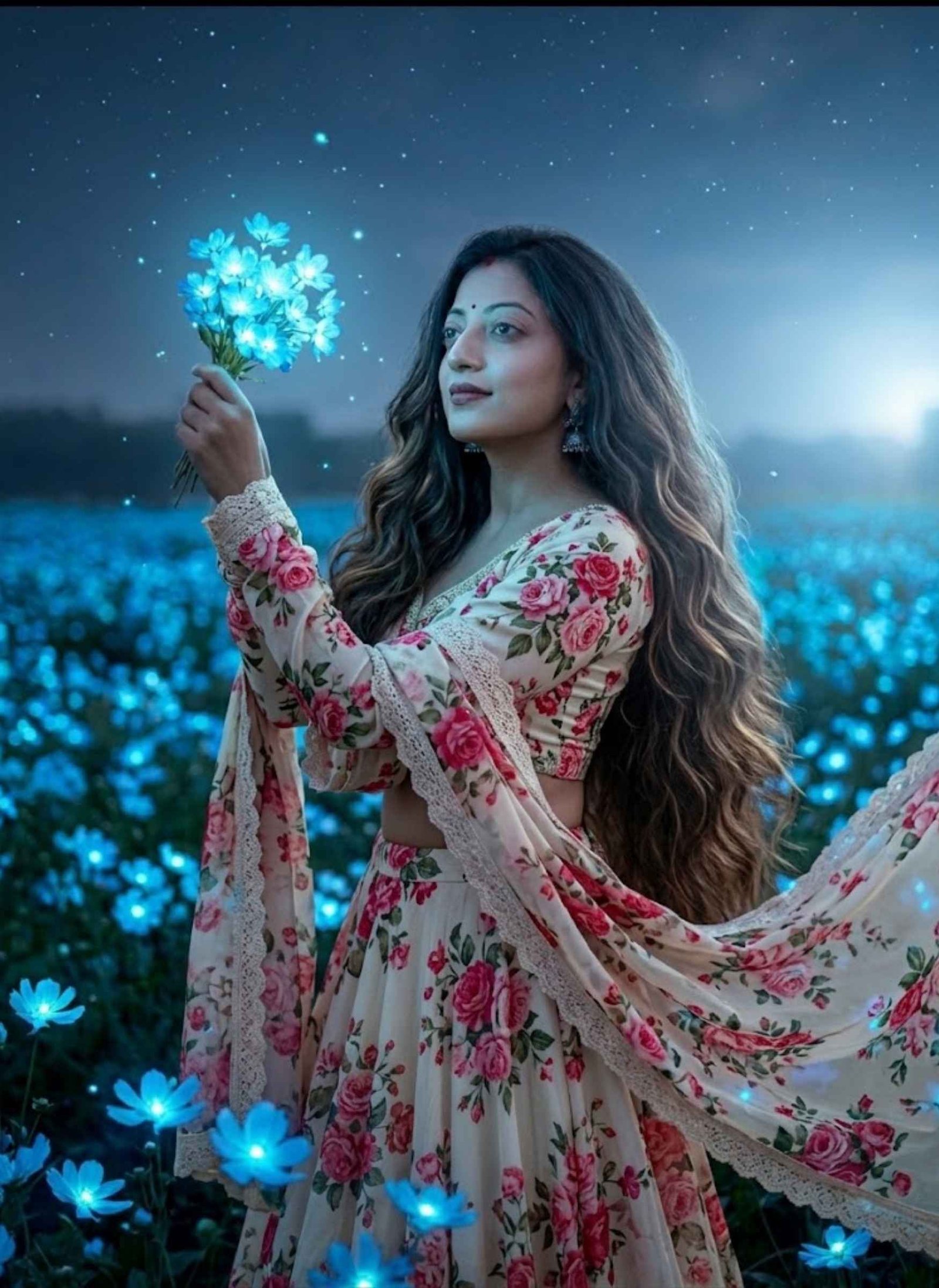
Create a hyper-realistic portrait using the uploaded Indian woman’s photograph as the exact identity reference. Preserve the same face, facial proportions, expression, pose, and body figure.
Style her in a beautiful floral lehenga set with a cream-colored base and vibrant rose-print patterns. The blouse should include delicate lace borders that coordinate with the lehenga and matching dupatta.
Keep her hair straight and layered, with subtle brown-gold highlights. Her hair should appear extremely thick, voluminous, long, and naturally flowing all the way toward the waist.
Maintain the natural appearance of the uploaded woman’s face and body while applying the described clothing and hairstyle styling.
Identity instruction: No face replacement, facial reshaping, or identity alteration.
Prompt 7
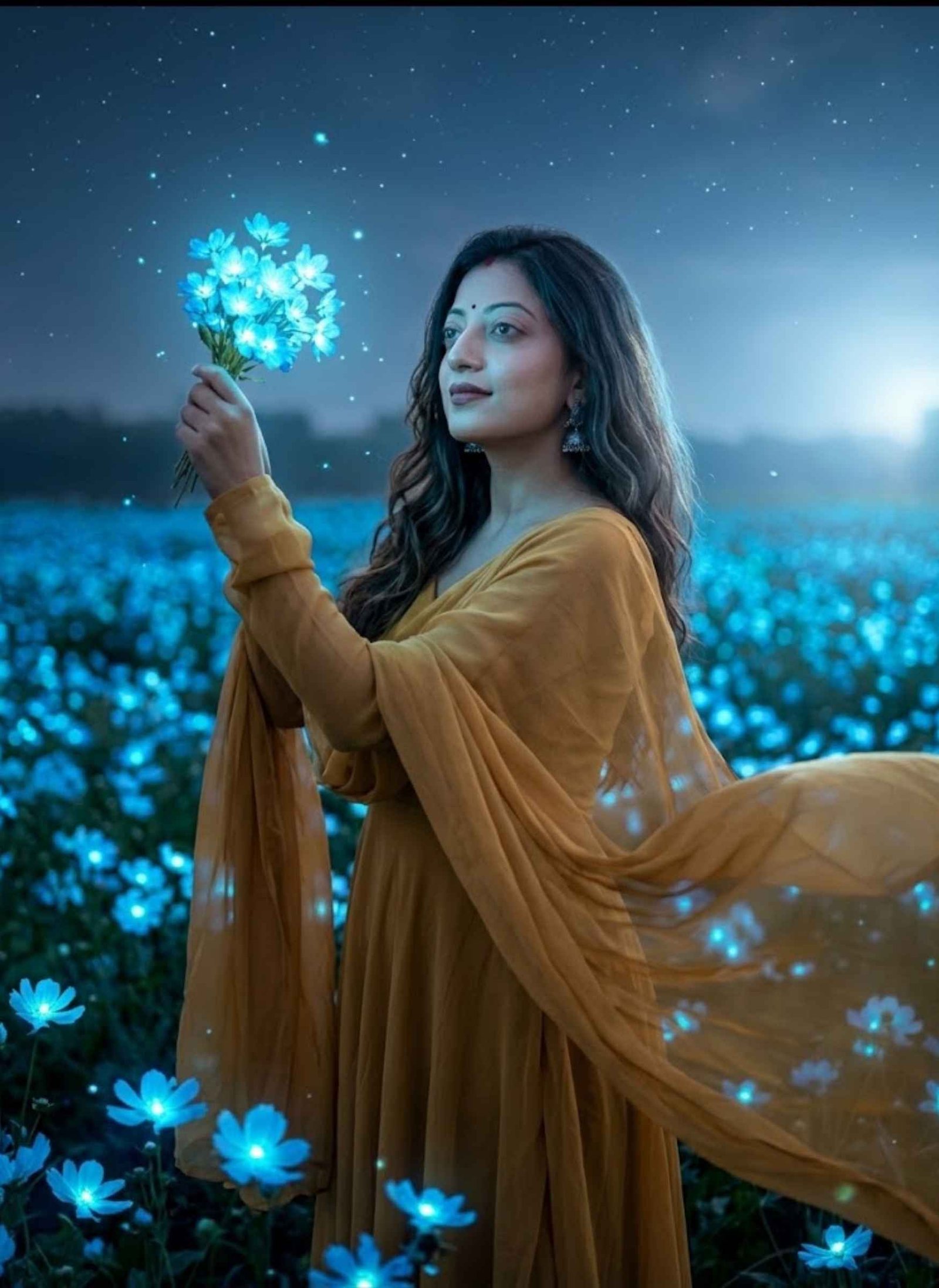
Transform the uploaded woman’s photograph into an ethereal nighttime portrait while preserving her exact recognizable facial identity and natural facial characteristics.
Place her standing in a vast field filled with glowing bioluminescent blue flowers. She holds a small bouquet of luminous azure blossoms raised gently in one hand and looks serenely toward the light.
Dress her in a flowing mustard-gold saree or gown with translucent chiffon sleeves. A gentle breeze should move the sheer fabric naturally, creating elegant motion and soft draping.
Keep her long wavy dark hair flowing naturally and add a subtle bindi to her forehead along with delicate silver jhumka earrings.
Use cool blue moonlight and cyan illumination from the flowers to contrast against the warm golden tones of her outfit. Soft key and rim lighting should sculpt her face.
Add tiny floating light particles and subtle stars in the night sky for a magical-realism atmosphere.
Use vertical framing, shallow depth of field, creamy bokeh, sharp focus on her eyes and bouquet, highly detailed skin, visible fabric fibers, and realistic flower petals.
Finish with dreamy moody color grading, soft film grain, volumetric illumination, and the visual character of an 85mm professional portrait lens.
Face preservation is mandatory: do not change or replace her identity.
Trending Gemini AI Couple Photo Prompts
These Gemini AI couple photo prompts are designed for creating romantic selfies, stylish couple portraits, emotional scenes, mirror selfies, and cinematic couple photos. Upload photos of both people where required, then copy and paste the prompt into Gemini to generate a personalized couple image based on the selected style.
Prompt 1
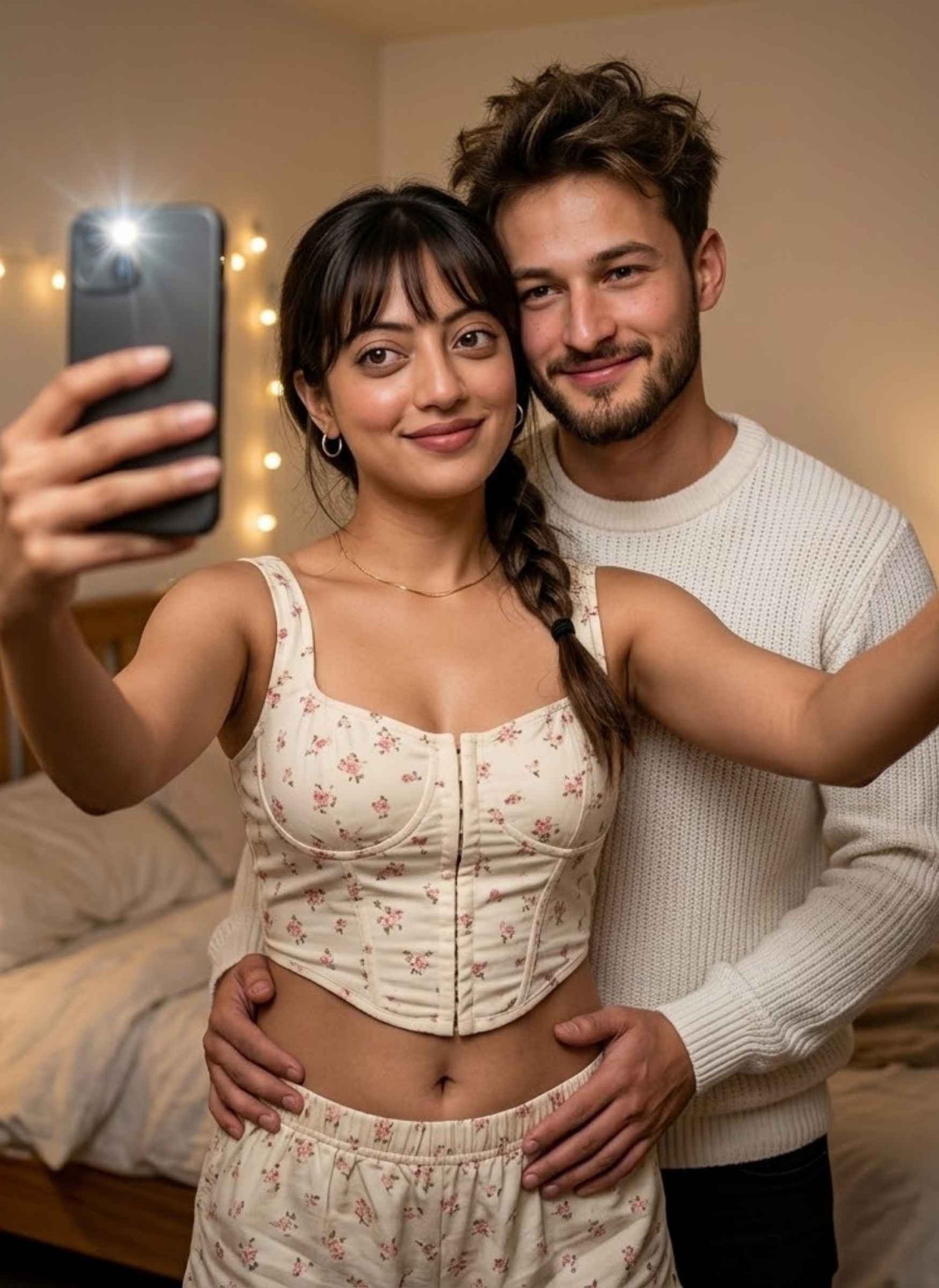
Create an ultra-realistic romantic indoor couple selfie using the uploaded photos as identity references. Preserve both individuals’ recognizable facial identities and natural features.
Set the scene inside a cozy bedroom with warm ambient illumination and soft background bokeh.
The young woman stands in the foreground holding the camera and giving a gentle smile. Keep her bangs with a side braid, natural makeup, small earrings, and necklace.
Dress her in a cream floral corset-style mini crop top with matching shorts, with the midriff naturally visible.
Position the man behind her wearing a white sweater. Give him messy hair and a neatly trimmed beard. His hands should rest naturally around her waist.
Maintain warm lighting, realistic skin texture, shallow depth of field, natural proportions, and authentic smartphone-selfie perspective.
Identity instruction: Keep both uploaded faces recognizable and do not replace or alter their facial identities.
Prompt 2
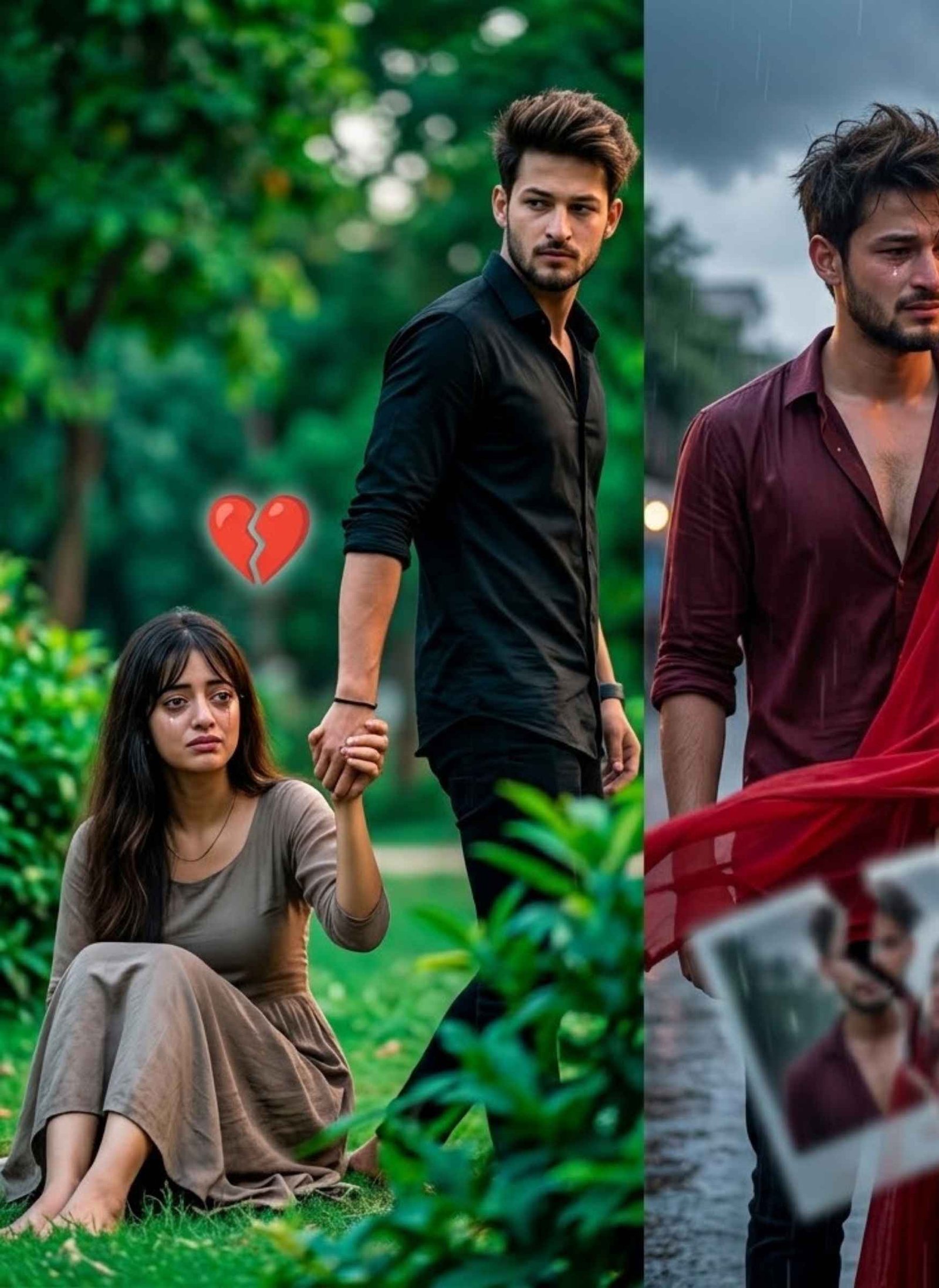
Create a dramatic, emotionally intense portrait of the uploaded young couple, using their photographs as exact identity references. Preserve both faces and recognizable features.
Set them in a lush green park. The stylish young man, dressed in black, is walking away while the sad young woman sits on the ground and holds onto his hand. He turns his head back over his shoulder, looking toward her with an intense expression.
Use vibrant greenery with deep background bokeh. Apply strong contrast and cinematic teal-and-orange color grading with pronounced depth.
Place a floating digital broken red heart between them.
For an additional emotional variation, create a cinematic half-portrait of the same young couple during a painful breakup. The man has messy hair and wears a maroon half-open shirt, looking toward her with teary, emotionally shattered eyes. The woman wears a flowing red dress with a wind-blown dupatta and turns away while tears remain visible on her cheeks.
Show a blurred broken photo-frame reflection across wet ground between them. Set the scene on a twilight street with light rain, storm clouds, and faint neon illumination.
Maintain raw emotion, dramatic sadness, cinematic lighting, and realistic photographic detail.
Important: Use the uploaded reference face for the man and preserve his identity exactly. Do not replace his face.
Prompt 3
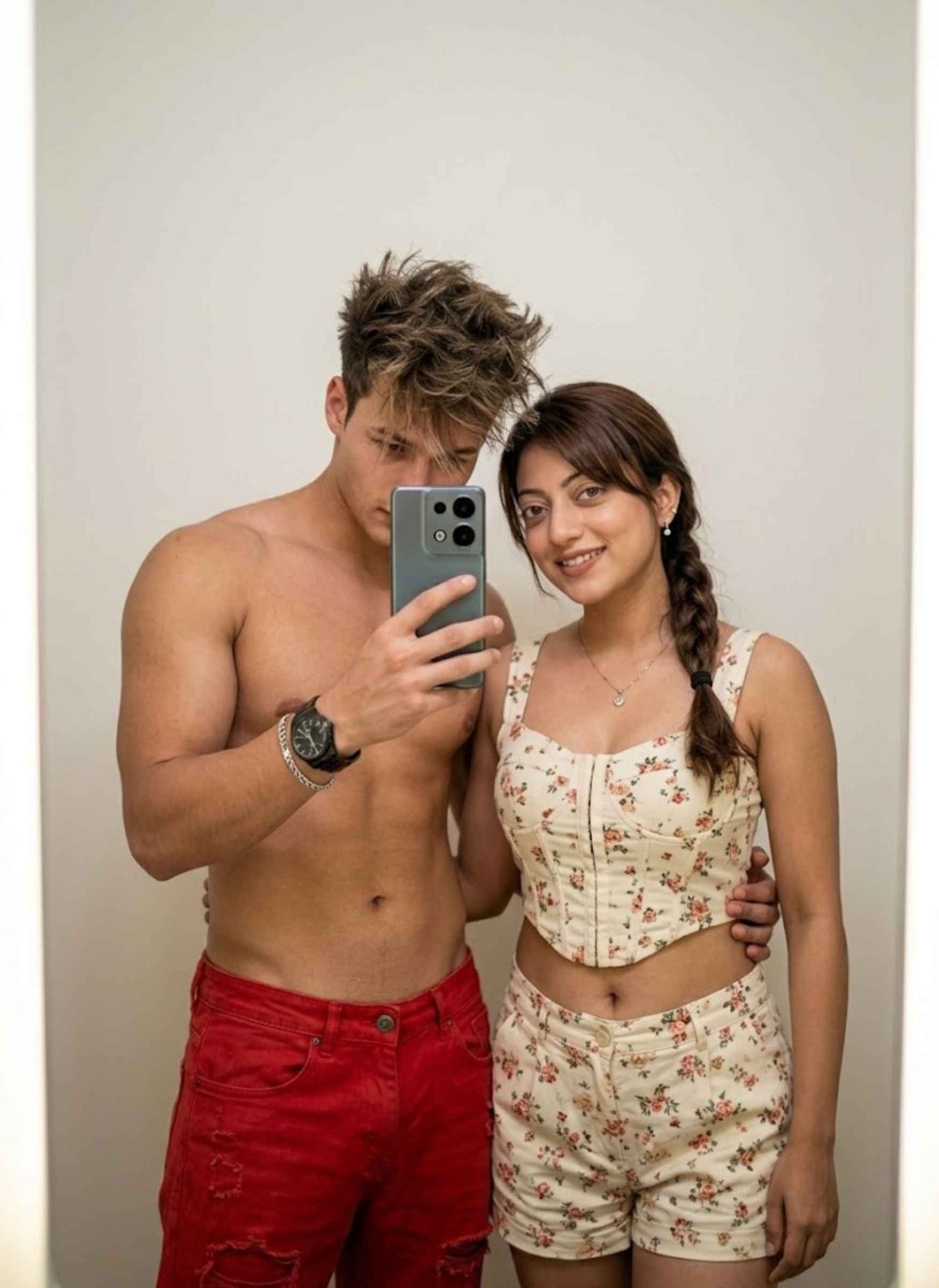
Create an ultra-realistic mirror selfie featuring the uploaded young couple, using their reference photographs to preserve both identities.
Place them against a plain or softly illuminated background. The man holds an Oppo Reno 15 Pro in one hand so the phone is clearly visible in the mirror reflection, while his other hand moves naturally through his hair, allowing his wristwatch or bracelet to remain visible.
Style the man in the specified red shirtless look while keeping the intended outfit unchanged. His face may be partially hidden by his hand and hair to create a casually stylish appearance.
Position the couple closely together, with the boy’s other hand naturally placed around the girl’s back.
Preserve the clothing and styling of both people as specified rather than redesigning their outfits.
Identity instruction: Use the uploaded references for a 100% recognizable face match as closely as the image model allows. Do not substitute unrelated faces.
Prompt 4
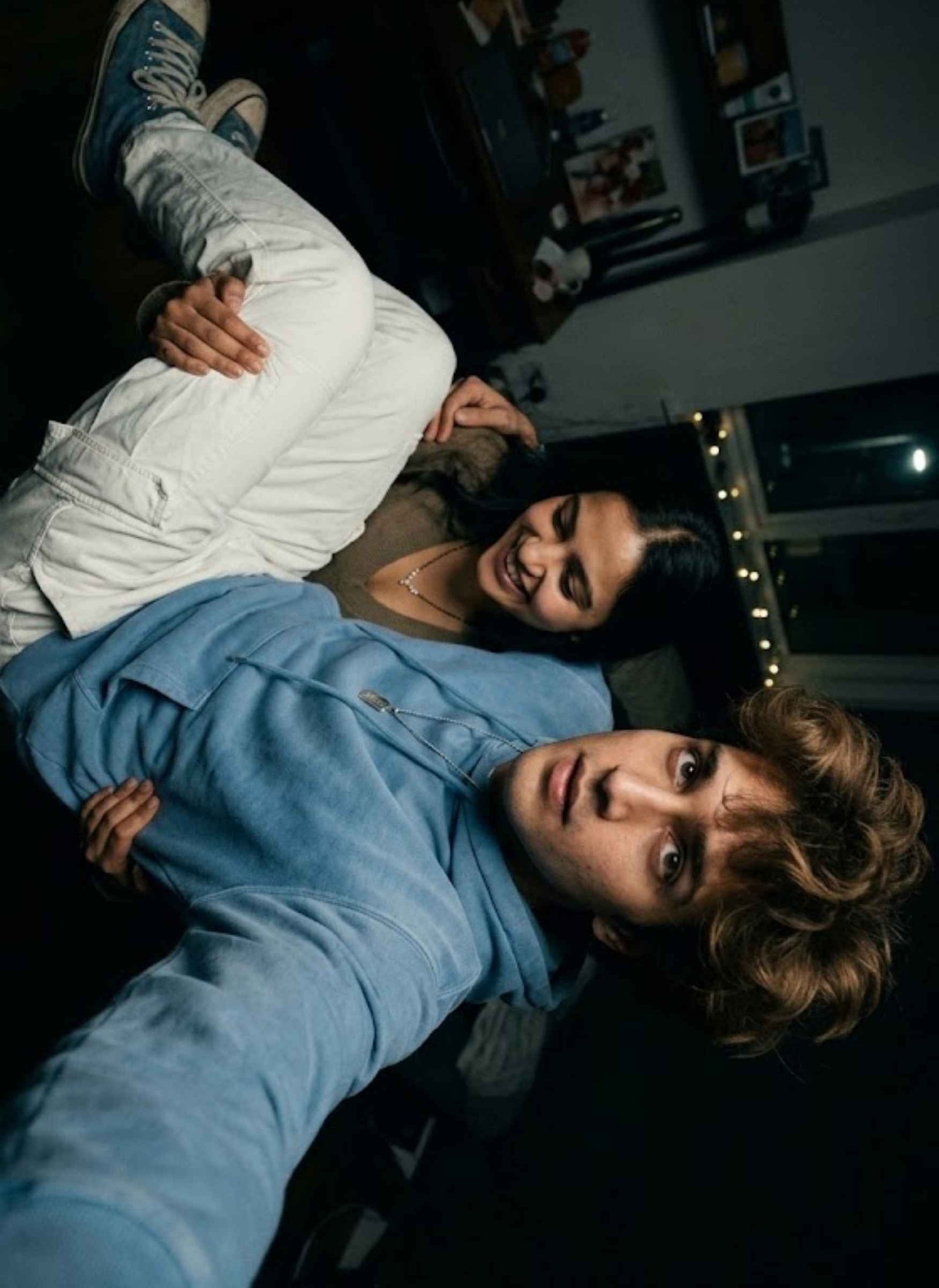
Create a realistic selfie captured from a slightly elevated angle, using the uploaded young man’s photograph as the primary identity reference. Keep his recognizable face, hairstyle, and natural appearance consistent with the reference.
The young man should have messy, voluminous hair and a natural expression directed toward the camera.
Dress him in a sky-blue hoodie, white cargo trousers, blue shoes, and a silver pendant necklace.
Make sure both the boy and girl are present together in the same frame. The boy should be holding the girl naturally in his arms.
Give the girl a small diamond mangalsutra as part of her styling.
Create a dark, moody visual atmosphere inspired by a 1990s movie, with deep black tones while retaining realistic skin, clothing, and photographic detail.
Identity instruction: Preserve the uploaded boy’s recognizable face and do not replace it with a different person.
Prompt 5
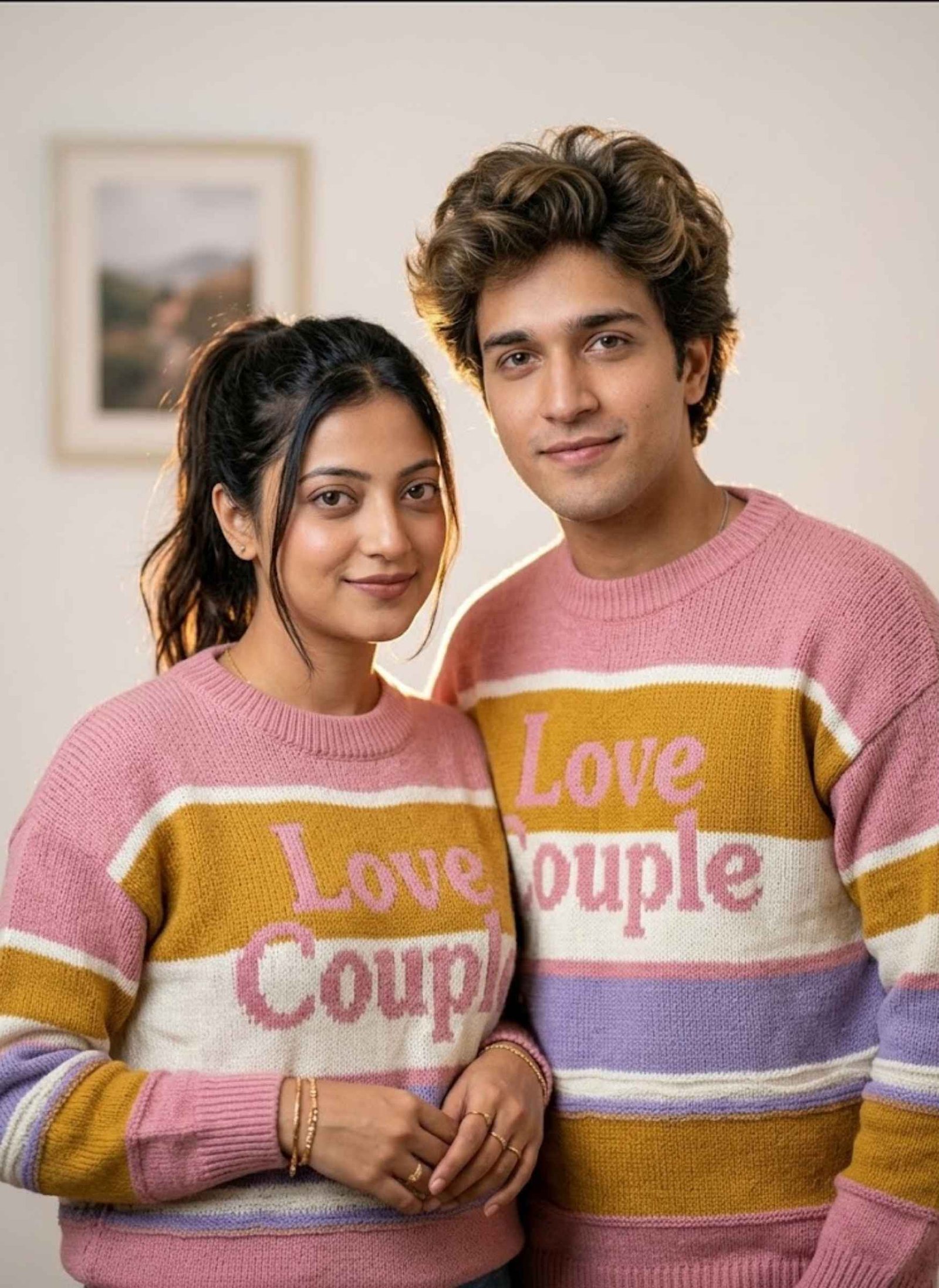
Create an ultra-high-definition, hyper-realistic portrait of the uploaded young couple, using their reference photos to preserve their recognizable facial identities.
Show the couple standing together with warm, friendly expressions under soft warm rim backlighting.
The woman has long dark-brown hair arranged in a high ponytail, with a few loose strands naturally framing her face. Add delicate gold bracelets and rings.
Dress both the woman and man in matching pastel-striped knitted sweaters featuring pink, mustard yellow, white, and purple stripes. Include the bold “Love Couple” wording on the chest exactly as part of the clothing design.
Replace the existing background with a minimal, softly blurred plain wall containing a photo frame.
Maintain natural facial proportions, realistic skin texture, authentic fabric knitting detail, soft depth of field, warm rim illumination, and premium photorealistic quality.
Identity instruction: Keep both uploaded faces recognizable and consistent with their reference images. Do not alter their facial identity.
Gemini AI Photo Editing Prompts
The following Gemini AI photo editing prompts are for transforming an existing photo into a completely different visual style. They include social-media-style edits, sticker effects, cinematic black-and-white edits, emotional memory edits, and creative photo transformations. Upload your image first, then copy and paste the prompt that matches the editing style you want.
Prompt 1
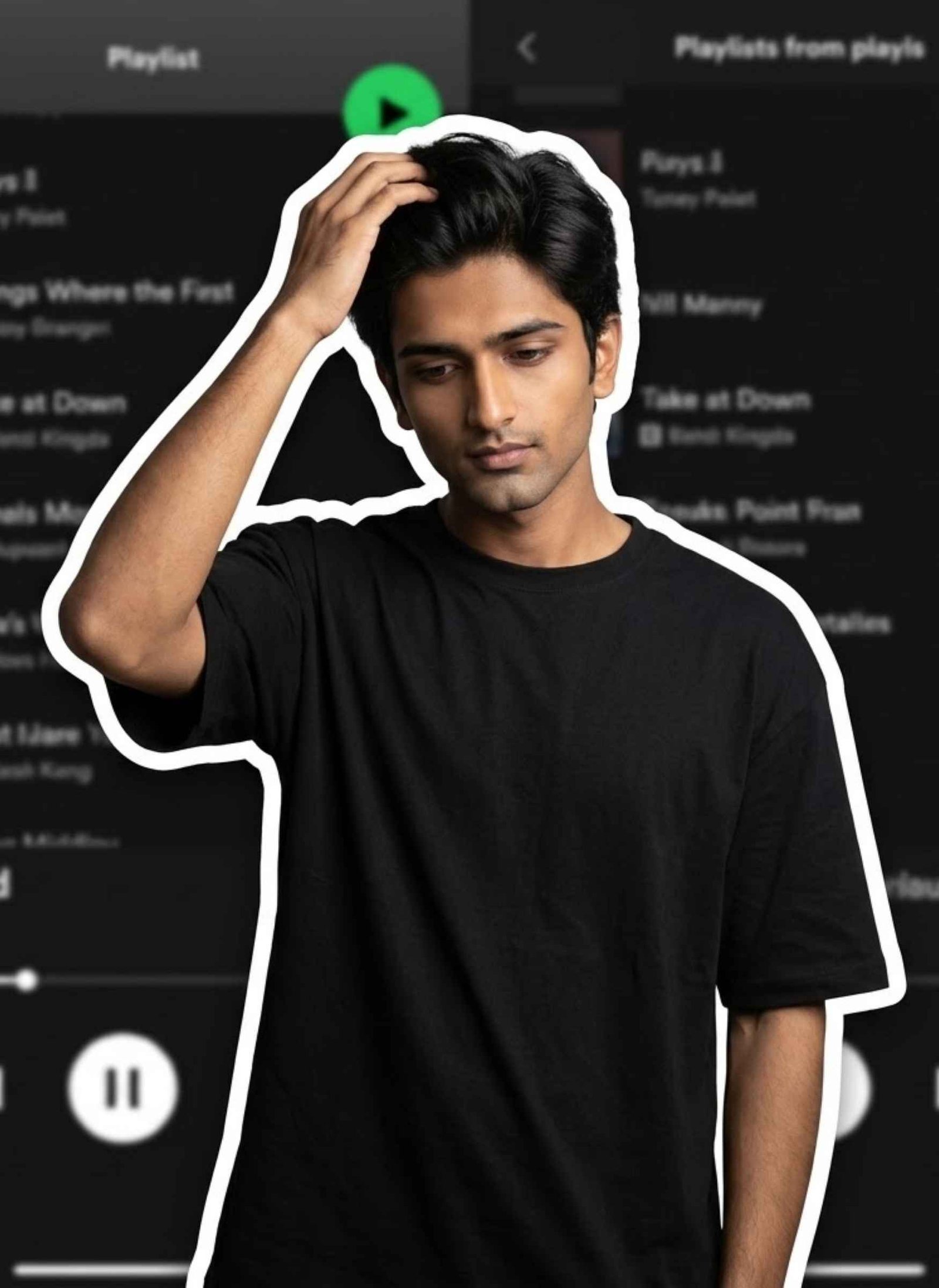
Create a premium digital-collage image based on the uploaded person’s photograph. Cut the subject out from the original image and surround the entire figure with a thick white sticker-like outline. Preserve the person’s exact recognizable facial identity and natural features.
If the uploaded subject is female: dress her in a traditional white saree with a red border and red blouse, accessorized with silver bangles and a white flower in her hair. Her gaze should be directed slightly downward while one hand gently adjusts her hair near the ear.
If the uploaded subject is male: style him in a plain oversized T-shirt with a modern casual appearance. His gaze should remain slightly downward while he naturally adjusts his collar or hair.
Place the cutout over a heavily blurred dark-mode mobile music-streaming playlist interface. Keep all interface text unreadable and ensure there are no readable letters, logos, or watermarks.
Use a clean minimal composition, soft cinematic illumination, realistic subject detail, premium digital-art finishing, and highly detailed 8K photorealism
Prompt 2
Use the uploaded photograph as the primary identity reference. Preserve the person’s exact facial appearance, hairstyle, skin tone, body shape, clothing, pose, and expression without changing who they are.
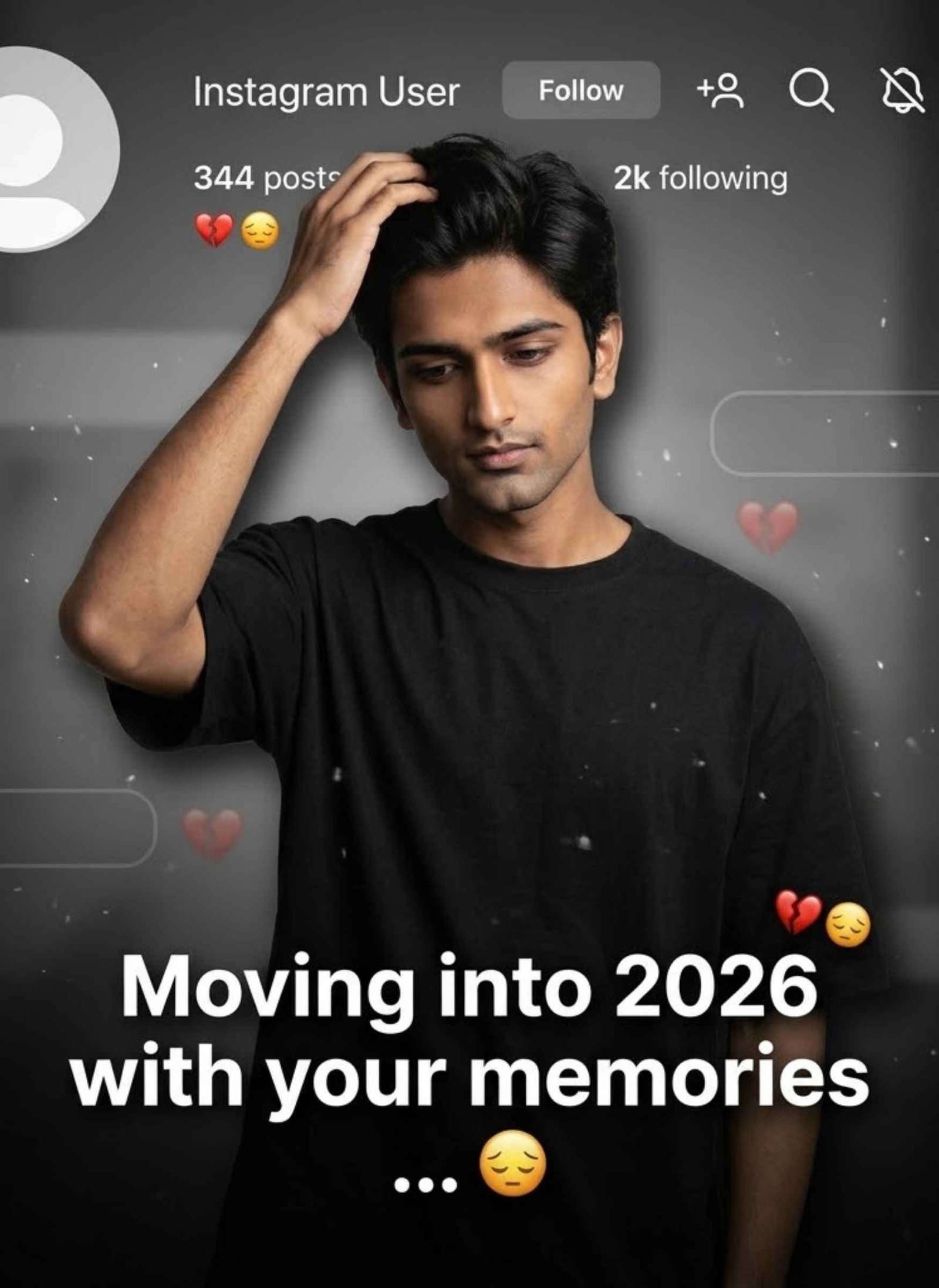
Turn the photograph into a dark, emotional Instagram heartbreak-memory edit. Create a faded and blurred black-grey background with a large semi-transparent Instagram-style profile interface.
Include a default avatar, the username “Instagram User”, along with Profile, Search, Mute, and Options icons.
Position the subject at the bottom center of the composition, adding a subtle glow and realistic shadow around them. Display bold white text reading:
“Moving into 2026 with your memories”
and place:
“…”
beneath it.
Add 💔 and 😔 emojis, faded chat overlays, delicate film grain, floating dust particles, subtle movement blur, cinematic illumination, soft vignette, muted low-saturation colors, and strong contrast.
Make it look like a premium Instagram Reel thumbnail with natural 4K photorealistic quality.
Avoid cartoon styling, anime aesthetics, artificial skin, or an AI-looking face.
Prompt 3
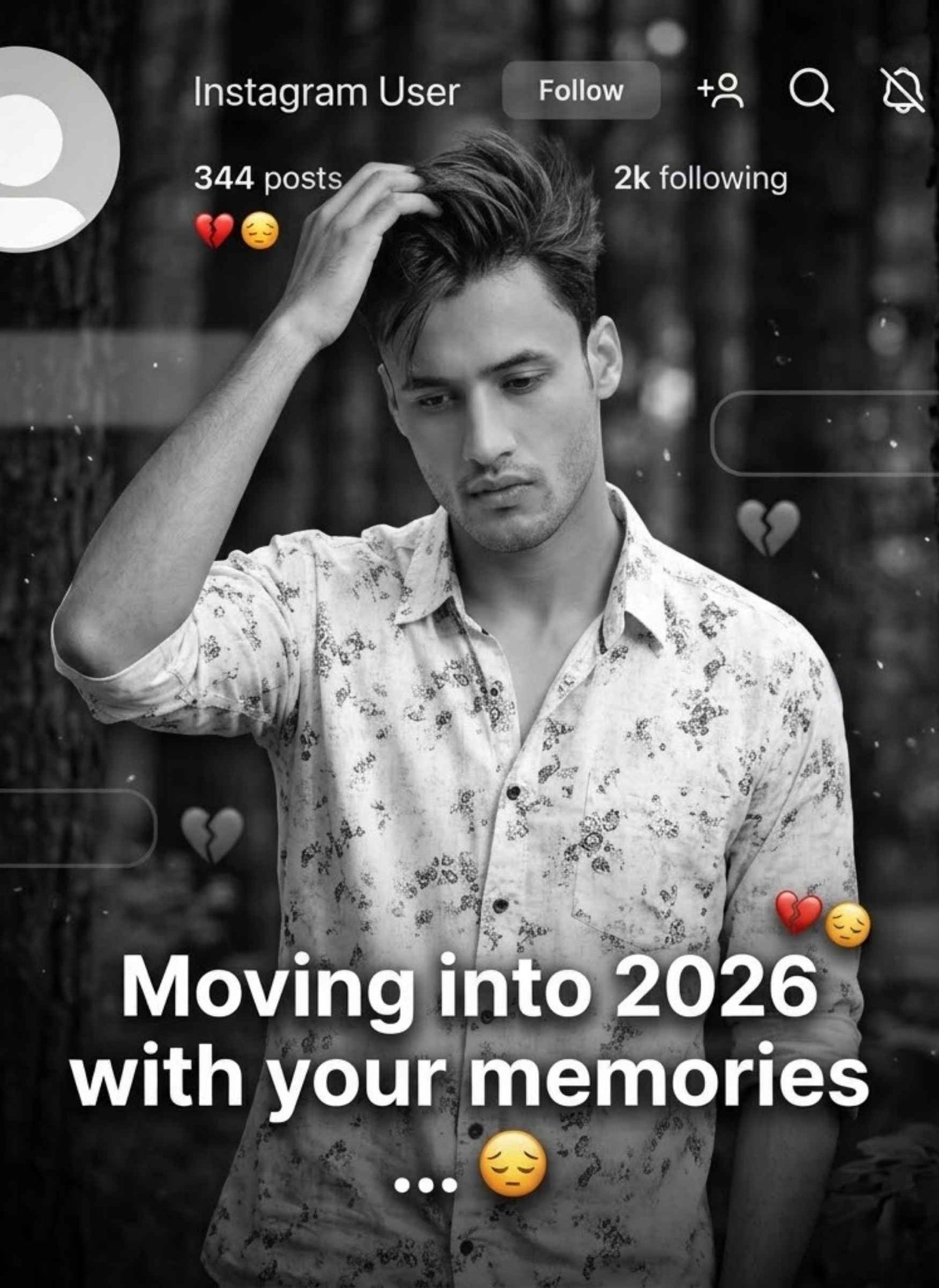
Take the supplied template image as the fixed layout reference. Keep all existing overlay elements in their original positions, including the profile icon, “Instagram User”, interface symbols, and “ALVIDA” text.
Replace only the person shown in the template with the individual from the newly uploaded photograph. Use the new photo as the identity reference and preserve that person’s exact face, recognizable identity, clothing, pose, body proportions, and framing.
Apply a refined cinematic black-and-white treatment with balanced contrast and clearly defined facial details.
Use a dark cinematic forest setting behind the subject while maintaining strong separation between the person and the background.
Produce a sharp, crystal-clear Full HD photorealistic result.
Strict instruction: Do not alter, morph, replace, beautify, or distort the uploaded person’s identity.
What Is a Gemini AI Photo Prompt?
A Gemini AI photo prompt is simply a written instruction that tells Google Gemini exactly what kind of photo to create or how to edit one you already have. Instead of typing something vague like “make it look nice,” you describe the details — the outfit, the background, the lighting, the mood — and Gemini uses that description, along with your uploaded photo, to generate the result.
The reason “copy and paste” prompts have become so popular is simple: writing a prompt that reliably produces a good result takes some trial and error. A well-written, ready-made prompt skips that process — you get the wording that already works, and you only need to adjust the small details (name, hair, colors) to make it your own.
How to Use These Gemini Prompts
Pick a prompt from the styles above.
Copy the full prompt text.
Open the Gemini app (or Gemini on the web) and start a new chat.
Upload your photo — tap the plus icon near the chat box and select your image from the gallery.
Paste the prompt into the chat box, then send it.
Wait a few seconds for Gemini to generate the result, and try again or tweak the prompt slightly if something looks off.
Tips for Customizing a Prompt to Match You
Most ready-made prompts are written to be a strong starting point, not a fixed formula — a few small edits make the result feel like your own photo instead of a generic template:
Replace any placeholder details. If a prompt mentions a specific name, outfit color, or object, swap it for your own before pasting — this stops the result from looking identical to everyone else using the same prompt.
Match your hair and features. If your hair is curly, short, or a different color than what’s described, add that detail in — for example, changing “voluminous hair” to “short curly hair.”
Adjust clothing colors to your preference. Most prompts describe a specific outfit color; changing it to your favorite is usually a one-word edit.
Keep changes small. These prompts are already written to work well — over-editing them with too many extra details can confuse the result more than it helps.
How to Write Your Own Gemini Prompt
If you’d rather customize from scratch instead of copying, a good Gemini prompt usually has four parts:
Subject — who’s in the photo and what should stay the same (face, hairstyle, body)
Style — the look you want (cinematic, retro, studio, candid)
Setting — the background or location (café, garden, rooftop, temple)
Details — lighting, clothing, colors, and mood
A short prompt like “make me look stylish” leaves Gemini to guess everything, which usually gives a generic result. Naming these four things clearly — even in one or two sentences — makes a noticeable difference in how accurate and realistic the output looks.
Tips & Common Mistakes
Use a clear, well-lit photo. Gemini reads facial detail from your uploaded photo, so blurry, dark, or heavily filtered images make it harder to keep your face looking like you.
Add a line asking Gemini to preserve your identity. Something like “keep my face and facial features exactly as in the uploaded photo” reduces the chances of Gemini changing your features while restyling the rest of the image.
Don’t stack too many changes in one prompt. Asking for a new outfit, new background, new lighting, and a new pose all at once can confuse the result. If something comes out wrong, ask Gemini to fix just that one part instead of starting over.
Try more than once. Gemini can give a different result each time, even with the same prompt — the second or third attempt is often better than the first.
Match the aspect ratio to where you’re posting. Vertical (9:16) works well for Reels and Stories, while 4:5 or 1:1 suits an Instagram feed post better.
Frequently Asked Questions
What is a Gemini AI photo prompt?+
It’s a written instruction that tells Gemini how to edit or generate an image from your uploaded photo. Instead of manually editing, you describe the result you want — style, background, lighting — and Gemini creates it for you.
Why does Gemini sometimes change my face?+
This usually happens when the prompt is too vague, the uploaded photo is low quality, or the requested style is very different from the original. Adding a clear line like “preserve my facial identity” and using a sharper reference photo both help.
Can I use the same prompt for both boys and girls?+
Some prompts work for either, but styling details like clothing, hair, and pose often differ. It’s usually better to pick the prompt written for that style rather than swapping just the wording.
Do I need a paid Gemini account to use these prompts?+
No. Gemini’s free tier supports image uploads and prompt-based editing, though there may be daily usage limits. A paid plan mainly helps if you’re generating a large number of images.
Is copying someone else’s prompt allowed?+
Yes — prompts themselves aren’t like copyrighted photos. You’re free to copy and reuse a prompt; just remember the final image will still depend on your own uploaded photo.
Why did my result look different from the example photo?+
Differences usually come from your original photo’s lighting, angle, or resolution, or from natural variation between AI generations. Small prompt tweaks — lighting, background, or a stronger identity-preservation line — usually close the gap.
Conclusion
Gemini AI photo prompts make it possible to create polished, professional-looking photos without any editing experience — you just need the right words and a clear photo to start with. Pick a style above, copy the prompt, and adjust the small details to make it your own. And if it doesn’t come out perfectly on the first try, that’s normal — a quick tweak or a second attempt usually gets you the result you’re after.
If your Instagram feed has suddenly turned into a political rally over the last few days, you’re not imagining it. Cockroach Janata Party (CJP) posters are everywhere right now — cinematic rally backdrops, election-style banners, and thousands of people posting themselves as the “candidate.” It’s one of those trends that looks complicated to make but…
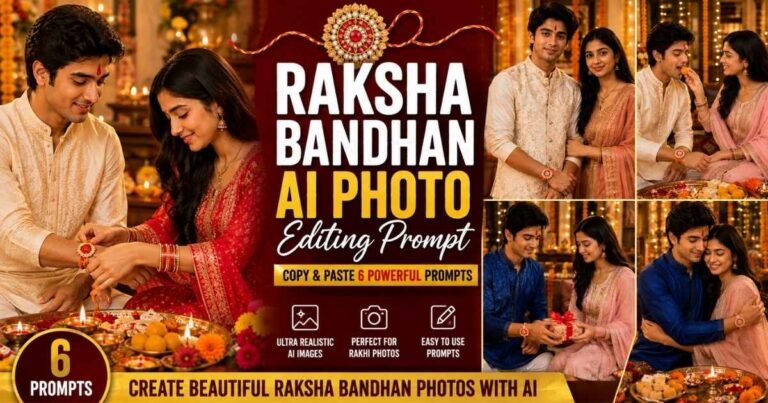
Want to create a beautiful Raksha Bandhan photo with your brother or sister using AI? These Raksha Bandhan AI Photo Editing Prompts help you turn your uploaded photos into realistic Rakhi celebration portraits while keeping both faces natural and recognizable. Upload clear photos of the brother and sister to Gemini, ChatGPT, or another AI image…
Want to create a powerful Mahadev photo for Maha Shivaratri using your own face? These Mahadev Maha Shivaratri AI photo editing prompts can transform a simple photo into a realistic devotional portrait with Lord Shiva, Shivling, Trishul, Rudraksha, Kedarnath Temple, and beautiful Himalayan backgrounds. Just upload a clear photo to Gemini, ChatGPT, or your preferred…
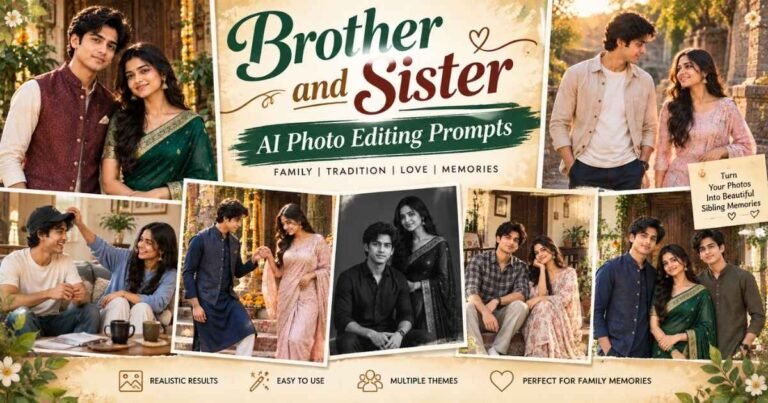
Sibling photos look best when they capture the small things that make a brother-sister relationship feel real—a familiar smile, playful teasing, helping each other, or simply spending time together. With a detailed brother and sister prompt, you can combine separate reference photos or transform an existing sibling picture into a more polished family portrait while…
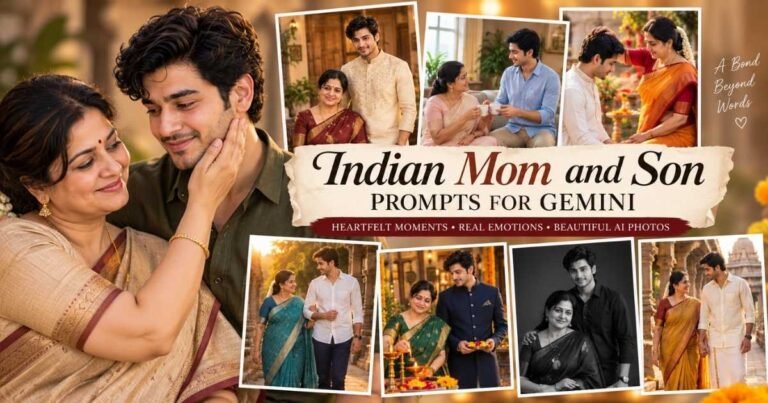
A mother and son photo can hold more emotion than a perfectly posed family portrait. With an Indian mom and son prompt for Gemini, you can turn simple reference photos into meaningful images that still feel natural, personal, and recognizable. These prompts are designed for different moments, from traditional saree-and-kurta portraits and relaxed home scenes…
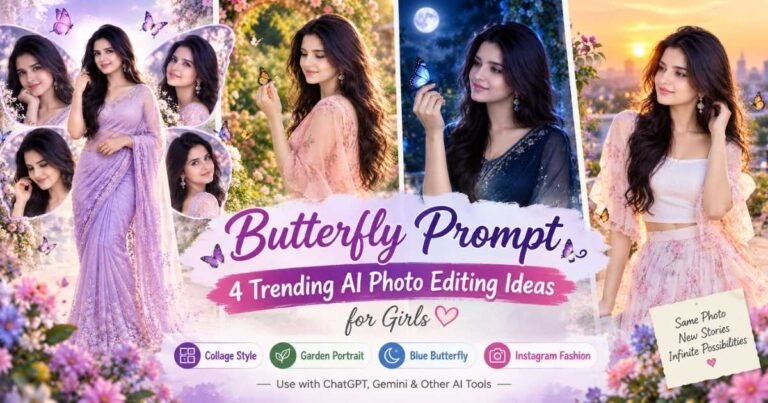
Butterfly-style photo edits are popular because they can turn a simple portrait into something softer, more creative, and visually different without making the image look overly artificial. With the right butterfly prompt, you can create everything from dreamy garden portraits to glowing blue-butterfly scenes and stylish Instagram-ready edits. The prompts below are designed for girls…




17 Comments