A childhood photo prompt can bring your past and present into the same frame. You can create a realistic photo of your current self meeting or hugging your younger self, recreate a nostalgic birthday moment, or even generate a childhood-style portrait when you do not have an old photo.
Below are ready-to-copy prompts designed for different results. For the first three, upload a clear childhood photo and a recent photo before using the prompt. The fourth works with a current photo alone.
Best Childhood Photo Prompts – Copy & Paste
These prompts focus on the most useful childhood AI photo styles rather than repeating the same then-and-now composition. Current examples across the trend commonly use separate childhood and adult references, clearly defined interactions, simple backgrounds, nostalgic lighting, and identity-preservation instructions.
Prompt 1
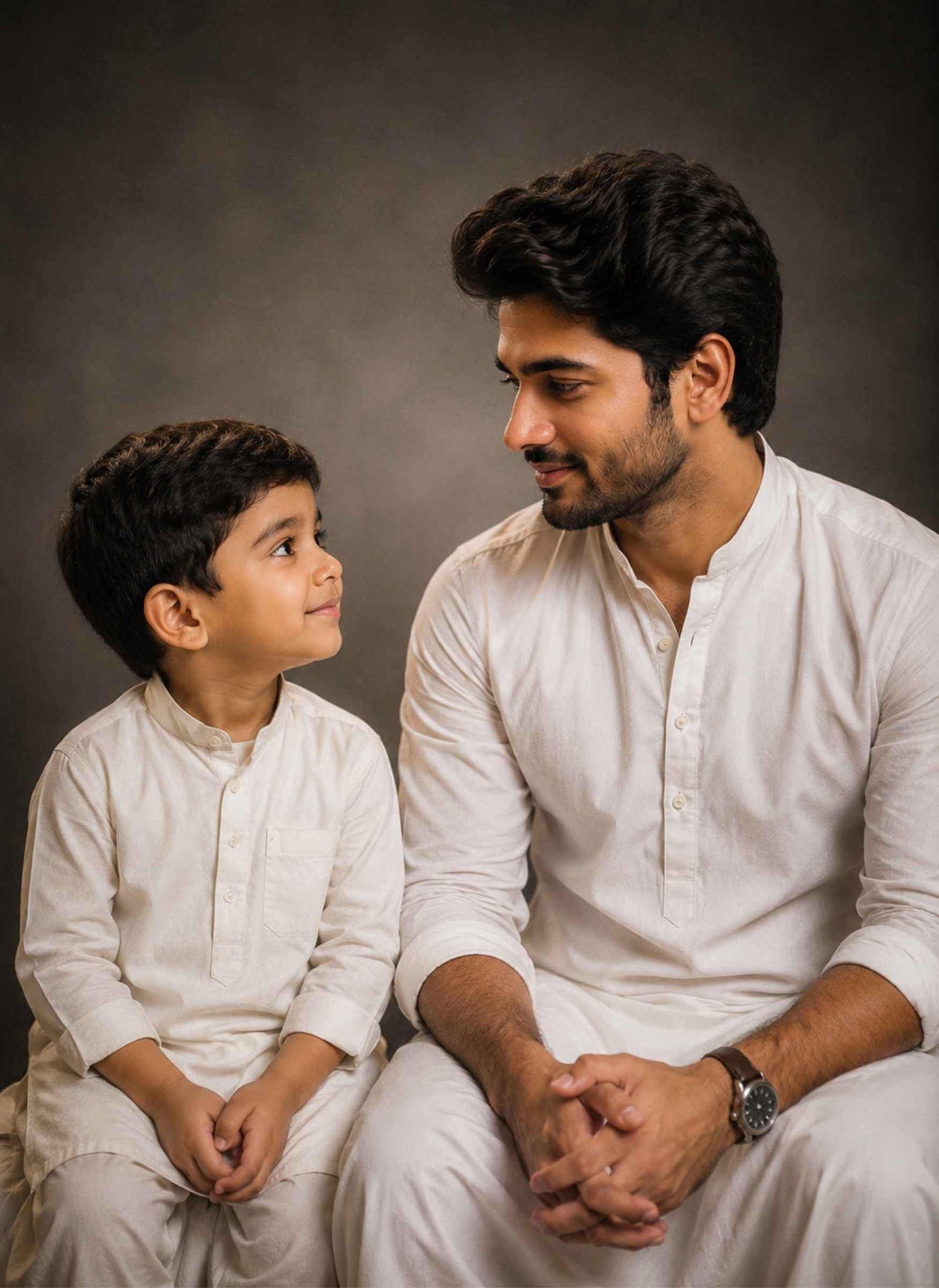
Use the two uploaded photos as separate identity references. Use Photo 1 as the childhood version of the person and Photo 2 as the present-day adult version. Preserve the recognizable facial features, natural skin tone, hairstyle, expression, and age-specific appearance shown in each reference. Keep both versions distinct and do not blend their faces or ages.
Create a realistic emotional portrait showing the childhood self on the left and the present-day self on the right, facing and looking naturally at each other. Give the child a gentle, innocent expression and the adult a warm, reflective expression that suggests recognition and connection with their younger self.
Use a clean, minimal studio setting with a simple neutral background so the focus remains on both versions of the person. Add soft warm cinematic lighting, realistic shadows, natural skin texture, subtle depth of field, balanced composition, and a slight photographic grain.
Keep the child’s facial and body proportions appropriate for their actual childhood age. Do not make the child look like a miniature adult. Maintain the adult’s current age and appearance without unnecessarily beautifying or de-aging them.
Ensure realistic eyes, hands, fingers, hair, clothing, and body proportions. The finished image should look like a believable professional portrait of the same person meeting their younger self, with a nostalgic and emotional atmosphere rather than an artificial AI illustration.
Prompt 2
Use the uploaded childhood photo and current photo as separate identity references for two different ages of the same person. Preserve the child’s recognizable childhood features and the adult’s present-day facial characteristics separately. Maintain their natural skin tones, hairstyles, expressions, and correct age appearances without merging their faces.
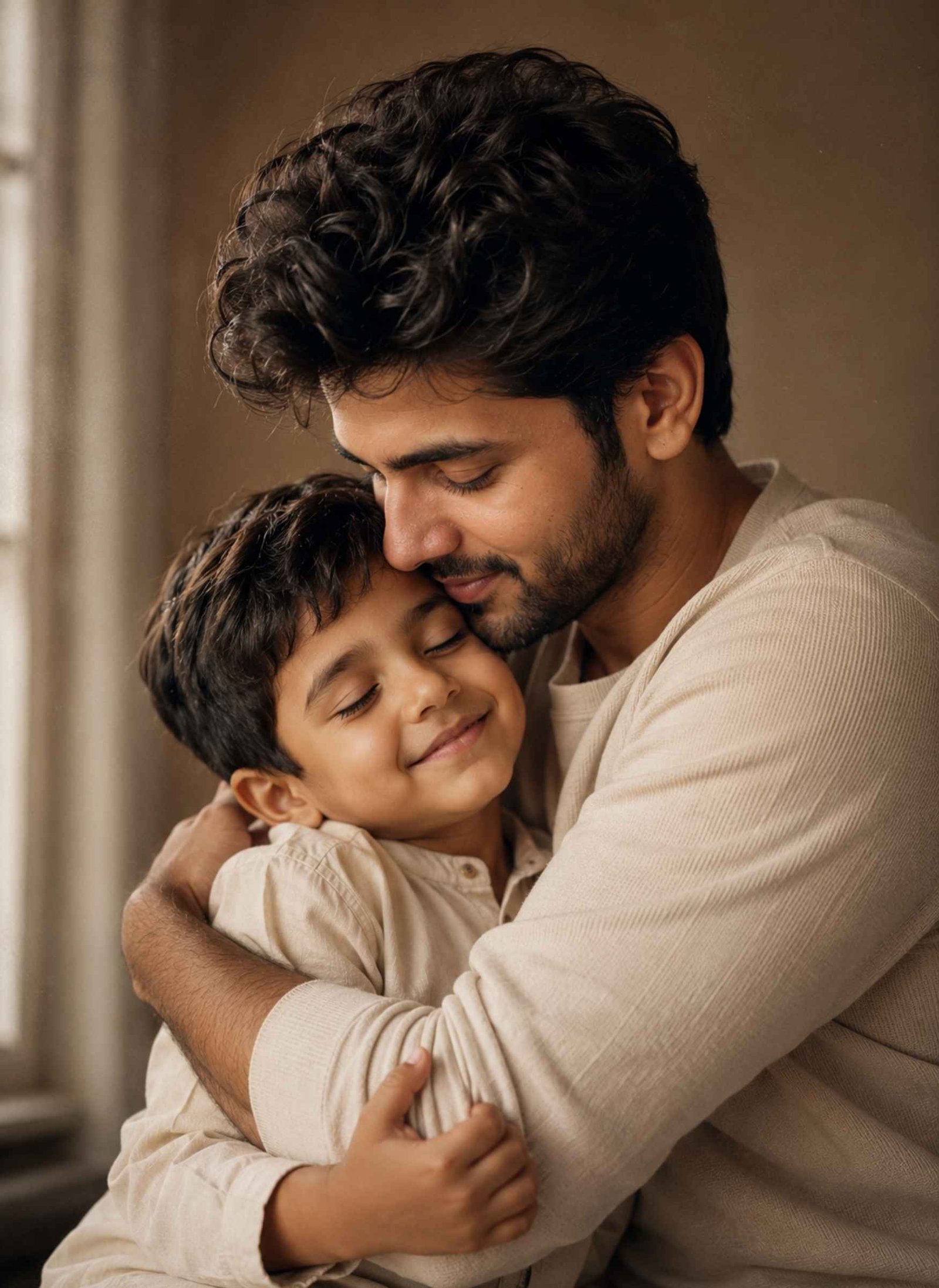
Create a realistic and emotional photograph of the present-day adult gently hugging their childhood self. The interaction should feel comforting and natural, with the child responding comfortably to the embrace. Show a clear difference in height, facial maturity, and body proportions between the child and adult.
Place them in a simple, softly lit indoor setting with a warm neutral background and minimal distractions. Use soft window-style lighting, gentle natural shadows, warm nostalgic tones, realistic skin texture, subtle background blur, and fine film grain.
Pay special attention to the physical interaction. Keep arms positioned naturally around the subjects, hands visible where appropriate, fingers anatomically realistic, and bodies correctly aligned without overlapping unnaturally.
Do not make the child appear adult-like, change the adult’s age, merge facial features, add extra limbs or fingers, or apply excessive beauty filters, artificial glow, HDR, or plastic skin.
The final photograph should feel like a genuine, intimate moment between a person and their younger self.
Prompt 3
Use Photo 1 as the childhood identity reference and Photo 2 as the present-day identity reference for the same person. Preserve the recognizable facial characteristics, natural skin tone, hairstyle, expression, and age-specific features of both references separately.
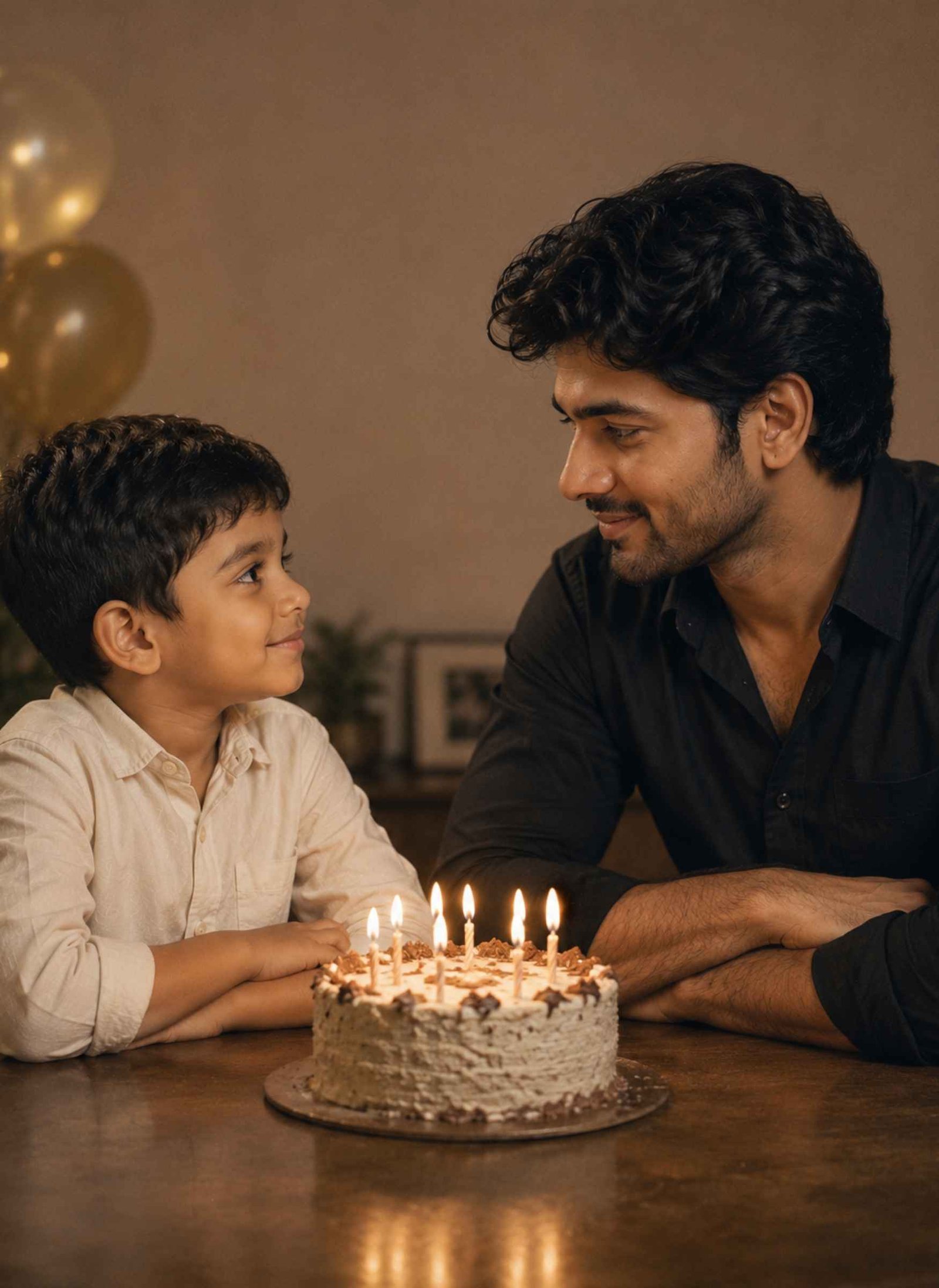
Create a realistic nostalgic birthday portrait showing the childhood version and present-day version celebrating together. Place the child on one side of a small table and the adult on the other, with a simple birthday cake between them. Show both versions naturally looking toward each other with warm, genuine expressions.
Keep the birthday setting elegant and understated rather than crowded. Include only a few subtle decorations and a clean background so the emotional connection remains the main focus of the image.
Use soft warm cinematic lighting, realistic candlelight highlights, natural shadows, authentic skin texture, detailed clothing, gentle depth of field, and a subtle vintage photographic character.
Keep the child’s face and body appropriate for their childhood age while maintaining the adult’s present-day appearance. Do not blend their identities or make them look like twins of the same age.
Ensure the cake, candles, hands, fingers, table, clothing, and body proportions look natural. Avoid excessive decorations, cartoon styling, artificial skin smoothing, oversaturation, fake HDR, and unnecessary objects.
The final image should resemble a professionally photographed birthday moment that symbolically connects childhood memories with the present day.
Prompt 4
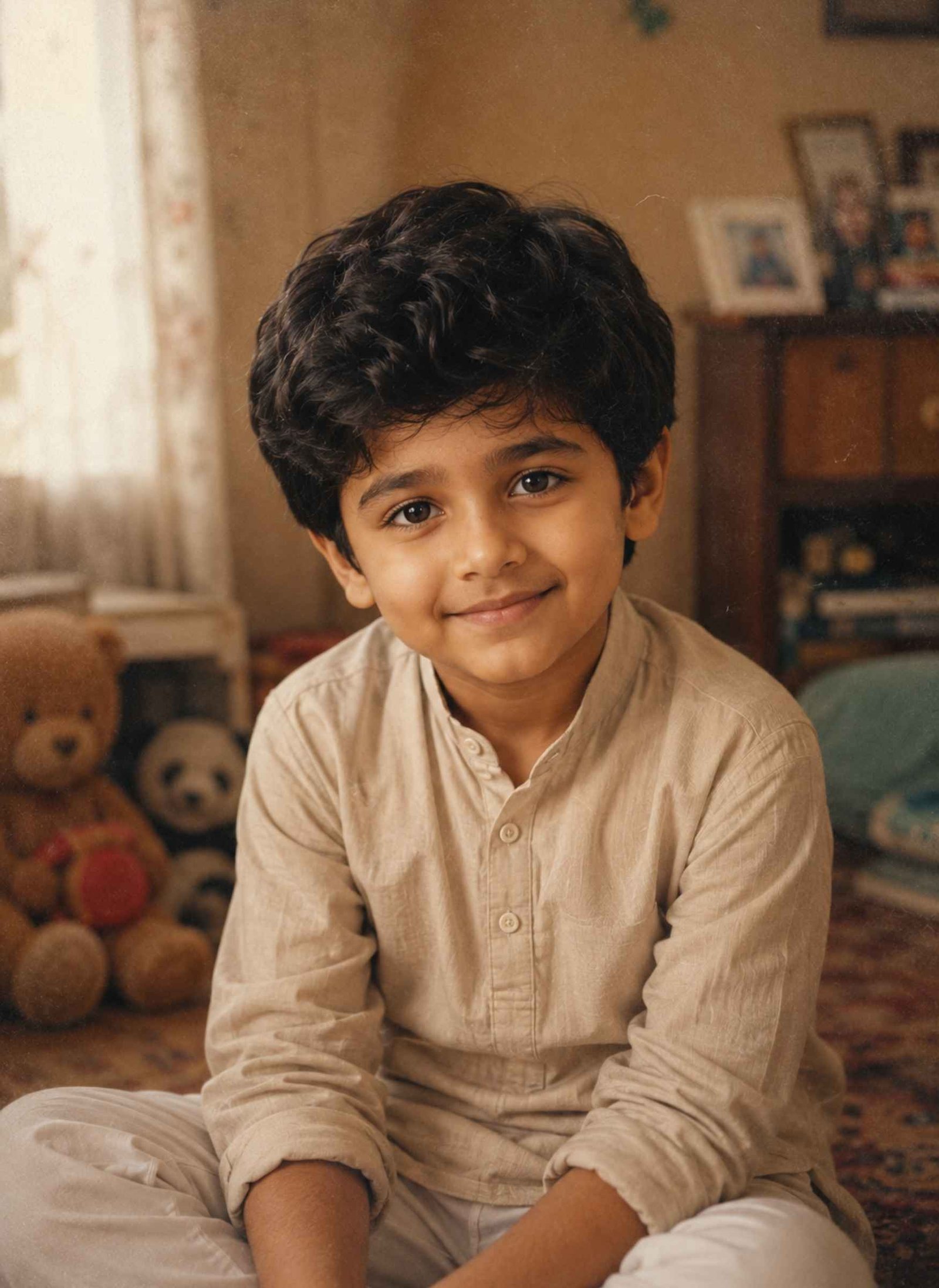
Use the uploaded current photo as the main identity reference. Preserve the person’s key recognizable facial characteristics, natural skin tone, hair characteristics, and overall family resemblance while creating a plausible childhood version of the person at approximately 5–7 years old.
Naturally adjust the facial structure to age-appropriate childhood proportions, including softer facial contours, a smaller jaw, youthful cheeks, appropriate eye-to-face proportions, and realistic child features. Adjust the body height, shoulders, hands, arms, and overall proportions to match a real child of that age.
Remove age-specific adult characteristics such as facial hair, mature facial lines, adult body structure, or adult styling. Give the child a natural hairstyle and a simple age-appropriate outfit.
Place the child in a warm, realistic family-home environment with soft natural window light, simple furniture, and a subtle nostalgic atmosphere. Add slightly faded colors, authentic photographic texture, gentle film grain, natural shadows, and the appearance of a genuine family photograph.
Do not create an adult face on a child’s body. Avoid exaggerated baby features, cartoon styling, plastic skin, excessive smoothing, artificial glow, unrealistic eyes, or overly perfect facial symmetry.
The result should look like a believable AI interpretation of how the person may have appeared as a child, not a claim to reconstruct their actual historical childhood appearance.
What Is a Childhood Photo Prompt?
A childhood photo prompt is a set of instructions that tells an AI image tool how to use a childhood photo, current photo, or both to create a new nostalgic image.
One popular format places a person’s younger and present-day selves together in an impossible but realistic-looking scene. Current examples include the two versions looking at each other, hugging, holding hands, sitting together, or celebrating a birthday.
There is also a second use: creating a younger-looking version from only a current portrait. In this case, the result should be treated as an AI interpretation rather than an accurate reconstruction of the person’s real childhood appearance.
How to Create the Viral Childhood Photo Trend
For the classic childhood-and-current-photo trend, start with two clear images: one childhood photo and one recent photo. Clear, well-lit references generally give the AI more useful identity information than blurry images or extreme angles.
Upload both images to an AI image tool that supports reference-image generation or editing. Tell the model explicitly which image represents the childhood identity and which represents the present-day identity, then paste one of the prompts above.
After generating the image, inspect both faces separately. Check the child’s age, the adult’s current appearance, hands and fingers, height difference, clothing, and interaction. If one detail is wrong, request a targeted correction instead of changing the entire prompt.
Childhood Photo Prompt Template
You do not need a completely new prompt whenever you want a different childhood photo. A reusable template can be built around:
Use Photo 1 as my childhood identity reference at age [AGE] and Photo 2 as my present-day identity reference. Preserve the recognizable facial characteristics and age-specific appearance of each reference separately. Create a realistic photo where my childhood self and current self are [INTERACTION] in [SETTING]. Give the child [EXPRESSION] and the adult [EXPRESSION]. Use [LIGHTING], [COLOR/MOOD], realistic skin texture, natural body proportions, and [PHOTOGRAPHY STYLE]. Keep both ages visually distinct, do not blend their faces, and avoid distorted hands, extra people, plastic skin, artificial glow, and unrealistic anatomy.
You can replace [INTERACTION] with hugging, holding hands, sitting together, looking at each other, exchanging a flower, or another simple action.
This reference → identity → scene → action → lighting → restrictions structure is also consistent with current childhood-prompt guidance for producing controlled results.
What If You Don’t Have a Childhood Photo?
You can still use a childhood photo prompt with only a current portrait, but there is an important difference.
Without an actual childhood reference, AI does not know exactly what you looked like at age five, six, or seven. It can instead create a plausible younger interpretation based on visible characteristics in your current photo.
Use a clear, front-facing or slightly angled portrait with good lighting. Specify the desired childhood age and tell the model to adjust facial structure, body proportions, hair, and other age-related characteristics naturally.
Prompt 4 above is designed specifically for this situation.
Best Photos to Use for Childhood AI Prompts
Choose images where the face is clearly visible and reasonably well lit. Avoid sunglasses, heavy beauty filters, severe motion blur, extreme side profiles, or photos where another person blocks part of the face.
When combining childhood and current images, similar viewing angles can make the task easier, although the photos do not need to be identical. Current prompt guidance likewise recommends clear reference photos and warns that blurry or heavily angled images can contribute to facial distortion.
For full-body interactions such as hugging or holding hands, photos that show more of the person’s body can also provide useful reference information.
Common Childhood AI Photo Problems and Fixes
Problem
What to Change in the Prompt
Child looks like a small adult
Specify age-appropriate facial and body proportions
Childhood face loses resemblance
Strengthen the childhood identity-reference instructions
Adult looks too young
Explicitly preserve the adult’s current age appearance
Two faces get blended
Assign Photo 1 and Photo 2 separately
Both versions look the same age
State the exact childhood age and preserve the adult age
Hugging hands look distorted
Request natural arm placement, visible hands, and anatomically correct fingers
Extra people appear
Specify exactly two versions of the same person
Photo looks artificial
Remove HDR, artificial glow, excessive smoothing, and oversaturation
FAQs About Childhood Photo Prompts
What is the best childhood photo prompt?+
For the viral past-and-present style, a strong prompt clearly assigns the childhood and current reference photos, defines how the two versions interact, and specifies lighting, composition, realism, age differences, and identity preservation. The Meet Your Childhood Self prompt above is a good starting point.
How do I make a photo with my childhood and current self?+
Upload one clear childhood photo and one recent photo. Identify them separately in your prompt, choose an interaction such as looking at each other or hugging, and ask the AI to preserve each version’s age-specific appearance. This two-reference workflow is widely used in current childhood-photo trend examples.
Can AI create a childhood photo from my current photo?+
Yes, AI can create a plausible younger version based on a current portrait. However, without a genuine childhood reference, the generated image is an interpretation and should not be treated as an accurate reconstruction of how you actually looked.
Can I use a childhood photo prompt in Gemini or ChatGPT?+
Yes. These prompts can be adapted for AI tools that support image generation or reference-photo editing. Check out our Gemini AI Photo Prompts guide for more copy-paste options. The exact results and available editing features can vary between models and interfaces.
Do I need both a childhood photo and a current photo?+
Not always. Use both when you want your actual childhood and current appearances represented in the same image. If you only have a current photo, you can instead ask AI to generate a plausible younger version.
Final Thoughts
A good childhood photo prompt should do more than request a nostalgic effect. It should clearly define which photo represents each age, how the two versions interact, and which facial and age characteristics need to remain recognizable.
Choose one of the four prompts above based on the result you want, upload the clearest reference photos available, and customize details such as childhood age, setting, clothing, or mood before generating your image.
Sibling photos look best when they capture the small things that make a brother-sister relationship feel real—a familiar smile, playful teasing, helping each other, or simply spending time together. With a detailed brother and sister prompt, you can combine separate reference photos or transform an existing sibling picture into a more polished family portrait while…
An Anna Thangachi ai Prompts can turn an ordinary brother-sister photo into a traditional Tamil portrait, emotional village scene, cinematic frame, festival image, or nostalgic family memory. Here, “Anna” represents the elder brother and “Thangachi” the younger sister, so the pose and expressions should clearly reflect a warm, protective sibling bond. The prompts below are…
A blurry photo does not always need complicated editing to look clear again. If your picture looks out of focus, pixelated, soft, compressed, or low quality, the right blur image to clear image prompt can help AI improve its clarity while keeping the original photo natural. Below, you’ll find one powerful copy-and-paste prompt designed to…
Want the viral direct-flash look seen in stylish Instagram portraits without manually adjusting lighting, contrast, and grain? This Instagram flash filter AI photo editing prompt is designed to transform an existing photo into a bold flash-photography aesthetic while keeping the original subject and scene recognizable. The effect combines bright on-camera flash, a darker background, defined…
Getting a natural-looking couple photo from AI is not as simple as putting two people in the same frame. The faces can change, identities may get mixed, or the pose can look unnatural. A well-written couple prompt for Gemini AI helps you control these details and create a photo that feels more realistic. Below, you’ll…
Butterfly-style photo edits are popular because they can turn a simple portrait into something softer, more creative, and visually different without making the image look overly artificial. With the right butterfly prompt, you can create everything from dreamy garden portraits to glowing blue-butterfly scenes and stylish Instagram-ready edits. The prompts below are designed for girls…